
The owner of a six-truck plumbing company is standing in his office at 7 PM, scrolling through a personal phone full of text threads with customers, a whiteboard with tomorrow’s schedule, and a stack of paper invoices his bookkeeper will chase next week. He has bought two different software tools in the last three years and his techs use neither of them. This is the normal state of plumbing software: the owner knows the business runs on memory and sticky notes, the office staff knows every shortcut is a liability, and nobody can agree on which system would actually fix it. A CRM for a plumber is not the same thing as a CRM for a marketing agency. You do not need lead scoring and drip campaigns as much as you need dispatch that works, techs who can see their day on a phone, customers who get texts when the truck is on the way, and quotes that do not die in a voicemail box. This guide is the practical buying guide for plumbing shops: what a plumbing business actually needs from a CRM, the three kinds of systems you can buy, a feature comparison, real US price bands, the integrations that matter, the buying mistakes that waste money, and a setup timeline that gets your team using it. No vendor hype, no feature lists copied from pricing pages, just what works in a shop with trucks on the road.
The quick answer
- A plumber’s CRM is a dispatch and follow-up tool first: scheduling, tech mobile access, texting, and quote follow-up matter far more than sales pipelines.
- Three kinds of systems fit plumbing shops: field-service management suites, general small-business CRMs, and trade-focused automation platforms. Pick by your shop’s size and pain.
- Expect to pay $50 to $300 per user per month: most shops land between $150 and $600 a month total, plus setup. Beware per-tech pricing that punishes growth.
- Dispatch and QuickBooks integration are the deal-breakers: if the CRM cannot schedule jobs cleanly and sync with your books, nothing else matters.
- The biggest risk is not the wrong software, it is no adoption: plan for 6 to 8 weeks of setup and training, with the owner using it first.
- Start with your top three pains: missed calls, lost quotes, and messy scheduling. Any CRM that cannot fix all three is the wrong one.
What a plumbing shop actually needs from a CRM
Forget the generic definition of a CRM for a minute. A plumbing shop is a dispatch operation with a phone problem. On a normal day, the phones ring with emergency calls that need a tech in two hours, quote requests that need a price within a day, and repeat customers who just need the name of the tech who was there last time. The office juggles the schedule, the techs juggle the jobs, and the owner juggles cash flow. A CRM earns its keep in a plumbing shop only if it makes those three jobs easier. That means five core jobs, in this order of importance. First, scheduling and dispatch: a board the office can see at a glance, drag-and-drop assignment, and a day view that works on a tech’s phone in a crawl space. Second, customer communication: automatic texts when the tech is on the way, appointment confirmations, and review requests after the job. Third, quote follow-up: a pipeline where every estimate has a next step and an owner, so quotes stop dying in voicemail. Fourth, job history: every visit, photo, invoice, and note on the customer record, so the tech arriving on the second visit knows what happened on the first. Fifth, payments and books: invoices that go out fast and sync with the accounting software, because cash flow is the owner’s real CRM. If a system does those five things well, it is a good CRM for a plumber. If it does them poorly but has a beautiful sales dashboard, it is the wrong purchase. For the quote follow-up piece specifically, our guide to lead follow-up automation for plumbers goes deeper on the sequences that keep estimates from going cold.
The three kinds of CRM a plumber can buy
The market sorts into three categories, and each one fits a different kind of shop. Understanding the categories matters more than memorizing product names, because the product names change and the tradeoffs do not.
Field-service management suites
These are built for trades first: scheduling boards, dispatch, tech mobile apps, GPS tracking, invoicing, and service agreements are the core, with CRM features layered around them. They fit shops with three or more trucks where dispatch is the daily bottleneck. Strengths: the tech app is usually the best in class, dispatch is purpose-built, and the whole job lifecycle from call to invoice lives in one place. Weaknesses: the marketing automation is usually thin, so texting campaigns and long nurture sequences are basic; per-tech pricing can get expensive as you grow; and some suites lock you into their payment processing at higher rates. Best for: established shops doing $750,000-plus in revenue where the office needs dispatch control more than marketing horsepower.
General small-business CRMs
These are the well-known CRMs built for all kinds of businesses, adapted to plumbing with pipelines, automations, and integrations. They fit owner-operators and small shops where the biggest pain is lost leads and dead quotes rather than dispatch chaos. Strengths: the automation is the strongest of the three categories, with real texting, email sequences, and pipeline rules; pricing is usually per office user rather than per tech; and they connect to almost anything. Weaknesses: there is no real dispatch board out of the box, the tech mobile experience is a generic CRM app rather than a trade app, and you will spend setup time bending a sales tool into a service business. Best for: one to three truck shops where follow-up and marketing are the growth bottleneck.
Trade-focused automation platforms
These sit between the two: built specifically for home-service businesses, with strong automation for missed calls, review requests, booking, and follow-up, plus lighter dispatch or integrations with dispatch tools. Strengths: they attack the exact leaks plumbing shops complain about, missed calls, no-shows, dead quotes, with ready-made automations; setup is faster because the playbooks are pre-built for trades; and they usually include the phone and texting in one bill. Weaknesses: they are not full dispatch systems, so larger shops still need a field-service suite alongside them; and the all-in-one convenience can mean paying for features you never open. Best for: shops that already have scheduling handled but lose money on the phones and on quotes that go cold. If missed calls are your specific leak, see our guide to missed-call text-back for plumbers.
Feature comparison: what to check before you pay
Do not evaluate software on a demo call. Demos show the best day of the product’s life. Evaluate on a checklist, and make the vendor show you each item with your data, not their sample data. The table below compares the three categories on the features that actually decide whether a plumbing shop succeeds with the tool.
| Feature | Field-service suite | General small-business CRM | Trade automation platform |
|---|---|---|---|
| Dispatch board | Excellent: built for it | Weak: needs workarounds | Basic or via integration |
| Tech mobile app | Excellent: job details, photos, payments | Fair: generic CRM app | Fair to good |
| Automated texting | Good: appointment texts standard | Excellent: full sequences | Excellent: pre-built playbooks |
| Quote follow-up pipeline | Good: estimate tracking | Excellent: pipeline rules and tasks | Excellent: automated nudges |
| Missed-call recovery | Rarely included | Possible with add-ons | Usually built in |
| Review requests | Usually included | Needs integration | Usually built in |
| Online booking | Common | Common | Common |
| QuickBooks sync | Usually native | Via integration | Via integration |
| Reporting | Strong on operations, thin on marketing | Strong on marketing, thin on operations | Balanced, leak-focused |
| Learning curve | Moderate to steep | Moderate | Gentle |
The non-negotiables
Whatever category you choose, five features are deal-breakers. If the system cannot do these, walk away. One: two-way texting from a business number, with the full history on the customer record. Two: a quote pipeline where every estimate has a status, a next action, and a due date, visible to the owner without asking anyone. Three: automated appointment confirmations and on-my-way texts, because these alone cut no-shows and inbound “where is my tech” calls. Four: a tech-facing mobile view that shows the day’s jobs, customer notes, and prior visit history without the tech calling the office. Five: an integration path to your accounting software, native or through a connector, so invoices and payments flow to the books without double entry. Everything else is negotiable.
Nice to have, not deal-breakers
GPS truck tracking is useful for larger fleets and overkill for two trucks. Pricebook and flat-rate pricing tools are great if you sell flat-rate, but many shops do fine with estimate templates. Service agreement management matters if you sell maintenance plans; skip it if you do not. Marketing email is handy but a separate email tool does it better. AI call summaries and chatbots are genuinely useful, but they are add-ons, not reasons to pick the core system. Buy the core for the five non-negotiables, and add the nice-to-haves later once the team actually uses the tool.

The tech mobile view is the real test: if your techs will not open it on the job, the office will not trust the data.
What plumbers actually pay
CRM pricing for plumbing shops falls into predictable bands. The number that matters is not the per-user price on the pricing page; it is the all-in monthly cost once you add the seats you actually need, the texting volume you actually send, and the payment processing you actually run through it.
Software price bands
For a shop with 2 to 5 techs and one office person, the realistic bands look like this. Budget tier, $50 to $150 a month total: a general CRM on a starter plan plus a basic texting tool, or a trade platform’s entry plan. This works for owner-operators who need follow-up more than dispatch. Mid tier, $150 to $400 a month total: the most common band, covering a field-service suite for a small fleet or a general CRM with automation plus texting volume. This is where most 3 to 8 truck shops land. Upper tier, $400 to $900-plus a month total: larger fleets on field-service suites with per-tech pricing, GPS add-ons, and higher texting volume. Watch the pricing model as closely as the price: per-tech pricing punishes growth because every hire adds a seat, while per-office-user pricing stays flat as the fleet grows. A shop planning to go from 4 to 10 techs should model the cost at 10 techs before signing, not at 4.
| Shop size | Typical system fit | Monthly software band | Watch out for |
|---|---|---|---|
| Owner-operator, 1 truck | General CRM or trade automation platform | $50 to $150 | Paying for dispatch you do not need yet |
| 2 to 5 trucks | Trade automation platform or field-service suite | $150 to $400 | Per-tech pricing as you add trucks |
| 6 to 15 trucks | Field-service suite, possibly plus automation platform | $400 to $900 | Payment processing markups, add-on creep |
| 15+ trucks | Field-service suite with dedicated admin | $900 and up | Implementation fees, data migration costs |
The hidden costs nobody quotes you
Five costs hide behind the monthly price. Setup and onboarding fees run $500 to $3,000 for assisted implementation on field-service suites; some vendors waive them during promotions, and you should ask. Data migration from your old system, or from paper and spreadsheets, costs either your time or a consultant’s fee. Payment processing markups are the sneakiest: some suites require you to run cards through their processor at rates 0.5 to 1 point above what you could get elsewhere, which on $1 million of card volume is $5,000 to $10,000 a year. Texting overages hit shops that send appointment texts, review requests, and marketing texts without watching the volume. And training time is real: budget 2 to 4 hours per person plus the owner’s time to build the workflows. None of these are reasons to avoid buying. They are reasons to ask for the all-in number in writing before you sign.
Integrations that matter for a plumbing shop
A CRM that does not talk to the rest of your business becomes another island, and islands are where data goes to die. Three integrations matter for plumbing; everything else is a bonus.
Dispatch and scheduling
If you buy a general CRM without dispatch, you need a clean bridge to whatever handles the schedule, or you will run two systems and trust neither. The test: when a job is booked in the schedule, does the customer record update automatically, and when the tech marks it complete, does the invoice draft itself? If the office has to retype anything between systems, the integration has failed. Shops on field-service suites get this natively, which is the category’s biggest argument.
Accounting and payments
QuickBooks is the standard in small plumbing shops, and the sync should be two-way: customers, invoices, and payments flow to the books without the bookkeeper retyping them. Test the sync with a real invoice before you commit, including a partial payment and a refund, because those are the cases that break. On payments, compare the processor’s rate against your current one in writing; the convenience of in-app payments is not worth a full point of margin on every card transaction.
Phones and texting
Your phone system should log every call on the customer record automatically, with recordings the owner can review. Missed calls should trigger an automatic text within a minute: “Sorry we missed you, this is Mike’s Plumbing. How can we help?” That single automation recovers emergency calls that would otherwise go to the next plumber in the search results. If the CRM’s phone integration is weak, a dedicated business phone tool that integrates with the CRM beats a built-in phone feature that nobody trusts. For the answering side of this, our guide to the AI answering service for plumbers covers after-hours and overflow calls.
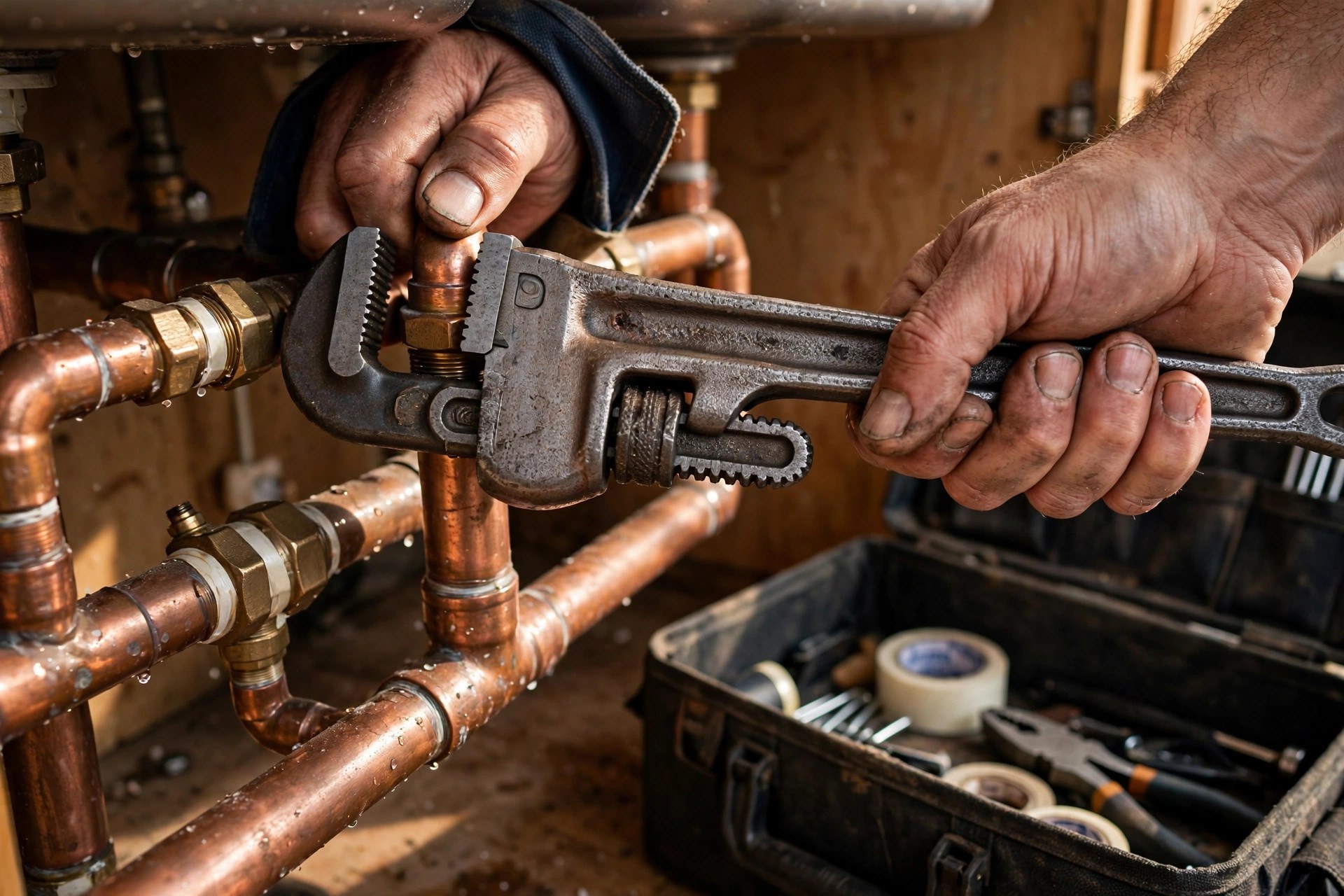
Job photos and notes on the customer record are what turn a second visit into a five-minute diagnosis instead of a fresh mystery.
The buying mistakes plumbing shops make
Buying for the demo, not the Tuesday. Every product looks good with sample data and a trained presenter. Make the vendor run your messiest real scenario: a same-day emergency call, a reschedule, a quote that needs three follow-ups, and a tech who will not read email.
Letting the cheapest option win. A $49-a-month tool that the techs ignore costs more than a $400-a-month tool they use, because the real cost is the chaos it was supposed to fix. Price per adopted user, not price per license.
Buying features for the shop you wish you had. A two-truck shop does not need multi-location reporting, franchise royalty tracking, or a call center queue. Buy for the next 18 months of growth, not the next 18 years.
Skipping the tech test. If the techs will not open the mobile app, the office data rots within a month. Put the app in two techs’ hands for a week before you sign anything. Their verdict outranks the owner’s.
Ignoring the exit. Ask how you get your data out before you put your data in. A vendor that cannot export customers, job history, and invoices to a standard format owns you, and the switching cost becomes whatever they decide to charge.
Signing before the phones are fixed. A CRM cannot save a shop that misses half its calls. If the phones are the leak, fix call handling first, then buy the system that keeps the recovered leads organized.
Letting the vendor do all the thinking. Vendors sell what they have, not what you need. Walk into every demo with your top three pains written down, and end every demo by asking which pain the product does not solve.
Your setup timeline
Plan on 6 to 8 weeks from signature to a team that actually uses the system. Rushing it produces a system nobody trusts; dragging it out produces a system nobody finishes.
Weeks 1 and 2: foundation
Import customers, clean the list, and connect the phone and texting. Do not build fancy automations yet. Get the basics right: every customer in the system, every call logging to the record, every text thread visible to the office. The owner should be living in the system by the end of week 2. If the owner is not in it daily, the team reads that as optional, and optional software dies.
Weeks 3 and 4: workflows
Build the quote follow-up pipeline, the appointment confirmation texts, the on-my-way texts, and the review request after completed jobs. Wire the missed-call text automation. These four workflows are the revenue core; everything else is decoration until they run. Test each one with real jobs and real customers before announcing anything to the team.
Weeks 5 to 8: training and enforcement
Train the office first, then the techs, in short sessions built around their actual jobs, not feature tours. An office session: booking, rescheduling, and finding a customer in under 30 seconds. A tech session: seeing the day, adding job notes and photos, and collecting payment. Then enforce: no paper job cards, no scheduling by text thread, no quotes outside the pipeline. The first two weeks of enforcement are uncomfortable. The shops that hold the line get a system that runs the business; the shops that allow exceptions get an expensive address book.

Short training sessions built around real jobs beat feature tours: booking in 30 seconds, not a tour of every menu.
Getting the techs and office staff to use it
Adoption is the whole game, and it is a management problem, not a software problem. Three rules make it work. First, the owner goes first and stays visible in the system: checking the board in the morning, reviewing the quote pipeline on Friday, pulling job history before a callback. The team copies the owner’s behavior, not the owner’s speeches. Second, remove the old way completely. As long as the whiteboard still works and paper job cards still exist, the team will use them, because the old way is familiar. Take the whiteboard down. Third, make the system the path of least resistance: the tech app should make the job easier, with the customer history, the notes, and the payment collection right there, not add ten minutes of admin to every job. One more practical move: name one person the system owner, usually the office manager, who owns the workflows, trains new hires, and says no to exceptions. Software without an owner drifts; software with an owner compounds.
Your rollout checklist
Work it top to bottom. Do not skip the boring steps.
- 1Write down your top three pains. Missed calls, dead quotes, scheduling chaos, pick the three that cost you the most. Every demo is judged against this list.
- 2Pick the category before the product. Dispatch-first shop, follow-up-first shop, or leak-plugging shop. The category decision eliminates two thirds of the market.
- 3Put the mobile app in techs’ hands for a week. Two techs, real jobs, real verdict. If they will not open it, the product is out.
- 4Get the all-in price in writing. Monthly software, setup fees, texting volume, payment processing rates, and the cost modeled at your 18-month headcount.
- 5Test the accounting sync with a real invoice. Including a partial payment and a refund. The cases that break are never the clean ones.
- 6Confirm the data exit. Full export of customers, job history, and invoices to standard formats, in writing, before your data goes in.
- 7Import and clean the customer list. Dedupe, fill the gaps, tag by service history. Garbage in means the automations text the wrong people.
- 8Build the four revenue workflows first. Quote follow-up pipeline, appointment confirmations, on-my-way texts, missed-call recovery. Decoration comes later.
- 9Train by job, not by feature. Office session on booking and rescheduling, tech session on the day view and payments. Short, practical, repeated for new hires.
- 10Remove the old way and name a system owner. Whiteboard down, paper cards gone, one person owns the workflows and says no to exceptions.
Frequently asked questions
What is the best CRM for a small plumbing company?
There is no single best pick; the right system depends on your shop’s biggest pain. Shops where dispatch is the bottleneck do best with a field-service management suite. Shops where lost leads and dead quotes are the bottleneck do best with a general small-business CRM or a trade-focused automation platform. Start from your top three pains, not from a rankings list.
How much does a CRM cost for a plumbing business?
Most shops land between $150 and $600 a month all-in. Owner-operators can run on $50 to $150 a month, and fleets of 6 to 15 trucks typically pay $400 to $900 or more. Watch the pricing model: per-tech pricing gets expensive as you hire, so model the cost at your 18-month headcount, and get setup fees, texting, and payment processing rates in writing.
Do plumbers need a CRM or field service software?
Most plumbing shops need both jobs done, and the categories overlap. If dispatch and the tech mobile app are your daily pain, buy the field-service suite first. If missed calls, dead quotes, and follow-up are the pain, buy the automation platform or general CRM first. Larger shops often run a field-service suite plus an automation platform together.
What features matter most in a CRM for plumbers?
Five non-negotiables: two-way business texting with history on the customer record, a quote pipeline with statuses and next actions, automated appointment confirmations and on-my-way texts, a tech mobile view of the day’s jobs and customer history, and an integration path to your accounting software. Everything else is negotiable.
How long does it take to set up a CRM for a plumbing shop?
Plan 6 to 8 weeks from signature to real adoption. Weeks 1 and 2: customer import, phone and texting connections, owner living in the system. Weeks 3 and 4: quote pipeline, confirmations, on-my-way texts, missed-call recovery. Weeks 5 to 8: training by job role and enforcement, with the old paper and whiteboard ways removed.
How do I get my plumbers to actually use the CRM?
The owner uses it first and visibly, the old way is removed completely so there is no fallback, and the app makes the tech’s job easier rather than adding admin. Train in short sessions built around real jobs, and name one system owner, usually the office manager, who trains new hires and enforces the workflows.
Should a plumbing CRM integrate with QuickBooks?
Yes. The sync should be two-way so customers, invoices, and payments flow to the books without retyping. Test it with a real invoice, including a partial payment and a refund, before you commit, because edge cases are what break. Also compare the CRM’s payment processing rate against your current rate in writing.
What is the biggest mistake plumbers make when buying a CRM?
Buying for the demo instead of the Tuesday: every product looks good with sample data. Make the vendor run your messiest real scenario before you sign. The close second is skipping the tech test. If your techs will not open the mobile app on real jobs, the office data rots within a month and the purchase is wasted.
Can one person run the CRM for a small plumbing shop?
Yes, for owner-operators and two-truck shops, the owner plus part-time office help can run a general CRM or trade automation platform. Name the system owner explicitly even in a tiny shop, because software without an owner drifts. Once you pass five trucks, the office manager usually needs to own it as part of their role.
How do I switch CRMs without losing my customer data?
Export everything from the old system before you cancel it: customers, job history, invoices, and notes, in standard formats like CSV. Clean and dedupe during the move, since a migration is the best excuse you will ever get to fix a messy list. Run both systems in parallel for two weeks, then cut over completely. And before buying any system, confirm the data exit in writing.
Get a CRM your techs will actually use
Digital Hayder sets up CRM and automation for plumbing companies: the right system for your shop size, quote follow-up pipelines, missed-call recovery, and training that sticks. Tell us about your trucks and your biggest headache and we will design the setup around it.
Contact Us