Most tree service owners get their work from referrals and repeat customers, right up until a storm hits. Then the phone either rings off the hook or it stays silent, and the difference is often the website. A tree service website has a harder job than most contractor sites. It has to earn the trust of a stranger with a tree on their roof, load instantly on a phone at nine at night, and turn a panicked search into a booked estimate. This guide breaks down exactly what a tree service website costs by build type, which features are worth paying extra for, the add-on prices you should expect, and the storm-season math that decides whether the site pays for itself.
The quick answer
- Typical price bands: a freelancer-built template site runs $800 to $2,500, a small-agency custom build runs $3,000 to $7,500, and a full custom site with storm pages and service-area pages runs $8,000 to $20,000.
- Photos sell the job: real photos of your crew and your finished work beat stock images every time. Start collecting job photos from every crew, every week.
- Storm pages pay the rent: a dedicated 24/7 storm and emergency page captures after-hours calls your competitors miss.
- Service-area pages multiply leads: one page per town you serve is the single highest-ROI add-on for local search visibility.
- Quote forms beat phone-only: an online estimate form with photo upload captures the inquiries that arrive when nobody picks up.
- Payback is fast: one or two booked storm jobs often cover the entire cost of building the site.
Why a tree service website works harder than most trade sites
Tree work is urgent, seasonal, high ticket, and deeply visual, and that combination puts unusual pressure on a website. A homeowner with a cracked limb hanging over their driveway is not browsing casually. They are searching on a phone, often in the evening or on a weekend, and they will call the first company that looks capable and answers. If your site loads slowly, shows generic stock photos, or hides the phone number, that caller moves to the next result in seconds.
Trust matters more here than in most trades. You are asking a stranger to let a crew with chainsaws and heavy equipment onto their property, sometimes while they are at work. Your website is the first interview. Real photos of real crews, proof of insurance, certifications, and reviews with names attached do the persuading before you ever speak. A site built from stock photos of trees cannot do that job, no matter how pretty the design.
Then there is the storm cycle. A single wind event can create weeks of emergency work overnight, and the companies that capture it are the ones whose sites are ready: a storm response page, an after-hours contact path, and a quote form that works from a phone in the dark. Roofers live on the same cycle, which is why their cost math looks so similar; our roofing website cost guide breaks down the storm-driven side of that business. The rest of this guide prices out what all of that readiness costs for a tree company.
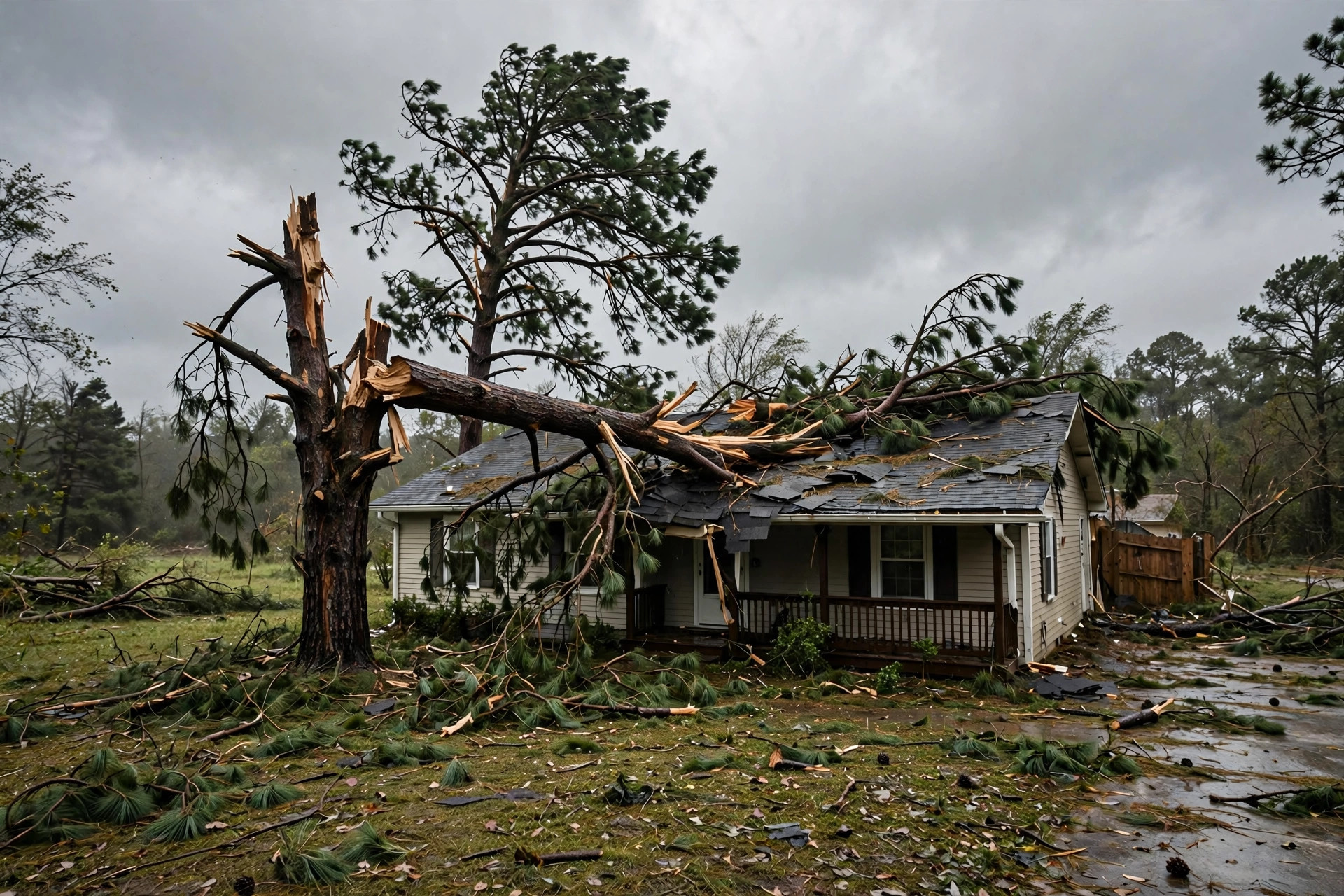
Storm damage creates emergency searches in minutes. A site with a dedicated storm page captures the calls that a brochure-style site misses.
Tree service website cost by build type
Website prices for tree companies fall into five clear bands. The right one depends on your crew count, your growth plans, and how much of the work you are willing to do yourself. The table below lays out each option with typical one-time costs.
| Build type | Typical one-time cost | What you get | Best fit |
|---|---|---|---|
| DIY website builder | $0 to $500 a year plus your time | Drag-and-drop template, you write every word and add every photo | Solo owner testing whether a site brings work |
| Freelancer template build | $800 to $2,500 | Polished template, basic service pages, contact form, mobile-friendly layout | One to two crew shops on a tight budget |
| Small agency semi-custom | $3,000 to $7,500 | Custom design on a proven layout, service pages, photo gallery, review widgets, basic local SEO setup | Growing companies with three or more crews |
| Full custom agency build | $8,000 to $20,000 | Ground-up design, online quote tools, dozens of service-area pages, storm response system, professional copywriting included | Multi-location companies and market leaders |
| Ongoing care plan | $50 to $300 a month | Hosting, software updates, backups, and small content changes | Any site you want to keep fast and secure |
The three packages below are what most tree companies actually buy. They map to the middle three bands, where the value per dollar is highest for a working tree business.
The Starter: template build
A clean, fast site that makes you look established and gets the phone ringing. No custom features, no fancy tools, just the essentials done well.
- Five to eight pages: home, services, about, gallery, reviews, contact
- Mobile-friendly layout with a click-to-call button on every screen
- Simple contact and estimate request form
- Google Maps embed and business hours
- Basic on-page setup so Google understands your services
The Growth build: semi-custom
The workhorse option for companies adding crews. Built to rank in your towns and convert visitors into booked estimates.
- Everything in the Starter, with a design unique to your company
- Service-area pages for each town you serve
- Before-and-after project gallery with your real job photos
- Online quote form with photo upload so customers send tree pictures
- Google review widgets and trust badges (licensed, insured, certified)
- Local SEO foundations: titles, schema, and speed optimization
The Storm-Ready build: full custom
For companies that want to own their market, especially during storm season. Every demand-capture feature is built in from day one.
- Everything in the Growth build, designed from a blank page
- Dedicated 24/7 storm and emergency response pages
- Twenty or more town-level service-area pages
- Professional copywriting in plain language your customers understand
- Advanced quote tools and CRM integration
- Ongoing content and SEO plan for the first year
What pushes the price up or down
Two tree companies can get quotes that differ by thousands, and the gap usually comes down to scope, not the designer padding the bill. The biggest cost driver is page count. A five-page site and a thirty-page site are different projects. Every service-area page needs unique copy, photos, and local details, and a company serving twelve towns will pay more than one serving three. That is normal, and it is also where the return comes from.
Photography is the second driver. A designer working with your real crew and job photos builds a site that converts. If you have no usable photos, someone has to create or source them, and that costs money or time. Start photographing jobs now, before you sign anything. A month of steady job photos can save you a four-figure photography bill and will make the finished site far stronger.
Copywriting moves the price too. Writing clear service pages takes real work, and most owners underestimate it. Some quotes include professional copywriting; some expect you to write everything. Ask which it is before you compare prices, because a cheap quote that leaves you staring at a blank page for six weeks is not cheap. Custom tools like quote calculators, instant estimate widgets, and CRM integrations add $500 to $3,000 each depending on complexity. Branding work, a new logo or a full visual identity, is usually a separate line item of $500 to $2,500. Finally, timeline matters: a rush job before storm season costs more than a project with a relaxed eight-week schedule.
Add-on features worth paying for
The base build gets you online. The add-ons below are what turn the site into a lead machine for tree work specifically. Not every company needs all of them, but almost every growing tree company benefits from the first three.
| Feature | Typical add-on cost | Why it matters for tree work |
|---|---|---|
| 24/7 storm emergency page | $300 to $800 | Captures after-hours panic searches with a dedicated number and form; pays for itself in one storm |
| Service-area pages (per town) | $150 to $400 each | Each town page is a new doorway into your site from local search; the highest-ROI add-on on this list |
| Before-and-after project gallery | $400 to $1,000 | Tree work is visual; real job photos answer “can they handle my tree” better than any paragraph |
| Online quote form with photo upload | $500 to $1,500 | Customers send tree photos from their phone; you quote without driving out for every look |
| Google review widgets | $100 to $300 | Live reviews on your service pages build trust at the exact moment of decision |
| Sticky click-to-call button | $100 to $250 | On mobile, most tree customers call; the button follows them as they scroll |
| Storm-season blog content | $200 to $600 setup | Articles on storm prep and tree risk bring in searches months before the work peaks |
| After-hours chat or AI receptionist | $30 to $300 a month | Answers and books the midnight inquiries your voicemail loses |
Design choices that turn visitors into calls
Design for tree services is not about looking artistic. It is about removing every doubt between a worried homeowner and the call button. Start with photography: the hero section of your homepage should show your crew doing real work, not a stock photo of a forest. Visitors decide in about three seconds whether you are a real company, and a genuine crew photo passes that test instantly.
Trust signals belong high on the page, not buried in the footer. Licensed and insured, certified arborist on staff, years in business, and your review rating should all be visible without scrolling on the homepage. Tree work involves risk to the customer’s property, so every signal that says “we are professionals and we stand behind our work” moves the needle. If you carry specific certifications, name them; homeowners researching tree companies notice.
On mobile, which is where most of your traffic comes from, the phone number should be visible and tappable at all times. A sticky call button that follows the scroll is worth more than any design flourish. Keep forms short: name, phone, address, a few photos, and a description box. Every extra required field drops completions. And mind the speed. A page that takes five seconds to load on a phone loses a meaningful share of visitors before they read a word; image compression and decent hosting are cheap fixes with outsized impact.
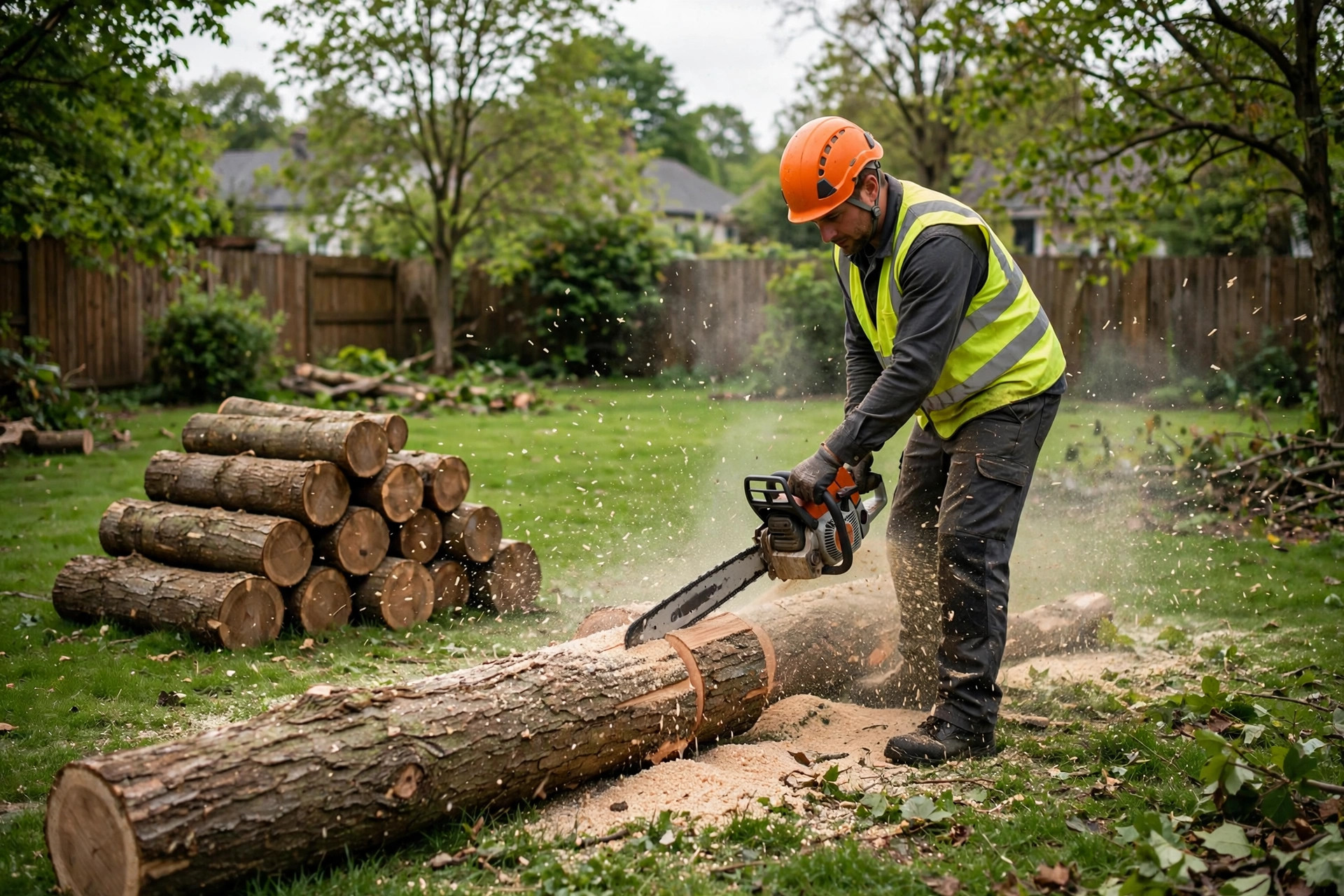
Real crew photos do the selling. Visitors trust a company they can see doing the actual work.
The storm season test
Every tree service website should be judged by one question: what happens when a storm hits at 10 PM on a Sunday? Searches for tree removal and emergency tree service spike within hours. The phone rings nonstop. Your crews are already booked for days. This is the moment your site either captures the overflow or watches it go to competitors.
The companies that win storm season prepare three things in advance. First, a dedicated storm and emergency page with its own headline, a direct phone number, and a short form: name, address, photos of the damage, and how urgent it is. Second, a triage plan: who checks the form submissions overnight and how fast. A form that sits unread until morning loses to the competitor who answers. Third, service-area coverage wide enough that the page ranks in the towns where the damage actually happened, which is why the town pages from the add-on table matter so much.
Paid traffic deserves a mention here too. When a storm hits, many tree companies switch on ads to catch the surge, and the pricing logic is nearly identical across home services. If you want to understand how the pay-per-lead model behaves for a hauling business, our breakdown of Local Services Ads for junk removal companies walks through the cost-per-lead math, and our guide to Google Ads cost for tree service companies covers the click-based side specifically for tree work. The website is what those ad clicks land on, which is why the two investments belong in the same plan.
Template, custom, or somewhere in between
For a one-to-two crew operation, a well-built template site is usually the right call. It gets you online fast, looks professional, and costs little enough that it pays for itself with a handful of jobs. The limitation shows up when you grow: templates get harder to extend, town pages get clunky, and you start wanting quote tools the template cannot support. Most companies hit that wall around the third crew.
The semi-custom build is the sweet spot for companies in growth mode. You get a design that looks like your company rather than a template, proper service-area pages, and the quote and review features that convert. It costs more up front, but it is built to carry you from three crews to ten without a rebuild. Ask the agency what the site looks like at twice the page count before you sign; a good build plan accounts for growth.
Full custom makes sense when the website is a central part of your marketing: multiple locations, heavy storm-season advertising, or a brand you are building to dominate a metro area. At this level you are paying for strategy as much as design: conversion planning, copywriting, photography direction, and an SEO roadmap. It is overkill for a two-truck shop and exactly right for a company doing seven figures that wants eight.
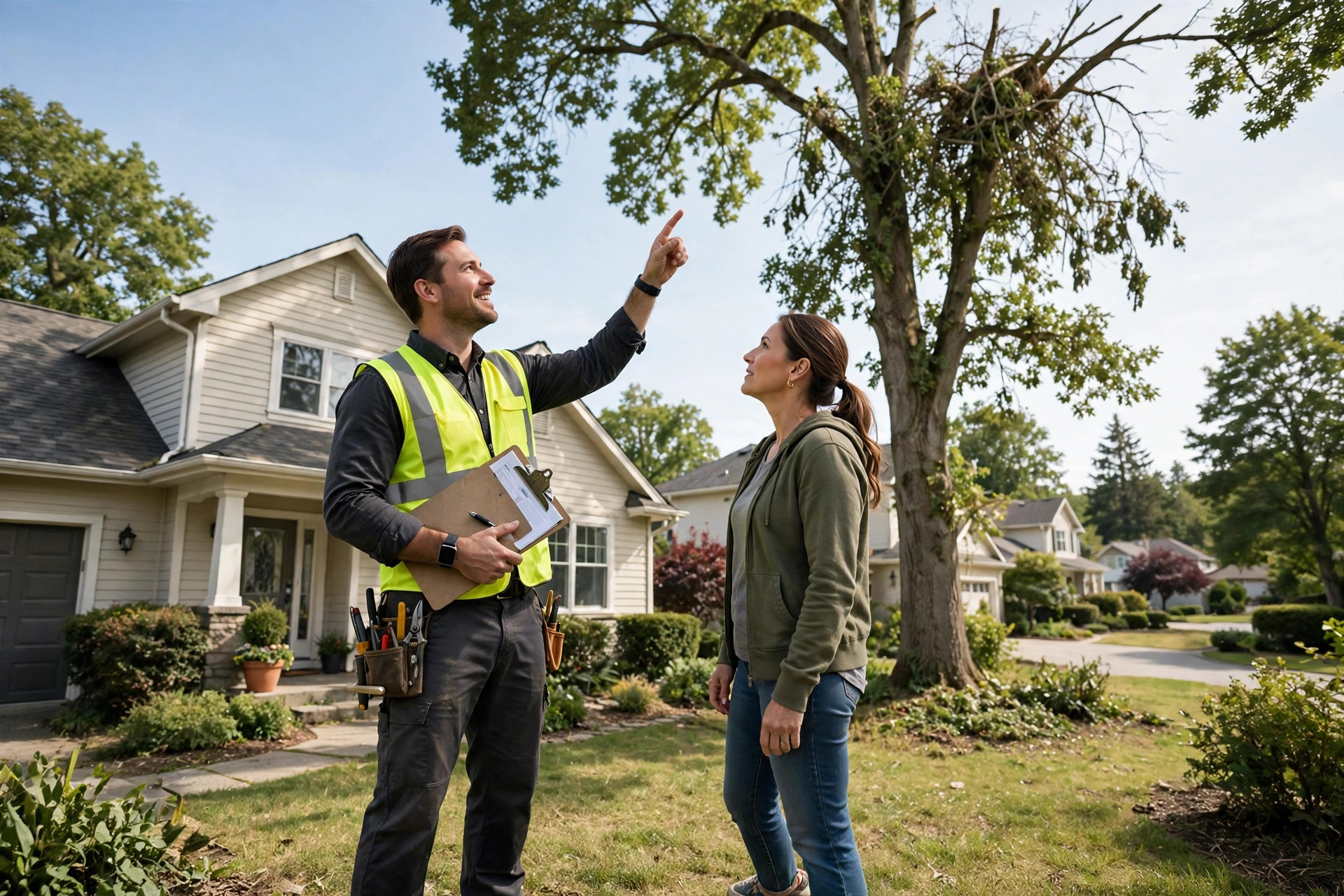
The estimate visit starts on the website. Clear service pages and a working quote form mean the homeowner is already half sold when you arrive.
What the site costs you every year after launch
The build quote is not the whole budget. Plan for annual running costs of roughly $600 to $3,600 depending on how the site is hosted and who maintains it. Domain registration is the smallest line: $15 to $25 a year. Hosting ranges from $100 a year for basic shared hosting to $600 or more for fast managed hosting, and for a site that must load quickly on phones during storm traffic, the cheaper end is a false economy.
Most owners choose a care plan from whoever built the site: $50 to $300 a month for software updates, security monitoring, backups, and a few hours of small changes. Skipping maintenance is the most common way a site slowly dies: plugins go stale, forms break, and one day the quote form stops sending and nobody notices for a month. If you run the site yourself, budget two to four hours a month for updates and checking that everything still works.
Content is the optional but high-value ongoing cost. Adding a few town pages a quarter, publishing storm-prep articles, and refreshing the gallery keeps the site growing in search. Some companies handle this in-house; others pay $300 to $1,000 a month for ongoing SEO and content. Either way, treat the website as an asset that needs feeding, not a poster you hang once. The companies that keep publishing are the ones still ranking when the next storm hits.
Hiring a web designer: questions that protect you
Ask for trade-specific work, not just pretty sites. A designer who has built for roofers, plumbers, or tree companies understands click-to-call, service-area pages, and quote forms. A portfolio of restaurant and law firm sites does not prove they can build you a lead machine. Plumbers face almost identical pricing bands, so our plumbing website cost guide is a useful second reference when you compare quotes across the trades.
Ask who writes the copy. If the answer is you, be honest about whether you will actually do it; most owners will not, and the project stalls for months. Ask who owns the site, the domain, and the hosting account when it is done. The domain must be registered in your name, full stop. A designer who holds your domain hostage is a story every trade has heard. Ask about the timeline in writing, what happens if they disappear mid-project, and whether you get training to make basic updates yourself.
Get two or three references from past clients and actually call them. Ask one question: did the site bring in work? A beautiful site that ranks for nothing and converts nobody is decoration. Finally, beware of the $300 website and the $199-a-month website rental. The first is usually a thin template you could have built yourself, and the second means you never own the asset you are paying for. If you stop paying, the site vanishes.
Your rollout checklist
Work through these in order. Each one builds on the last.
- 1List your services and towns. Write down every service you sell and every town you will drive to. This becomes your site map.
- 2Start collecting job photos. Ask every crew to send three photos from every job: before, during, after. Do this for a month before the build starts.
- 3Gather reviews and credentials. Pull your best Google reviews, your insurance certificate, and any arborist certifications into one folder.
- 4Pick your build type. Match the bands in this guide to your crew count and growth plans, not to your wish list.
- 5Get three comparable quotes. Same scope, same page count, same features. Ask each designer who writes the copy and who owns the domain.
- 6Approve the site map first. Confirm every service and town page exists on paper before design starts. Additions mid-build cost extra.
- 7Build the storm page early. Make the emergency page one of the first pages finished, so you are covered even if the full launch slips.
- 8Test the quote form on a phone. Submit a test quote from your own phone, with photos, at night. If it is annoying, fix it before launch.
- 9Check speed and call tracking. Load the site on mobile data, confirm it opens in under three seconds, and verify every call is tracked.
- 10Launch, then measure for 90 days. Track calls, form submissions, and booked jobs monthly. Add town pages for the towns that send traffic.
Frequently asked questions
How much does a basic tree service website cost?
A basic but professional site built by a freelancer on a template typically costs $800 to $2,500 one time. That covers five to eight pages, a mobile-friendly layout, a contact form, and click-to-call buttons. Add $100 to $300 a year for the domain and hosting.
How long does it take to build a tree service website?
A template build takes two to four weeks. A semi-custom agency build takes four to eight weeks. A full custom build with many town pages and quote tools takes eight to twelve weeks. The most common delay is copywriting and photo collection, so start gathering those before you sign.
Do I really need a page for every town I serve?
If you serve more than three or four towns, yes. Each town page is a separate chance to show up when someone searches for tree work in that town. Companies that add town pages consistently report them becoming a top source of new calls within a few months.
Should I put prices on my tree service website?
Show price ranges, not exact quotes. Ranges like “$400 to $900 for most residential removals” set expectations and filter out price shoppers, while exact prices backfire because every tree is different. Your competitors who publish ranges get the more serious inquiries.
Can I update the website myself after it launches?
Yes, if it is built on a standard content system like WordPress. Ask your designer for a short training session and make sure you have your own login. You should be able to add photos, publish articles, and edit text without calling anyone.
Do I need a blog on my tree service website?
A small one helps. Articles on storm preparation, signs a tree is dangerous, and what tree removal costs bring in searches from people who later become customers. Two to four useful articles a quarter is plenty; you do not need to publish weekly.
Will a website replace word of mouth for my tree business?
No, and it should not try to. Referrals will always be your best jobs. The website captures the strangers: the new homeowner, the person whose usual tree guy retired, and everyone searching at night after a storm. It fills the gaps referrals leave.
What is the biggest website mistake tree companies make?
Using stock photos instead of real crew and job photos, hiding the phone number, and having no way to request a quote after hours. Those three mistakes together can cut your conversion rate in half. Fix them before spending money on anything fancy.
Do I need SEO, or is a nice website enough?
A nice website with no visibility is a billboard in the desert. At minimum, the site needs correct titles, fast loading, and a complete Google business profile. If you want to rank in multiple towns, budget for ongoing SEO or content work after launch.
Who owns my website if my designer disappears?
You should, and this must be settled before work starts. The domain must be registered in your name, you need admin logins to the site and hosting, and you should have a full backup. Put ownership terms in the contract so there is no argument later.
Get a tree service website built to book jobs
Digital Hayder builds websites for tree service companies: storm-ready emergency pages, town-level service pages, photo galleries that sell the work, and quote forms that capture after-hours inquiries. Tell us about your crews and your market, and we will scope the right build for your budget.
Contact Us