
It is the second week of March. The weather just turned, every pool cover in the county is coming off, and your phone will not stop ringing. New customers want openings, existing customers want their weekly service restarted, and one panicked homeowner has water pouring out of a cracked pump housing. Your techs are already in the field, your office manager is on the other line, and the fourth caller in a row hits voicemail and hangs up. That caller books with the next pool company on the list. This is the defining economics of the pool business: demand arrives in a tidal wave every spring, the whole year is won or lost in about eight weeks, and every missed call is a customer who was ready to buy. An AI receptionist for pool companies answers every one of those calls, books the cleanings and repairs into your schedule, quotes your weekly plans, and triages the real emergencies to a human immediately. This guide covers everything: how it handles seasonal spikes, service scheduling, chemical and maintenance plans, and emergency leak calls; what it costs; the exact call scripts that convert; and the setup steps to be live before the spring rush.
The quick answer
- The spring problem: most pool companies get a huge share of annual calls in March through May. Missed calls in that window are missed revenue for the whole year.
- What it answers: service scheduling, weekly plan quotes, chemical balance questions, equipment repair booking, and emergency leak triage, 24/7.
- Real costs: AI receptionists for home-service companies typically run $300 to $800 a month, far less than a full-time office hire at $3,000-plus a month.
- Revenue math: one saved weekly plan at $250 a month is $3,000 a year. A handful of saved calls a month pays for the system.
- Emergencies: the AI triages leak and equipment calls with set questions and pages your on-call tech immediately for real emergencies.
- Timeline: plan 3 to 4 weeks to set up properly, and be live at least a month before your spring rush starts.
The seasonal call problem pool companies live with
Pool service is one of the most seasonal home-service businesses in America. In the Sun Belt, the season runs nearly year-round with a spring surge. Everywhere else, the year compresses: pools open in March, April, or May, run hard through summer, and close in the fall. Industry data on pool service businesses consistently shows that customer acquisition concentrates in the opening season, when homeowners fire up equipment that sat all winter and discover what broke. The phone pattern is brutal: quiet weeks in winter, then a flood. A company with three techs and one office person goes from handling the load comfortably to drowning in calls in about ten days. Hiring a second office person for a ten-week surge makes no financial sense, and asking your techs to answer the phone between stops destroys route efficiency.
The cost of a missed call in this business is higher than in most trades because of what the call represents. A spring caller is not price-shopping a commodity; they are a homeowner with an opening pool and a broken heater, or a new pool owner who needs weekly service starting now. The average residential weekly pool service plan runs $200 to $400 a month depending on the market, and the average customer stays for years. Losing one caller to a competitor’s faster answer can mean losing $3,000 to $5,000 in lifetime revenue. Multiply that by the five to ten calls a week that hit voicemail during the surge, and the spring phone problem is a five-figure problem wearing a receptionist costume. An AI receptionist exists for exactly this shape of demand: infinite capacity during the spike, zero idle cost in the quiet months.
What an AI receptionist actually does for a pool company
An AI receptionist is a voice-based assistant that answers your business phone line. Callers talk to it like a person: it greets them with your company name, asks what they need, and handles the request. For a pool company, that means a defined set of jobs it must do well. It schedules service visits by checking your real calendar and offering open slots. It quotes your weekly, bi-weekly, and monthly service plans with your actual prices. It answers the common questions: what is included in weekly service, how chemical balancing works, what an opening or closing costs, whether you service their area. It books repair visits for equipment problems with the right triage questions. And it handles the emergency path: a suspected leak or a pump that died gets escalated to your on-call tech right away, not queued for Monday.
The five jobs, ranked by revenue impact
Not all calls are equal, so the AI is trained to treat them differently. First, new weekly-plan signups: the highest lifetime value, so the AI prioritizes booking these fast and collecting the details your tech needs for the first visit. Second, equipment repair bookings: high-ticket one-time jobs (a pump replacement runs $500 to $1,500 installed, a heater repair more), so the AI asks the triage questions and books the diagnostic visit. Third, seasonal openings and closings: concentrated, schedulable, and easy to quote, so the AI fills these into route-efficient slots. Fourth, existing customer service calls: chemical questions, missed visits, billing, which the AI resolves or routes with the account details attached. Fifth, true emergencies: rare, urgent, and routed to a human immediately with the full context. A receptionist who treats a new-plan signup like a billing question is losing money; the AI is scripted to know the difference.
What it should never try to do
Set the boundaries during setup. The AI never diagnoses equipment it cannot see: it collects symptoms and books the diagnostic, it does not declare that your pump is dead. It never quotes a repair price beyond your published diagnostic fee and standard price list; anything unusual gets booked for a tech to quote on site. It never argues with an upset customer: one sign of frustration and it offers a callback from the owner or manager within a set time. And it never promises arrival windows your techs cannot keep. These limits are what separate a professional AI receptionist from a chatbot reading a script: it knows when the job needs a human and hands off cleanly.

Spring demand arrives in a wave. An AI receptionist gives you unlimited phone capacity exactly when the wave hits.
Surviving spring booking season
Spring is won in the details of scheduling. The AI receptionist earns its keep in March through May by doing three things your human staff cannot do at volume: answering every call on the first ring, quoting standard services without putting anyone on hold, and booking into a calendar that respects your route logic. When a homeowner calls about an opening, the AI asks the address, checks that it is inside your service area, quotes the opening price for their pool type, and offers the next available slots on the days your techs run that route. The caller never hears “let me check and call you back,” which is where spring callers are lost.
Openings, closings, and the shoulder-season calendar
Openings and closings are the most schedulable work in the pool business, which makes them perfect for automation. The AI quotes your standard opening (typically $250 to $500 depending on pool condition and market) and closing ($200 to $400), explains what is included (cover removal, equipment startup, chemical balancing, or winterization and cover installation), and books the visit into pre-built route blocks. Build your spring calendar as route blocks first: Monday is the north side, Tuesday the south side, and so on. The AI then fills those blocks instead of scattering appointments across the map, which keeps drive time down during your busiest weeks. For closings in the fall, the same logic runs in reverse, and the AI can proactively call your summer customers in September to book their closing before the calendar fills.
Waitlists that actually fill
When spring slots fill up, the AI does not turn callers away; it builds a waitlist. It takes the caller’s details, the service needed, and their flexibility, and texts them the moment a slot opens from a cancellation. This matters because spring cancellations are common: a rainstorm pushes a day’s route, and suddenly Thursday has four open hours. A human office manager rarely has time to work a waitlist during the surge. The AI does it automatically, and every filled cancellation is revenue that would have evaporated. Set the rule during setup: waitlist offers go out in order, with a 30-minute response window, then move to the next name.
Service scheduling that keeps routes dense
Route density is the quiet profit engine of pool service. A tech who services eight pools in one neighborhood earns far more per hour than a tech who drives across town between stops. The AI receptionist protects density by booking with geography in mind. During setup, you define your service zones and route days. The AI offers slots on the right day for the caller’s address, and if the caller insists on a different day, it explains the tradeoff honestly: “Our tech is in your area on Tuesdays, so Tuesday visits keep your price at the standard rate.” Most customers accept the route day when it is framed as normal. The ones who do not are flagged for a possible trip charge, which the AI quotes from your price list.
The AI also handles the scheduling chores that eat office hours: rescheduling when a customer is not home, confirming the day before, and collecting gate codes and pet warnings for the tech. A missed gate code is a wasted stop; the AI asks for it at booking and again in the confirmation text. Over a season, these small data-collection wins compound into measurably fewer wasted trips. If your website is the other front door for bookings, make sure its pricing and plan details match what the AI quotes; our guide to how much a pool company website costs covers what a booking-ready pool site needs.
Selling weekly plans and chemical packages on the call
Weekly service plans are the recurring revenue that makes a pool company valuable, and the phone call is where they are sold. The AI is trained as a plan salesperson, not an order-taker. When a caller asks about weekly service, it does not just quote the price; it explains what weekly service includes (skimming, vacuuming, brushing, chemical testing and balancing, equipment check, filter cleaning on schedule), asks about the pool (size, type, equipment age, current condition), and recommends the right plan tier. The difference between quoting “$275 a month” and selling the plan is the explanation of what the customer never has to think about again.
The plan math the AI should know
Load your real numbers into the AI’s knowledge base. A typical structure: weekly full service $250 to $400 a month, bi-weekly $150 to $250, monthly chemical-only checks $100 to $175, with saltwater and oversized pools priced higher. The AI should know your add-ons cold: filter cleanings, heater service, salt cell replacement, leak detection, equipment upgrades. When a weekly customer calls about a green pool, the AI knows the difference between a chemical rebalance visit and a full cleanup, quotes each correctly, and books the right one. This is also where the AI beats a rushed human: it never forgets to mention the filter-cleaning add-on or the salt-cell check, because the upsell prompts are built into the script.
Chemical balance questions without the liability
Pool owners call with water chemistry questions constantly: “my chlorine is high, what do I do,” “the water is cloudy,” “is it safe to swim?” The AI answers from your approved guidance: general, safe, and always ending with an offer to send a tech. It never prescribes specific chemical doses for a pool it has not tested; instead it explains the likely cause in plain terms and books a visit. “Cloudy water is usually a filtration or sanitizer issue. I can have a tech out Thursday to test and treat it properly. Mornings or afternoons better for you?” That is the pattern: helpful, honest about limits, and always moving to the booking.

The AI answers routine water questions from your approved guidance and books a tech visit for anything that needs hands on the pool.
Emergency calls: leaks, dead pumps, and green pools
Emergency calls are the highest-stress, highest-trust moments in the pool business. A homeowner with water loss, a pump screaming like a dying animal, or a pool that turned green two days before a party is not a routine caller. The AI handles these with a dedicated triage flow that does two things fast: determines whether it is a real emergency, and gets a human involved immediately when it is. Speed and calm are the whole job.
The triage questions that sort real emergencies
The AI asks a short, fixed set of questions. For suspected leaks: “Is the water level dropping visibly, and is the equipment area wet?” For pump problems: “Is the pump running at all, and is there water flow to the pool?” For green pools: “When did it turn, and is the equipment running?” Based on the answers, it classifies the call. A visible leak with water loss, a dead pump in summer heat, or equipment making dangerous noises: emergency, page the on-call tech now with the full notes. A green pool with running equipment: urgent but schedulable, book the next available cleanup slot. A slightly cloudy pool: routine, book normally. The classification rules are yours to set during setup, and the AI follows them exactly every time, including at 2 am.
When the AI pages a human
The escalation path must be instant and reliable. When the AI classifies an emergency, it texts and calls your on-call number with the customer details, the address, and the triage notes, and tells the caller: “I have paged our on-call technician with your details. Expect a call back within 15 minutes.” Set the callback promise during setup to something you can actually keep, and set a backup: if the first number does not answer in 10 minutes, page the second. The AI also logs every emergency call with a recording and transcript, so nothing depends on anyone’s memory the next morning. Test the paging path monthly; an escalation that fails silently is worse than no AI at all.
After-hours and weekend coverage that pays for itself
Pool emergencies do not respect business hours, and neither do spring booking decisions. A homeowner who notices the water level dropped does it at 7 pm walking the dog, not at 10 am. A new pool owner researching weekly service does it on Sunday afternoon. The AI receptionist answers at all of these moments with the same quality as your best office employee. The math on after-hours coverage is simple: if the AI captures even two extra weekly plans a month from evening and weekend callers, at $275 a month each, that is $6,600 a year in recurring revenue from calls that previously hit voicemail. The system costs less than one of those plans.
There is a second, quieter benefit: your techs stop being the after-hours phone. In many small pool companies, the owner or lead tech carries the business cell and answers everything, including the 9 pm “my pool is a little cloudy” calls that could wait. The AI filters these: routine questions get answered and booked, real emergencies get paged, and everything else waits for morning with a proper log. Owners who have run an AI receptionist for a season consistently report the same unexpected win: their evenings back.
How much does an AI receptionist cost a pool company?
Pricing for AI receptionists in home services has settled into clear bands. The cheapest options charge per minute of talk time, which sounds fine until spring hits and your minutes triple. Flat-rate plans with generous minute bundles are usually the better deal for seasonal businesses. Below are the realistic US bands for pool companies, based on what home-service AI receptionist providers currently charge.
| Option | Typical monthly cost | How it charges | Best for |
|---|---|---|---|
| Per-minute AI answering | $150 to $400 | $0.50 to $1.00 per minute of talk time | Low call volume, testing the concept |
| Flat-rate AI receptionist | $300 to $600 | Monthly flat fee with a minute bundle | Most pool companies, including spring surge |
| Full-featured with scheduling and CRM sync | $500 to $900 | Flat fee, deeper integrations | Multi-crew companies with complex routing |
| Human answering service (for comparison) | $300 to $1,000 | Per-minute or per-call, humans answering | Businesses that want a human voice only |
| Part-time office hire (for comparison) | $1,500 to $2,500 | Hourly wages for 20 to 30 hours a week | Year-round high call volume |
Watch for the fine print. Per-minute plans often exclude the AI’s hold and transfer time, which inflates the bill. Some providers charge extra for calendar integration or for the emergency paging feature, which for a pool company is not optional. Ask for the all-in monthly number with your expected spring call volume, in writing, before you sign. And compare honestly against the alternative: a part-time office hire at $18 an hour for 25 hours a week costs around $1,950 a month before taxes and does not work nights or weekends. For a deeper cost breakdown across receptionist types, see our AI receptionist guide for landscaping companies, another seasonal route business with the same economics.
Setup steps and timeline
Give yourself a full month before the spring rush. A rushed setup books wrong, quotes wrong, and pages the wrong number at 2 am. The steps below run in order.
Week 1: the knowledge base
Write the document the AI will learn from: every service you offer with current prices (openings, closings, weekly plans by tier, chemical-only visits, diagnostic fee, common repairs), your service area by zip code, your route days by zone, your hours, your emergency definition, and your on-call paging order. Include the exact phrases your best office employee uses; the AI should sound like your company, not a generic call center. This is also when you record the greeting in the AI’s voice settings: your company name, pronounced correctly.
Week 2: scheduling and routing
Connect the AI to your calendar or scheduling tool and define the booking rules: which services book into which route blocks, how long each job type takes, the trip-charge rule for out-of-zone addresses, and the waitlist logic. Set up the emergency paging path and test it with fake emergency calls at different hours. Test the handoff too: when a caller asks for the owner, the AI should transfer or take a message with the full context attached, not start over.
Week 3: scripts and edge cases
Load the call scripts (samples below) and run through the edge cases with your office manager: the angry customer, the price shopper who only wants the cheapest number, the caller outside your service area, the existing customer with a billing question, the Spanish-speaking caller if that matters in your market. Each edge case gets a defined response. This is the week that separates a professional deployment from a demo.
Week 4: soft launch and tuning
Go live but monitor closely. Listen to the call recordings daily for the first two weeks and fix every misquote, wrong slot, and awkward handoff. Most providers give you a dashboard with transcripts; use it. After a month, review the numbers: calls answered, bookings made, emergencies paged, and after-hours conversions. Tune the greeting and the plan-quoting script first, since those carry the most revenue.
Call scripts that win pool customers
The AI is only as good as its scripts. Below are two field-tested patterns, written in the plain language that converts for pool companies.
The spring booking script
AI: “Thanks for calling [Company Name], this is [AI name]. How can I help you today?” Caller: “I need my pool opened.” AI: “Happy to help with that. What is the address of the pool?” Caller: “[address].” AI: “Great, that is in our Tuesday route area. Our standard opening is $350, which includes cover removal, equipment startup, and full chemical balancing. I have Tuesday the 14th between 9 and 12, or Tuesday the 21st in the afternoon. Which works better for you?” The structure: confirm the service, verify the service area, quote the real price with what is included, and offer two real slots. No “let me check and call you back.” If the caller hesitates on price, the AI explains the value once (“that covers the full startup so the pool is swim-ready, not just uncovered”) and offers the booking again, not a discount.
The emergency leak script
AI: “Thanks for calling [Company Name]. Are you calling about an emergency with your pool?” Caller: “I think my pool is leaking, the water dropped a lot overnight.” AI: “Okay, let us get someone on this. Is the equipment area wet, and is the pump still running?” Caller: “The pad is wet and the pump sounds strange.” AI: “I am paging our on-call technician right now with your details. Expect a call back within 15 minutes. Can I confirm your name and the best number to reach you?” The pattern: classify fast, page immediately, set the callback expectation, and confirm contact details. The caller hangs up feeling helped, not queued.
Mistakes pool companies make with AI receptionists
The failure modes are consistent across the pool companies that try AI reception and give up. Avoid these and the system works.
Launching the week the rush starts. An untested AI quoting last year’s prices during your busiest week is a disaster. Be live and tuned a month before the surge.
Skipping the route-day logic. An AI that books any address on any day scatters your techs across the map and destroys the route density your margins depend on. Route blocks are a setup requirement, not an advanced feature.
No emergency definition. If you do not define what counts as an emergency, the AI either pages you for cloudy water at midnight or sits on a real leak until morning. Write the classification rules with your lead tech.
Stale pricing in the knowledge base. You raise the weekly plan price in January and forget to update the AI. It quotes the old price all spring, and you honor it or lose trust. Update pricing the day it changes, everywhere.
Letting it quote repairs beyond the price list. The AI should quote your diagnostic fee and standard items, then book a tech to quote the rest on site. An AI that invents repair prices creates disputes your techs have to clean up.
No human handoff for angry callers. One sign of frustration should trigger an immediate offer: “Would you like me to have the owner call you back within the hour?” An AI that argues with an upset customer will cost you reviews.
Choosing per-minute pricing for a seasonal spike. Spring triples your minutes and your bill. Flat-rate plans with generous bundles fit seasonal call patterns better.
Never listening to the recordings. The call log is a free focus group: it tells you exactly what customers ask, what confuses them, and where the AI stumbles. Fifteen minutes a week keeps the system sharp.
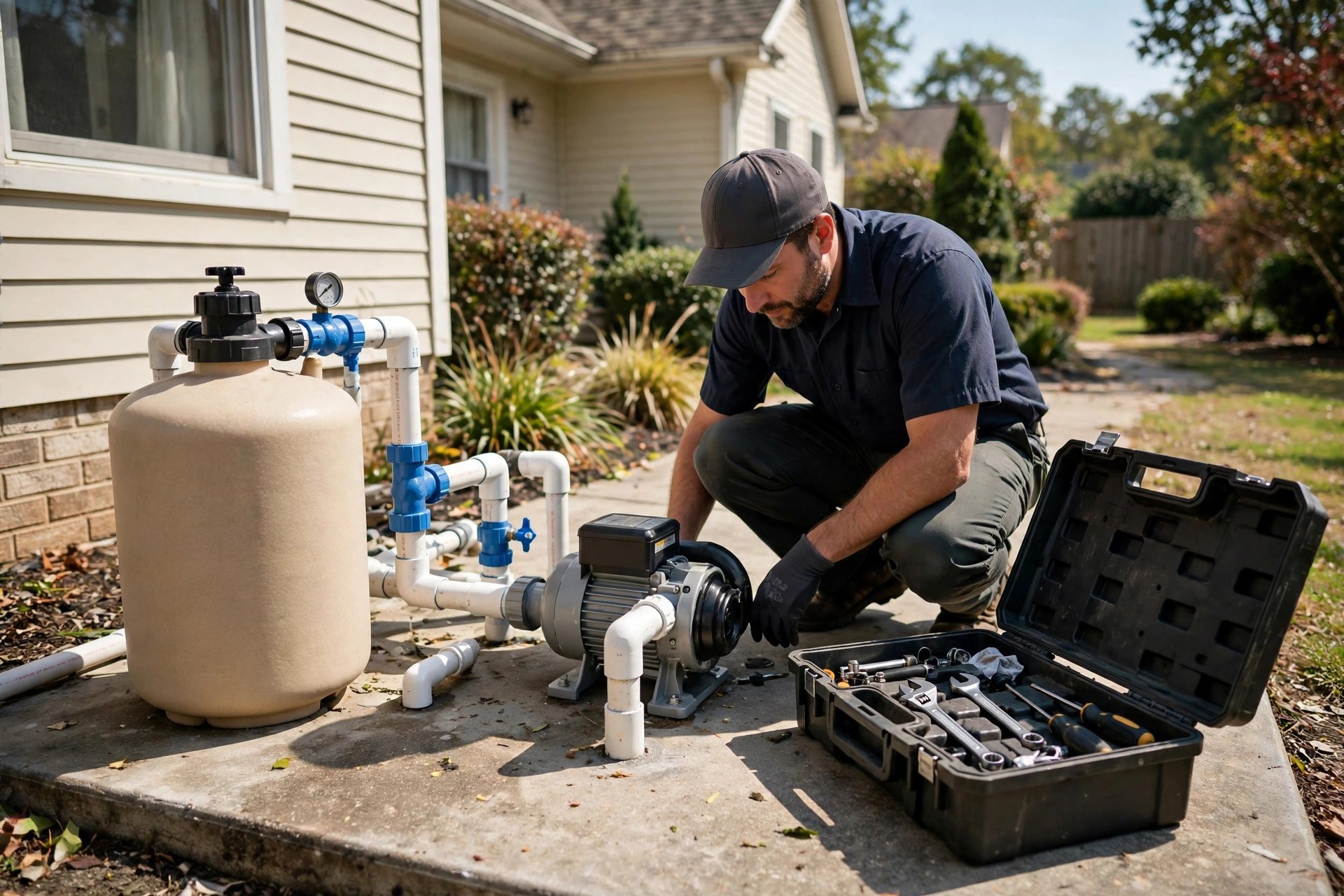
Repair calls are high-ticket bookings. The AI triages the symptoms and books the diagnostic; the tech quotes on site.
AI receptionist vs answering service vs a part-time office hire
Pool companies usually compare three options for the phones. A traditional human answering service gives you a human voice around the clock, but the agents juggle dozens of companies, read from a generic script, and cannot see your calendar or quote your plans accurately. A part-time office hire knows your business cold but works limited hours, costs the most, and still misses the evening and weekend calls where spring revenue hides. An AI receptionist sits between them: it knows your pricing, your routes, and your calendar like an employee, and it answers at 2 am like an answering service. Here is the honest comparison.
| Factor | AI receptionist | Human answering service | Part-time office hire |
|---|---|---|---|
| Availability | 24/7, answers on first ring | 24/7, but hold times vary | Office hours only |
| Knows your pricing and plans | Yes, from your knowledge base | Rarely; reads a generic script | Yes, fully |
| Books into your calendar | Yes, with route logic | Usually takes messages only | Yes |
| Emergency paging | Instant, with triage notes | Pages, but thin context | Only during work hours |
| Monthly cost | $300 to $900 | $300 to $1,000 | $1,500 to $2,500 |
| Scales for spring surge | Yes, unlimited capacity | Yes, with longer holds | No, fixed hours |
For most pool companies, the practical answer is the AI receptionist as the always-on front line, with the owner or manager as the escalation path for emergencies and complex cases. If you already miss calls after hours, pair it with a missed-call text-back system for pool companies as a safety net, so no caller ever hits a dead end. The combination covers every channel a spring caller might use.
Your rollout checklist
Start at least a month before your spring rush. Work the list in order.
- 1Write the knowledge base. Every service and current price, service-area zip codes, route days by zone, hours, emergency definition, and on-call paging order.
- 2Connect the calendar with route logic. Services book into route blocks by zone, with trip-charge rules for out-of-area addresses.
- 3Build the spring booking script. Service confirmation, area check, real price with inclusions, and two real slot offers. No callbacks.
- 4Build the emergency triage flow. Fixed questions for leaks, pump failures, and green pools, with instant paging and a callback promise you can keep.
- 5Load the weekly plan sales script. Plan tiers, inclusions, add-ons, and the questions that match the caller to the right tier.
- 6Set the human handoff rules. Angry callers, complex repairs, and billing disputes go to the owner or manager with full context attached.
- 7Test with fake calls. Bookings, cancellations, emergencies at odd hours, out-of-area callers, and price shoppers. Fix everything before launch.
- 8Choose flat-rate pricing. A generous minute bundle beats per-minute billing for seasonal call spikes.
- 9Soft-launch with daily review. Listen to call recordings for two weeks and correct every misquote and wrong slot.
- 10Track four numbers weekly. Calls answered, bookings made, emergencies paged, and after-hours plan signups. Tune the greeting and plan script monthly.
Frequently asked questions
Will callers know they are talking to an AI?
Most will not notice unless you tell them, and honesty is the better policy. A brief “I am the virtual receptionist for [Company Name]” at the start sets expectations and callers do not mind. What they care about is getting booked fast, which the AI does better than a voicemail.
Can an AI receptionist really handle a pool emergency?
It triages and escalates, which is exactly what a good human receptionist does. It asks the fixed triage questions, pages your on-call tech immediately with the full notes for real emergencies, and tells the caller when to expect a callback. It never pretends to fix the problem itself.
How does it know my service area and route days?
You define them during setup: zip codes served, route days by zone, and the trip-charge rule for addresses outside the zones. The AI checks every caller’s address against that map before offering slots, which keeps your techs’ routes dense.
What does it cost per month for a typical pool company?
Most pool companies land in the $300 to $600 a month band on a flat-rate plan with a generous minute bundle. Per-minute plans run $150 to $400 in quiet months but spike in spring, which is why flat-rate usually wins for seasonal businesses.
Can it sell weekly service plans, or just take messages?
A properly set up AI sells. It explains what weekly service includes, asks about the pool, recommends the right tier from your price list, and books the first visit. It follows the plan script the same way every time, which is more consistent than a rushed human.
What happens when a caller gets angry?
The AI is scripted to recognize frustration and offer a human immediately: a callback from the owner or manager within a set time, with the full call context attached. It never argues, never repeats a script at an upset customer, and never hangs up on one.
Does it integrate with my scheduling software?
Most AI receptionist providers connect to common calendars and field-service scheduling tools. Confirm your specific software during the demo and ask to see a test booking appear in your real schedule before you sign.
How long does setup take before spring?
Plan three to four weeks: one for the knowledge base, one for scheduling and routing, one for scripts and edge cases, and one for soft launch and tuning. Start at least a month before your rush, because a rushed setup quotes wrong when it matters most.
Should I keep my office manager too?
Yes, for most companies. The AI handles the phones; your office manager handles billing, customer relationships, and everything the AI escalates. Many owners find the AI lets one office person do the work of two during the surge instead of hiring seasonal help.
What if my call volume drops in winter?
That is the advantage over hiring. The AI costs the same flat rate year-round, which is still far less than a part-time employee, and it is already trained and ready when spring returns. No rehiring, no retraining, no ramp-up.
Answer every spring call without hiring seasonal staff
Digital Hayder builds AI receptionists for pool companies: seasonal booking scripts, route-aware scheduling, weekly plan sales, and emergency triage with instant paging to your on-call tech. Tell us about your routes and we will set it up before your rush starts.
Contact Us