
Every HVAC owner knows the feeling. The phone rings, a tech scribbles details on a paper ticket, the estimate goes out by email, and then silence. Two weeks later you wonder what happened to that $9,000 system replacement quote. A good CRM for HVAC companies ends that cycle. It captures every lead, schedules every job, follows up on every unsold estimate, and keeps maintenance plan members coming back year after year. This guide compares the best CRM options for HVAC shops, explains what the software must actually do, shows what it really costs, and runs the math that decides whether it pays.
The quick answer
- Follow-up is where the money is: dispatch matters, but unsold estimates, review requests, and maintenance plan renewals are what move revenue.
- Jobber and Housecall Pro lead for small shops: field-service-first tools with real dispatch boards, priced roughly $50 to $200 a month.
- ServiceTitan fits larger operations: powerful and purpose-built for HVAC, but enterprise pricing and onboarding designed for 10-plus truck fleets.
- GoHighLevel wins on marketing automation: the best pick when you want CRM plus email, SMS, and review automation in one system.
- Non-negotiables for HVAC: a visual dispatch calendar, a mobile app your techs will actually use, automated estimate follow-up, QuickBooks integration, and review automation.
- Payback comes fast: one recovered replacement estimate usually covers a full year of the software.
Why most HVAC companies lose jobs they already earned
The average HVAC company does not have a lead problem. It has a follow-up problem. Leads come in from Google, from the website, from referrals, and from the yard signs on last summer’s installs. Then they scatter. One quote lives in a tech’s truck notebook. Another sits in an estimator’s personal email. A third got a verbal price at the kitchen table and was never written down at all. When nobody owns the follow-up, nobody follows up.
The numbers are painful. Home service industry data consistently shows that 40 to 60 percent of estimates never receive a single follow-up contact. In HVAC, where a replacement system sells for $7,000 to $12,000 and even a mid-tier repair ticket runs $400 to $800, letting half your quotes go cold is the most expensive habit in the business. A shop that runs 60 estimates a month and converts 30 percent without follow-up leaves an enormous pile of revenue on the table if a simple sequence could convert even 10 percent of the lost ones.
After-hours calls make it worse. Furnaces fail at 11 PM in January and air conditioners die on Saturday afternoons in July. If your phone setup sends those callers to voicemail, they call the next company on the list. A CRM with a proper missed-call workflow texts the caller back instantly, captures the details, and puts the job in the morning queue, so the emergency does not go to your competitor. Our guide to lead follow-up automation for HVAC companies covers the phone-side safety net in detail.
Paper tickets and spreadsheets were fine when the shop ran two trucks and the owner dispatched from memory. At five trucks they start leaking. At ten they drown the office. A CRM built for field service gives every lead, job, and customer one home that the whole team can see, and that visibility is the foundation everything else in this guide builds on.
What an HVAC CRM must actually do
General-purpose sales CRMs like a plain contact database will not survive contact with an HVAC shop. You need software built around trucks, techs, and jobs. Before you look at any brand name, check every candidate against this list.
A visual dispatch board. This is the heart of the system. You need a drag-and-drop calendar that shows every truck, every tech, and every job for the day, with color coding for job type and status. The dispatcher should be able to move a job from one tech to another in seconds when an emergency call comes in. If the scheduling view is just a list of appointments, keep shopping.
A mobile app techs will actually open. The best dispatch board in the world is useless if techs will not use the app. It must show the day’s jobs, customer history, and notes with two taps. It must let the tech clock in and out of jobs, add photos, collect a signature, and take payment at the door. Offline capability matters too, because basements and attics do not always have signal.
Estimates and invoicing. Build the quote in the field, send it by text or email on the spot, and let the customer approve with a tap. Good-better-best estimate options are a real revenue tool in HVAC, letting customers choose the tier that fits their budget instead of saying no to a single take-it-or-leave-it price. Invoicing should flow straight to the books without retyping.
Automated follow-up sequences. This is the profit center. The CRM should automatically text and email customers who received an estimate but never booked, at intervals you set: day one, day three, day seven, day fourteen. It should do the same for old quotes, lapsed maintenance members, and seasonal tune-up reminders. Manual follow-up dies in week two; automated follow-up runs forever.
Two-way texting and review requests. Customers answer texts. Your CRM should send and receive SMS from your business number, trigger a review request automatically when a job closes, and route the review link to Google. Reviews are the fuel of local HVAC marketing, which is why our HVAC marketing ideas guide puts review generation at the center of the local strategy.
Maintenance agreement tracking. Maintenance plans are recurring revenue, and a CRM should track every member, every visit used, every renewal date, and every upsell opportunity the tech notes on site. When a plan comes up for renewal, the system should chase it automatically instead of letting members quietly drift away.
Accounting integration. QuickBooks integration is the standard to demand. If the CRM cannot push invoices, payments, and customer records into your books cleanly, your bookkeeper will pay for the gap in hours.
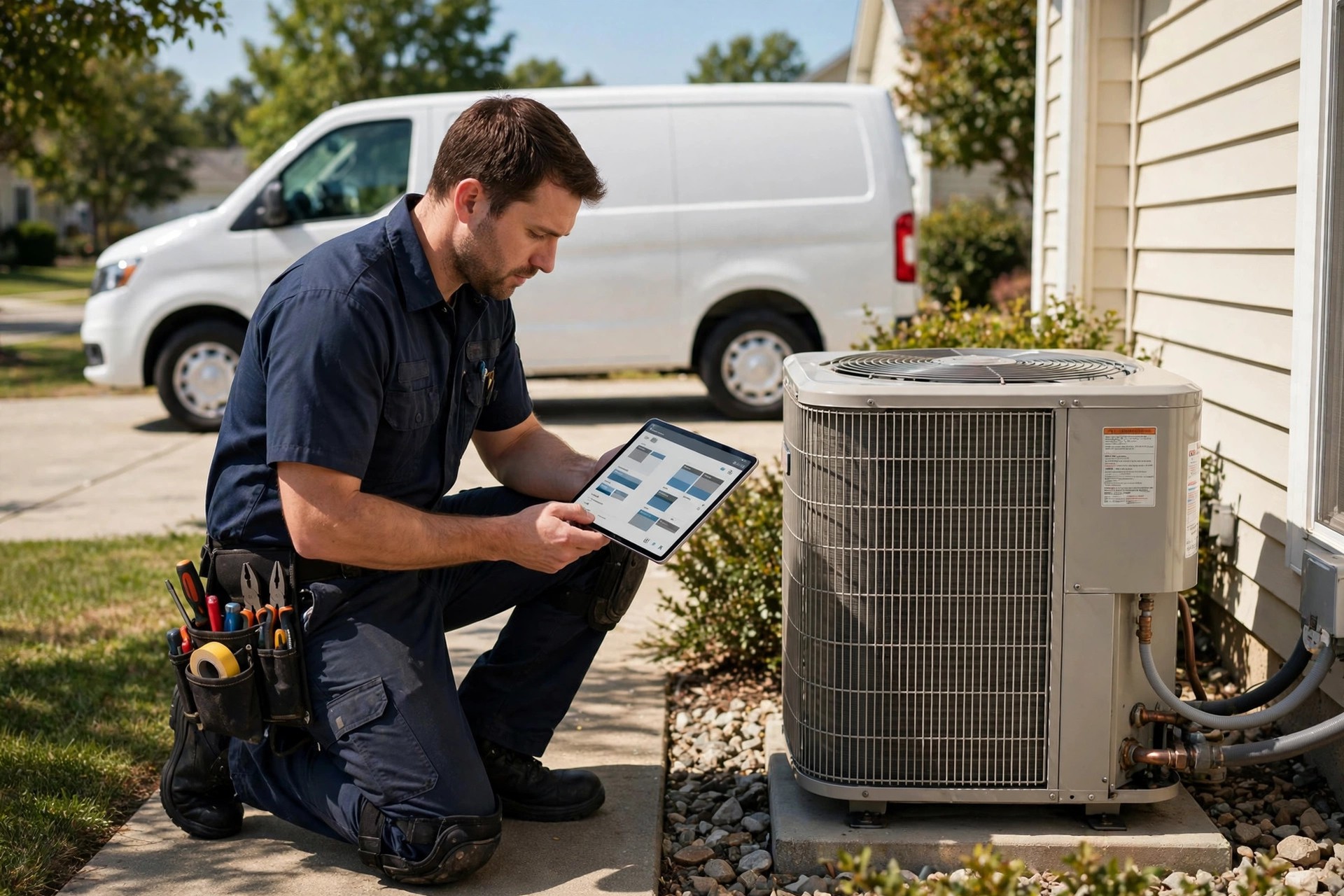
A CRM that techs use in the field keeps the schedule, the customer history, and the estimate in one place.
The best CRM for HVAC companies: the short list
There are dozens of tools with “HVAC” on the feature page. In practice, the serious short list is small. Here is how the real contenders stack up for an HVAC shop, from the owner-operator with two trucks to the multi-location operation.
Jobber
Jobber is the most popular starting point for small HVAC shops, and it earns that spot. The dispatch calendar is clean, the tech mobile app is one of the easiest to learn, and quoting, invoicing, and payment collection all work well. Its automation features cover the essentials: quote follow-ups, appointment reminders, and review requests. It connects with QuickBooks and the usual marketing tools. The limitation is depth: very large operations outgrow its reporting and multi-location handling. For one to eight trucks, it is the safest default pick.
Housecall Pro
Housecall Pro is Jobber’s closest rival and the pick for owners who want the maximum out of the box. It bundles dispatch, estimates, invoicing, online booking, and a built-in consumer financing option that helps close big-ticket replacements. Its marketing tools, including automated postcards and email campaigns, go further than Jobber’s. The trade-off is price: it runs higher, and some owners find the interface busier. For shops that sell a lot of replacements and want financing and marketing under one roof, it is a strong fit.
ServiceTitan
ServiceTitan is the heavyweight, built specifically for HVAC, plumbing, and electrical contractors running serious volume. The dispatching is the best in the business, with true capacity planning and GPS-based tech tracking. The marketing and call-tracking tools are deep, the pricebook features handle good-better-best selling properly, and the reporting can slice the business any way an owner wants. The catch is cost and commitment: pricing is custom and enterprise-grade, onboarding is a real project, and it is overkill below roughly eight to ten trucks. If you plan to scale past $5 million in revenue, start the conversation now.
FieldPulse
FieldPulse is a solid mid-tier option that covers dispatch, quoting, invoicing, and customer management with a simpler interface than the giants. It suits shops that find Jobber too light and ServiceTitan too heavy. Its automation is decent though not as deep as the top picks, and the integrations list is shorter. Worth a look on the short list, especially for four-to-twelve-truck operations that want capable software without enterprise complexity.
GoHighLevel
GoHighLevel is a different animal: a full CRM plus marketing automation platform that agencies commonly set up for HVAC companies. Where the field-service tools above start with dispatch, GoHighLevel starts with the pipeline: lead capture from every channel, automated SMS and email follow-up, review requests, missed-call text-back, online booking, and a mobile app. It is the best choice when your biggest gap is marketing and follow-up rather than dispatch complexity, and it is the platform Digital Hayder builds on for home service clients. Pair it with a dispatch tool or use its pipeline features alone for smaller shops. Plumbers face the same choice, which our best CRM for plumbers guide breaks down from the plumbing side.
Service Fusion
Service Fusion (by EverCommerce) is a capable field-service platform with strong dispatching, estimating, and a GPS fleet tracking add-on. It sits in the same tier as FieldPulse: serious software for mid-size shops, with per-user pricing that stays reasonable. It is worth including in demos if you want to compare three mid-tier options side by side before deciding.
Head-to-head comparison
Prices below are typical US bands at the time of writing and they change often, so confirm current pricing on a demo before you decide. The capability ratings reflect what matters to an HVAC shop: dispatch depth, follow-up automation, and integration range.
| CRM | Typical price band | Dispatch | Follow-up automation | Key integrations | Best for |
|---|---|---|---|---|---|
| Jobber | $49 to $179 per month | Strong | Good: quotes, reminders, reviews | QuickBooks, Stripe, Zapier | 1 to 8 trucks, simple and reliable |
| Housecall Pro | $69 to $199 per month | Strong | Strong: email, postcards, review boosts | QuickBooks, financing partners, Zapier | Replacement-heavy shops, built-in marketing |
| ServiceTitan | Custom, enterprise pricing | Best in class | Deep: marketing, call tracking, pricebook | Wide, including enterprise accounting | 10-plus trucks, scaling past $5M |
| FieldPulse | $69 to $199 per month | Good | Decent, less depth | QuickBooks, standard set | 4 to 12 trucks, mid-tier simplicity |
| GoHighLevel | $97 to $297 per month | Pipeline-focused, lighter dispatch | Best in class for marketing follow-up | Very wide via API and Zapier | Owners prioritizing lead follow-up and reviews |
| Service Fusion | $49 to $199 per month | Good | Decent | QuickBooks, fleet GPS add-on | Mid-size shops comparing three options |
Read the table left to right as a decision filter. If dispatch complexity is your pain, the top two rows and ServiceTitan are your demos. If lost estimates are your pain, GoHighLevel and Housecall Pro deserve the first calls. If you are between sizes, FieldPulse and Service Fusion give you mid-tier power without enterprise overhead.
What each option really costs
Sticker price is never the full price. Budget for the software, per-user or per-truck fees, onboarding, and the add-ons that turn out to be mandatory. Here is what the leading options typically run for a five-truck shop.
Jobber
Per-plan pricing with user limits per tier. Most five-truck shops land on the middle Connect plan.
- Dispatch board, quoting, invoicing, and client hub included
- Tech mobile app with offline mode
- Quote follow-ups, reminders, and review requests
- QuickBooks Online sync included
Housecall Pro
Higher base, but bundles online booking, financing offers, and marketing tools that cost extra elsewhere.
- Dispatch, estimates with good-better-best options
- Built-in consumer financing for big-ticket jobs
- Automated email and postcard campaigns
- QuickBooks sync and Zapier connections
ServiceTitan
Enterprise pricing quoted per business after a sales process. Onboarding is a paid project, not a signup form.
- Best-in-class dispatch with capacity planning and GPS
- Pricebook, call tracking, and deep marketing analytics
- Multi-location and franchise-ready reporting
- Expect a multi-week implementation with training
GoHighLevel
Flat platform pricing, usually set up and managed by an agency for HVAC clients rather than self-serve.
- Pipeline CRM with lead capture from every channel
- SMS and email automation, missed-call text-back
- Review generation and online booking built in
- Wide integrations through API, webhooks, and Zapier
Beyond the subscription, budget $500 to $3,000 for setup and data migration if an agency does it, plus any per-tech mobile licenses and payment processing fees, which typically run about 3 percent per card transaction. Ask every vendor the same three questions on the demo: what does onboarding cost, what costs extra per user, and what happens to my data if I leave.
The right CRM keeps every truck, tech, and job on one dispatch board the whole office can see.
The follow-up machine: where the ROI lives
Here is the uncomfortable truth about HVAC sales: the estimate is not the sale, the follow-up is. Most homeowners get two or three quotes for a system replacement. The company that follows up professionally usually wins, because follow-up reads as reliability. A CRM turns that from a personality trait of your best salesperson into a system that runs for every quote.
The sequence that works is simple. Day one after the estimate: a text thanking them and linking the quote. Day three: an email answering the two objections every homeowner has, price and timing. Day seven: a short text asking if they have questions, with the tech or salesperson’s name on it. Day fourteen: a final check-in offering a seasonal angle, like beating the summer rush. Every step is automatic; the CRM only asks a human to step in when the customer replies. Shops that run this consistently report converting 8 to 15 percent of previously dead quotes.
Missed-call handling belongs in the same system. When a call goes unanswered, the CRM texts back within a minute: "Sorry we missed you. How can we help?" That single automation recovers after-hours and overflow calls that used to go straight to voicemail and then to a competitor. Seasonal campaigns are the third leg: spring AC tune-up blasts to last year’s customers, fall furnace check reminders to maintenance members, filter-change nudges that keep your name in front of the homeowner between visits.
Reviews and maintenance plans: the compound effect
Two things compound in an HVAC business: Google reviews and maintenance agreements. Reviews lift local rankings, and local rankings produce the calls that produce the reviews. Maintenance plans produce recurring revenue and first refusal on every replacement those members eventually need. A CRM automates both flywheels instead of leaving them to whoever remembers.
The review flow is the easiest win. When the tech marks the job complete, the CRM waits an hour, then texts the customer a direct Google review link with a short thank-you. Happy customers review at far higher rates when asked within hours than when asked days later, and the system should route unhappy responses privately to the office before they become public reviews. A shop doing 300 jobs a year that lifts its review request rate from occasional to automatic can add 100-plus reviews a year, which visibly moves local search position.
Maintenance plans need the CRM’s memory. The system tracks each member’s visits used and remaining, sends the seasonal scheduling reminders, and starts the renewal conversation 60 days before expiry with the tech’s own notes attached: "Mike noted your blower motor is aging; renewing now locks this year’s rate before the replacement." That personal touch, delivered automatically, is what keeps renewal rates above 80 percent. Referrals stack on top: a simple post-job text asking happy customers to refer a neighbor feeds the pipeline our referral program guide for HVAC companies describes, and the CRM tracks who referred whom so rewards actually get paid.

Every completed job is a review, a referral, and a maintenance plan renewal waiting to happen, if the system asks.
Selection checklist: picking the right CRM for your shop
Do not buy software on a demo high. Run every finalist through these filters with your actual numbers and your actual team in the room.
Match the tool to your truck count. One to eight trucks: Jobber, Housecall Pro, or GoHighLevel depending on whether dispatch or marketing is the bigger gap. Four to twelve: add FieldPulse and Service Fusion to the demos. Ten plus with growth plans: take the ServiceTitan call seriously despite the price.
Demo with your real workflow. Make the salesperson dispatch your actual tomorrow schedule, build one of your real estimates, and run the missed-call text-back live. A canned demo hides every weakness.
Count the total cost for your headcount. Get the per-user price in writing, including techs, dispatchers, and office staff. A $99 base plan that needs six $29 seats is a $273 plan.
Verify the QuickBooks sync. Ask for a live sync demo and three reference customers who use your QuickBooks version. Bookkeeping mismatches are the number one post-purchase regret.
Test the tech app yourself. Hand your least tech-friendly tech the app for the trial and watch. If he will not use it, nobody’s data will be clean and the dispatch board becomes fiction.
Check the automation builder. Build the 14-day estimate follow-up sequence yourself during the trial. If it takes an engineer, it will never get built after purchase.
Ask about data exit. Get in writing what export formats you get and what it costs to leave. Vendors who make exit hard are telling you something.
Price the onboarding honestly. Self-serve onboarding works for small shops on Jobber and Housecall Pro. Larger migrations need paid help; budget it instead of discovering it in month two.
Mistakes HVAC owners make with CRMs
Buying for features nobody uses. The demo shows forty features; your shop needs eight. Every unused feature is complexity your team has to walk around. Buy for the eight.
Skipping the data migration. Importing three years of customer records badly is worse than starting clean. Dedicate real time to cleaning names, numbers, and addresses before import, or pay someone to do it.
Letting techs opt out. One tech on paper tickets breaks the whole system: his jobs have no notes, his customers get no follow-up, his reviews never get requested. Adoption is mandatory, from the owner down.
Automating before fixing lead capture. A CRM cannot follow up on leads it never sees. Make sure every channel, website forms, Google Business messages, Facebook, the phone system, feeds into the CRM first. Email marketing only works when the list is complete, which is why our email marketing guide for HVAC companies starts with list capture before campaigns.
Setting and forgetting. Automations need quarterly reviews. Prices change, seasons change, and the follow-up copy that worked in spring sounds stale by fall. Put a recurring calendar reminder to audit every sequence.
Judging it in week two. The first month is messy: data cleanup, training, habit change. Judge the CRM at day ninety on three numbers: estimate close rate, review count, and maintenance renewals. That is where the return shows up.
Your rollout checklist
Work through these in order. Each one builds on the last.
- 1Pick your size lane. Match finalists to your truck count and your biggest gap: dispatch complexity or lost follow-up.
- 2Demo with real data. Make each vendor dispatch your actual schedule and build a real estimate on the call.
- 3Get total pricing in writing. Base plan plus every seat, add-on, and onboarding fee for your headcount.
- 4Clean your customer list. Deduplicate names, fix phone numbers and addresses before anything gets imported.
- 5Import and verify. Migrate customers, open estimates, and active maintenance plans, then spot-check fifty records.
- 6Connect every lead source. Website forms, Google Business messages, phone system, and social inboxes all feed the CRM.
- 7Build the follow-up sequences. Fourteen-day estimate chase, missed-call text-back, seasonal reminders, review requests.
- 8Train the techs hands-on. Every tech completes a full job in the app, photos to payment, before go-live day.
- 9Run a two-week pilot. One dispatcher and two techs live first; fix the friction before the whole shop switches.
- 10Measure at day ninety. Compare estimate close rate, review count, and maintenance renewals against pre-CRM numbers.
Frequently asked questions
What is the best CRM for a small HVAC company?
For one to eight trucks, Jobber and Housecall Pro are the two safest picks. Jobber is simpler and cheaper to run; Housecall Pro bundles more marketing and financing tools for shops that sell a lot of replacements. If your main problem is lost leads rather than dispatch chaos, a GoHighLevel setup focused on follow-up automation is the stronger choice.
How much does an HVAC CRM cost per month?
Small-shop plans run $49 to $199 a month for the base subscription, with most five-truck operations paying $100 to $300 all-in once seats are counted. ServiceTitan is custom enterprise pricing and runs several times higher. Budget $500 to $3,000 one time for setup and data migration if you do not do it yourself.
Can a CRM really help close more estimates?
Yes, and it is the highest-ROI feature in the system. Automated follow-up sequences typically convert 8 to 15 percent of quotes that would otherwise go cold. On a $9,000 replacement estimate, a single recovered job can pay for years of the software.
Do I need ServiceTitan, or is Jobber enough?
Jobber is enough up to roughly eight trucks. ServiceTitan earns its price with dispatch depth, capacity planning, pricebook selling, and multi-location reporting that matter at ten-plus trucks or past about $5 million in revenue. Buying it at three trucks means paying for power you cannot use yet.
Will my technicians actually use the mobile app?
They will if you make it mandatory and keep it simple. Pick the app your least tech-friendly tech can handle in the trial, train everyone hands-on, and tie job completion to the app: no app entry, no closed job. Shops that allow paper opt-outs end up with half their data missing.
Does an HVAC CRM integrate with QuickBooks?
The serious options all do, including Jobber, Housecall Pro, FieldPulse, Service Fusion, and ServiceTitan. Verify the sync on a live demo with your QuickBooks version and ask for reference customers, because a broken accounting sync creates more work than the CRM saves.
How long does it take to switch CRMs?
Two to four weeks for a small shop: one week for data cleanup and import, one for building automations and connecting lead sources, and one to two for training and a pilot. Larger migrations to enterprise tools like ServiceTitan run six to twelve weeks with paid onboarding.
What is the difference between a CRM and dispatch software?
Dispatch software schedules jobs and trucks; a CRM also manages the customer relationship before and after the job, with lead capture, estimate follow-up, review requests, and maintenance plan tracking. The best HVAC tools do both, which is why the short list in this guide covers field-service CRMs rather than pure scheduling apps.
Can the CRM handle maintenance agreements?
Yes, this is a core requirement. It should track each member, visits used and remaining, renewal dates, and the tech’s on-site notes, then automatically chase renewals starting about 60 days before expiry. Renewal automation typically saves 10 to 15 percent of members who would otherwise lapse.
Should I hire an agency to set up the CRM or do it myself?
Do it yourself if you are under five trucks and pick a self-serve tool like Jobber or Housecall Pro; the onboarding wizards cover it. Hire help for larger migrations, for GoHighLevel marketing automation builds, or any time your customer data needs serious cleaning. Bad setup costs more to fix later than good setup costs now.
Stop losing estimates to silence
Digital Hayder builds CRM and follow-up automation systems for HVAC companies: lead capture from every channel, estimate follow-up sequences, review generation, and maintenance plan renewals that run on autopilot. Tell us about your shop and we will design the system around it.
Contact Us