Your salon’s busiest booking hours are the ones you are closed for. A client decides at 10 PM that she wants a balayage appointment, opens your Instagram, and finds no way to book without calling tomorrow. By morning she has messaged the salon down the street instead. A WhatsApp chatbot for salons fixes exactly this. It lives in the chat app your clients already open a dozen times a day, books appointments with the right stylist at any hour, sends reminders clients actually answer, nudges every visit into a rebooking, and pulls lapsed clients back with one personal message. This guide covers what a salon WhatsApp chatbot does, the exact message scripts to use, what it costs, how to set it up in two weeks, and the money math behind full chairs.
The quick answer
- Booking in the chat app: clients message your salon number on WhatsApp and book with their preferred stylist, day or night, without calling.
- Reminders clients answer: interactive WhatsApp reminders commonly cut no-show rates by a third or more versus one-way texts.
- Rebooking on autopilot: timed follow-ups after each visit turn one-time clients into regulars before they drift away.
- Lapsed clients come back: a short personal WhatsApp message wins back dormant clients far cheaper than any ad campaign.
- Costs stay small: automated WhatsApp conversations cost a few cents each, and chatbot software runs $40 to $400 a month.
- Live in about two weeks: connect the salon number, build booking and reminder flows, load your service menu, then launch.
Why salon clients would rather message than call
Salon clients skew young, busy, and message-first. The core salon demographic, women between 18 and 45, runs much of daily life through chat apps: group chats, work messages, appointment confirmations. Calling a salon during work hours to book a haircut feels like friction to them, and calling after hours reaches voicemail. Industry surveys of consumer habits consistently show younger clients prefer messaging a business over calling it, and that preference keeps growing.
WhatsApp is where this preference is strongest. More than 100 million people in the US open WhatsApp every month, and it is the default messaging app for huge parts of the world, including the clients many salons serve. When your booking channel lives inside that app, the path from “I want my hair done” to a confirmed appointment is three taps. No phone tag, no hold music, no “call back during business hours.”
There is a practical side too. Stylists cannot answer phones while they have color processing on a client, and the reception desk is empty during the busiest chair hours. A chat channel absorbs all of that overflow. Questions about prices, services, and availability get answered instantly instead of piling up as missed calls, and the front desk spends its time on the clients standing in the salon instead of the phone ringing off the hook.
What a salon WhatsApp chatbot does day to day
A WhatsApp chatbot is an automated assistant that talks to your clients inside WhatsApp. They message your salon’s number the same way they message a friend, and the bot replies instantly with booking options, prices, reminders, and answers. When something needs a human, it hands the chat to your team with the full conversation attached. It runs on the salon’s real schedule and the real service menu, so every answer it gives is accurate.
The day-to-day jobs break into four flows. Booking takes new and existing clients from first message to confirmed appointment with the right stylist. Reminders go out before each visit with a confirm-or-reschedule prompt that clients can answer in one tap. Rebooking prompts follow up after the visit to lock in the next appointment. Reactivation messages reach clients who have gone quiet and invite them back with a booking link. Together these four flows cover the entire client lifecycle, from first inquiry to regular of five years.
WhatsApp also brings channel features other chat tools do not have. A verified business profile with the green badge tells clients they are talking to the real salon. A service catalog inside the profile shows treatments and prices without a website visit. Click-to-chat links in your Instagram bio, Google profile, and website open a conversation in one tap. And broadcast campaigns let you message your whole client list about holiday availability or a new service, with reply rates that email cannot touch. If you want the broader picture of chat booking beyond WhatsApp, our guide to the AI booking chatbot for salons compares the channels side by side.
Booking that fills stylist chairs
Chat booking has one job: turn an inquiry into a confirmed appointment in under a minute. The flow must know your stylists, their specialties, their schedules, and your service menu. A color client should land with the colorist, not the barber. A bridal trial should get the time block it needs. Below is a booking flow that works for a typical multi-stylist salon.
Step 1, the greeting. “Hi, this is Glow Studio. Want to book an appointment, reschedule one, or ask about a service? Reply 1, 2, or 3.” Short, with clear numbered choices.
Step 2, the service. If they pick booking: “What are you booking today? 1 Haircut, 2 Color, 3 Balayage or highlights, 4 Nails, 5 Something else.” This routes the client to the right stylist automatically.
Step 3, the stylist. “For color we have Maya and Zoe. Reply 1 for Maya, 2 for Zoe, or 3 for whoever is available first.” Returning clients usually pick their stylist; new clients pick availability.
Step 4, the time. “Maya has these openings this week: Thursday 2:00 PM, Friday 11:30 AM, Saturday 10:00 AM. Reply with the number, or say MORE for next week.” Never show more than three or four slots; a wall of times makes people stall.
Step 5, the confirmation. “You are booked for color with Maya on Friday at 11:30 AM. We will send a reminder the day before. Anything else?” Done in under a minute.
The calendar behind this must be real. Connect the bot to your booking system so it sees true availability and writes the appointment straight into the stylist’s book. A bot that takes requests and promises a callback is a fancy contact form, and clients will not wait for it. Our breakdown of the best online booking software for salons covers which systems connect cleanly to chat booking.
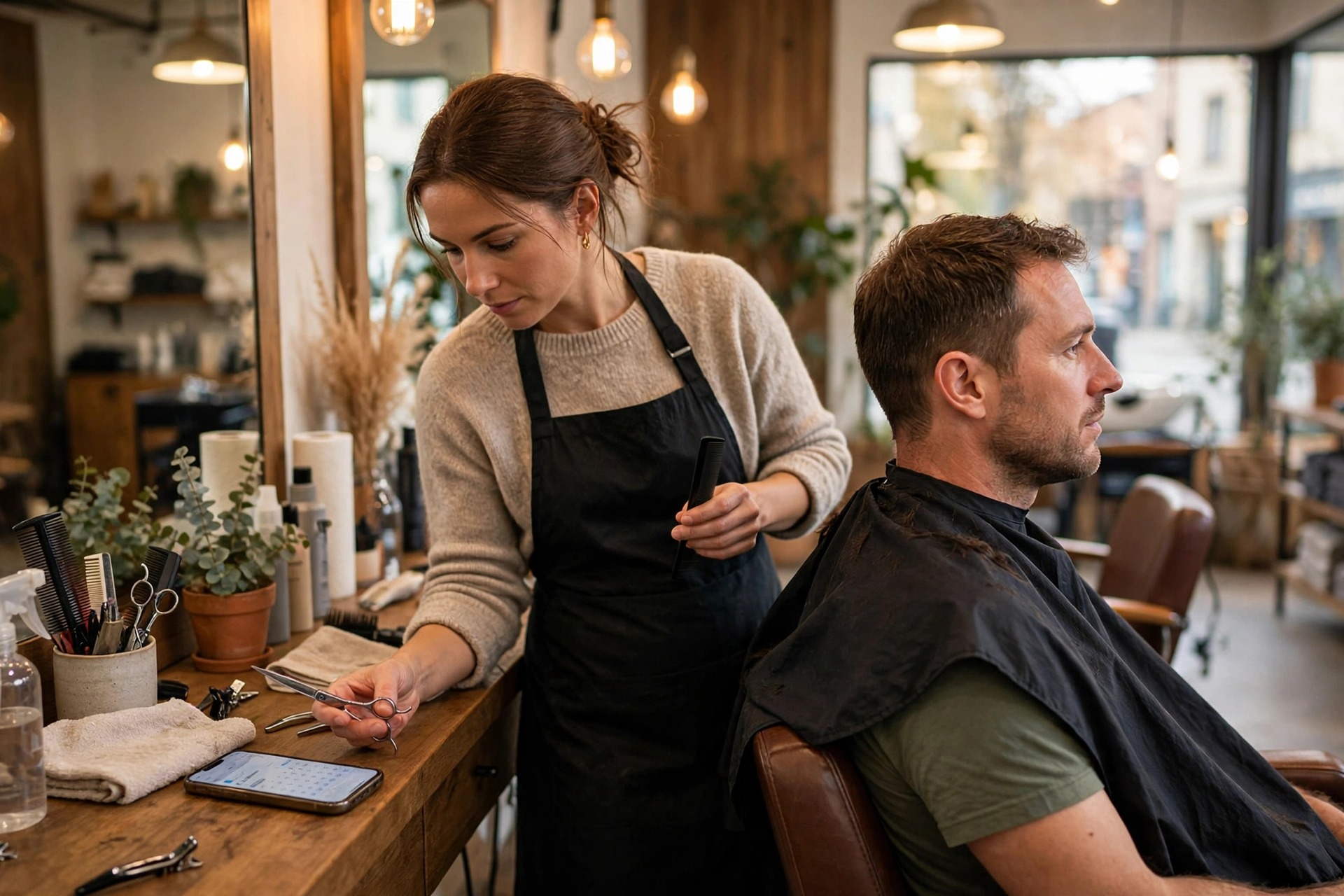
Chat booking takes under a minute and lands the client with the right stylist, even at midnight when the salon is dark.
Reminders that cut no-shows
An empty chair is the most expensive thing in a salon. A no-showed color appointment wastes two hours of a skilled stylist’s day and $150 or more in lost revenue, and a late cancellation leaves a gap too short to fill. Most no-shows are not deliberate. Clients forget, their plans shift, or rescheduling felt like too much effort. Interactive WhatsApp reminders remove all three excuses.
Send the first reminder 48 hours before the visit. This is the planning reminder: it gives the client time to rearrange and gives you time to refill the slot if they cancel. Send the second 24 hours before with the confirm-or-reschedule prompt. Send a short final nudge the morning of: “See you at 11:30 today, Maya is looking forward to it. We are at 220 Oak Street.” Salons running this three-touch sequence commonly see no-show rates fall from the 10 to 15 percent range down to 5 percent or less.
The reply is what makes it work. A one-way text informs; a two-way chat converts. “Hi Ana, this is Glow Studio confirming your color with Maya tomorrow at 11:30 AM. Reply YES to confirm, or tap here to pick a new time.” Clients confirm with one word, reschedule with a tap, and ask questions in the same thread: “How long will balayage take?” or “Can I bring my daughter?” The bot answers the routine ones and flags the rest for the front desk. Track confirmations in your booking system so the team gets a short list of unconfirmed visits each morning instead of calling everyone.
One policy protects the whole system: state your cancellation terms in the confirmation message. “Please give us 24 hours notice for changes so we can offer your spot to another client.” Clients who know the rule respect it, and the few who do not get a polite reminder of the late-cancellation fee on their next booking. The reminder flow and the policy work as a pair.
Every reminder the client can reply to is a no-show that never happens.
Rebooking prompts that keep chairs full
The cheapest appointment to fill is the next one for the client already in your chair. Yet most salons rely on the stylist remembering to mention it while the client is paying and rushing out the door. A WhatsApp rebooking flow makes it automatic and perfectly timed.
Send the rebooking prompt 24 to 48 hours after the visit, when the client is still happy with the result. “Hi Ana, hope you are loving the color. Most of Maya’s color clients come back in 6 to 8 weeks. Want me to hold a spot? Tap here to pick your next visit.” The timing matters: the compliment is fresh, the result is visible in the mirror every morning, and saying yes takes seconds.
Match the interval to the service. Haircuts get a 4 to 6 week prompt. Root touch-ups get 4 weeks. Balayage gets 8 to 12. Nails get 2 to 3. Lashes get 2 to 3. The bot knows which service the client had and spaces the prompt accordingly, so it always feels personal rather than scheduled. For clients who do not bite on the first prompt, one gentle follow-up a week later is fair: “Maya still has Friday openings if you want to get back on her book.” After that, leave them alone until the reactivation flow takes over.
Track rebooking rate per stylist. It is one of the clearest measures of both client satisfaction and chat system performance. Salons that automate rebooking commonly see 20 to 30 percent of visits turn into a booked next appointment within a week, compared with single digits when it depends on memory and checkout chatter.
Winning back lapsed clients
Every salon has clients who used to come every six weeks and then went quiet. They did not leave angry; life got busy, they tried the place near their office, or they simply never got around to booking. These clients are pure profit to win back: no ad spend, no discount needed in most cases, just a reminder that you exist and a booking link that makes saying yes effortless.
Pull three lists from your booking system: clients with no visit in 3 to 6 months, 6 to 12 months, and over 12 months. Exclude anyone with an unpaid balance or a complaint on file; reactivation is for drifters, not detractors. Then message each group once per quarter with a short, personal-feeling note.
The message should sound like it came from the salon, not a marketing list: “Hi Ana, this is Glow Studio. We have not seen you in a while and Maya was asking about you. She has openings next week if you would like to come back. Tap here to pick a time.” For the 6 to 12 month group, add what they are likely due for: “You are probably due for a root touch-up and a trim.” For the oldest group, a modest incentive helps: 15 percent off a color service, or a free deep-conditioning treatment with any haircut.
A salon with 800 lapsed clients can expect 5 to 10 percent to book from a well-run WhatsApp reactivation series. At a $65 average ticket with clients who typically return three to four times a year, 40 returning clients are worth $7,800 to $10,400 a year in revenue from a campaign that costs a few dollars to send. Run it quarterly and it becomes a permanent second stream of bookings.
A lapsed client who books again is worth a full year of visits with zero ad spend.
WhatsApp vs SMS vs phone calls for salons
Most salons already use some mix of phone and SMS. WhatsApp does not replace them; it takes the jobs it does best. The comparison below shows where each channel wins for a salon.
| Task | WhatsApp chatbot | SMS | Phone call |
|---|---|---|---|
| After-hours booking | Full booking flow at any hour | Auto-reply only, no real booking | Voicemail, callback next day |
| Appointment reminders | Interactive: confirm or reschedule in-chat | One-way or basic reply | Staff time per call, often unanswered |
| Rich content | Service catalog, price lists, before and after photos, location pins | Plain text and links only | Verbal only |
| Reactivation campaigns | Personal-feeling messages with booking links, high reply rates | Works but feels impersonal at scale | Too slow to call hundreds of lapsed clients |
| Cost per message | A few cents per automated conversation | 1 to 3 cents per segment | Staff wages per minute |
| Client preference under 40 | Highest: the app they already use daily | High but one-directional | Lowest: most avoid calling |
| Complaints and sensitive issues | Hands off to a human with full history | Poor fit | Best: tone and nuance |
The practical setup for most salons is all three together: WhatsApp for booking, reminders, rebooking, and reactivation; SMS as a backup for clients who do not use WhatsApp; and the phone for consultations, complaints, and anyone who prefers to talk. For the phone side, an AI receptionist for salons can catch the calls the front desk misses during busy chair hours.
What a salon WhatsApp chatbot costs
Pricing has three layers: WhatsApp’s own conversation charges, the chatbot software, and setup. All three are small next to one saved color appointment.
| Cost layer | Typical price band | What it covers |
|---|---|---|
| WhatsApp Business app | Free | Manual messaging from one phone; fine for a solo stylist, no automation |
| WhatsApp Business Platform conversations | Roughly 1 to 3 cents per marketing conversation; replies inside the 24-hour window are free | Meta’s per-conversation charge for automated outbound messages like reminders and campaigns |
| Chatbot software (DIY) | $40 to $120 per month | Flow builder, booking integration, reminder automation; you build and maintain it |
| Chatbot software (managed platform) | $150 to $400 per month | Done-for-you flows, analytics, human handoff, ongoing tuning |
| Agency setup | $800 to $3,000 one time | Number setup, flow design, booking system integration, team training |
| Agency management | $200 to $600 per month | Monitoring, monthly optimization, campaign management, reporting |
A realistic salon budget looks like this: $1,200 one-time setup plus $200 a month for software and management, plus $20 to $40 a month in Meta conversation charges. That is roughly $240 a month all-in after setup. Four saved no-shows cover it. The expensive option is the status quo: empty chairs and a phone nobody can answer during color appointments.
Three setup options
Do it yourself
Best for a solo stylist or a two-chair salon with simple needs. You connect the number, build the booking and reminder flows from templates, and maintain it yourself. Expect a weekend of setup and an hour a month of upkeep.
Managed platform
Best for a multi-stylist salon that wants it done right without hiring an agency. The platform builds your flows, connects your booking system, and tunes the messaging monthly while your team just watches the handoff inbox.
Agency done for you
Best for salon groups and busy owners with no time to learn software. The agency designs every flow around your stylists and services, runs the reactivation campaigns, and reports bookings monthly.
From zero to live in two weeks
A salon WhatsApp chatbot is a two-week project. The salons that stall are the ones that try to automate everything on day one. Start with booking and reminders, add rebooking and reactivation later.
Week 1, days 1 to 2: the number and the account. Decide whether the bot runs on the salon’s main number or a dedicated line. The main number is better because clients already know it, but moving it to the WhatsApp Business Platform means the front desk needs a clear process for voice calls. Set up the verified business profile with your salon name, address, hours, service catalog, and a recognizable profile photo.
Week 1, days 3 to 5: the flows. Build the booking flow with your real stylists, services, and prices. Connect the booking system so the bot sees true availability; a bot that offers slots you do not have is worse than no bot. Write the reminder templates and submit them for WhatsApp approval, which usually takes a day or two. Load the FAQ answers: prices, parking, cancellation policy, and how long each service takes.
Week 2, days 6 to 8: testing. Run every flow with real staff phones. Book with each stylist, reschedule, cancel, ask odd questions, try booking at midnight. Fix the dead ends. Test the human handoff: when the bot gives up, does the right person get notified with the chat history?
Week 2, days 9 to 10: team training. Show the front desk the handoff inbox, the confirmation dashboard, and the escalation rules. Agree on response-time targets: handoffs answered within 15 minutes during salon hours. Make sure stylists know the bot is booking for them and trust the appointments that appear in their books.
Week 2, days 11 to 14: soft launch. Turn the bot on for new inquiries first, then add reminders for next week’s appointments, then the rebooking prompts, and finally the first reactivation campaign to the 3-to-6-month list. Watch the first 100 conversations and tune any wording where clients get confused. Our guide to online booking systems for salons covers the calendar side of this integration in more depth.
Mistakes that kill reply rates
Sending from an unknown number. Clients ignore messages from numbers they do not recognize. Use the salon’s main number or announce the new chat line on Instagram, the website, and at the front desk.
Asking for opt-in like a legal document. “Reply YES to get appointment reminders” works. A paragraph of compliance text does not. Collect consent at booking and on the intake form with one plain sentence.
Blasting promotions weekly. WhatsApp is a conversation channel, not a coupon list. Salons that send weekly discount blasts get blocked and reported, which can restrict the number. Keep broadcasts to genuinely useful updates a few times a year: holiday hours, a new stylist, a new service.
Flows that trap people. Every automated conversation needs an escape hatch: “Reply 0 to talk to our team” at every step. A client with a color emergency who cannot reach a human will leave a one-star review, not a booking.
No booking system integration. A bot that takes booking requests and promises a callback is a fancy contact form. Real availability and real confirmation, or do not launch.
Generic messages with no stylist names. “Your appointment is tomorrow” feels automated. “Maya is looking forward to seeing you tomorrow at 11:30” feels personal. Use stylist names, service names, and the client’s name in every message.
Forgetting the team. The bot changes the front desk’s job; it does not remove it. If the team is not trained on handoffs and does not trust the system, they will quietly route around it and the investment dies.
Setting it and forgetting it. Review conversation logs monthly. You will find questions the bot fumbled, wording that confused people, and new FAQs to add. Fifteen minutes a month keeps the bot sharp.
Your rollout checklist
Work through these in order. Each one builds on the last.
- 1Pick the number. Main salon line or a dedicated chat line, announced on Instagram, the website, and at the front desk.
- 2Set up the verified business profile. Salon name, address, hours, service catalog with prices, and a recognizable photo.
- 3Connect the booking system. Real-time stylist availability with correct service durations and buffers.
- 4Build the booking flow. Service, then stylist, then time; three to four slot options at a time, instant confirmation.
- 5Write the FAQ answers. Prices, service durations, cancellation policy, parking, and patch-test rules for color.
- 6Build the reminder sequence. 48-hour, 24-hour, and morning-of reminders, every one replyable, with cancellation terms stated.
- 7Build the rebooking prompts. Timed follow-ups matched to each service interval: cuts at 4 to 6 weeks, color at 6 to 8.
- 8Set handoff rules and train the team. Who answers handoffs, 15-minute response targets, and where chat history lives.
- 9Soft-launch on new inquiries. Watch the first 100 conversations, fix dead ends, then add reminders and rebooking.
- 10Launch reactivation. Message the 3-to-6-month lapsed list first, measure bookings, then work the older lists quarterly.
Frequently asked questions
Will my clients actually use a WhatsApp chatbot to book?
Yes, especially clients under 45, who already run daily life through chat apps. Adoption is highest when the chat number is your main salon number and the booking link sits in your Instagram bio and Google profile. Clients who prefer calling can still call; the bot simply catches everyone else, including the after-hours inquiries voicemail loses.
How is this different from a regular booking chatbot on my website?
The channel. A website chatbot only works when someone visits your site. WhatsApp meets clients inside the app they already open constantly, supports verified business profiles and service catalogs, and gets far higher open and reply rates on reminders and campaigns. Many salons run both, with WhatsApp doing the heavier lifting.
How much does a salon WhatsApp chatbot cost per month?
Most salons pay $40 to $400 a month for the chatbot software depending on whether it is DIY or managed, plus a few cents per automated conversation to Meta, usually $20 to $40 a month. Agency-managed setups add $200 to $600 a month. All-in, a typical multi-stylist salon spends about $240 a month after a one-time setup of $800 to $3,000.
Can the chatbot connect to my salon booking software?
Yes, if your software exposes its calendar through an integration or API. The major salon booking systems connect with the leading chatbot platforms, directly or through a connector. Confirm the integration before you sign anything, because real-time availability is what makes chat booking work.
What happens when the chatbot cannot answer a question?
It hands the conversation to your team with the full chat history attached, so nobody repeats themselves. Set a response-time target of 15 minutes during salon hours and make sure handoffs go to a person or inbox that is actually monitored.
Will clients get annoyed by automated WhatsApp messages?
Not if you respect the channel. Booking confirmations, reminders, and rebooking prompts are welcome because they are useful. Reactivation messages a few times a year feel personal. Weekly promotional blasts are what get numbers blocked and reported, so keep broadcasts rare and genuinely useful.
How do I get clients to opt in?
Ask once, plainly, at the moments that make sense: on the booking form, at checkout, and in the first confirmation message. “Reply YES to get appointment reminders on WhatsApp” is all it takes. Never add numbers you collected for other purposes; one spam complaint costs more than a hundred opt-ins are worth.
Can the bot handle multiple stylists and locations?
Yes. The booking flow routes by service and stylist preference, checks each stylist’s real calendar, and can ask which location the client wants before showing times. For multi-location salons, keep one verified number per location so clients always reach the right front desk on handoff.
How long does setup take?
About two weeks for booking, reminders, and FAQs. The booking integration and reminder template approvals are the longest steps. Rebooking prompts and the first reactivation campaign can go live in week three. Start with the core flows and add the rest once the basics are booking reliably.
How do I measure whether it is working?
Track five numbers monthly: after-hours bookings completed in chat, no-show rate, rebooking rate per stylist, reactivation bookings, and handoff response time. Compare against the two months before launch. Most salons see the no-show and rebooking numbers move first, usually within 60 days.
Fill every chair without adding front-desk hours
Digital Hayder builds WhatsApp chatbots and AI receptionist systems for salons: after-hours booking with your real stylist schedules, reply-to-confirm reminders, automated rebooking, and reactivation campaigns that bring lapsed clients back. Tell us about your salon and we will design the chat system around it.
Contact Us