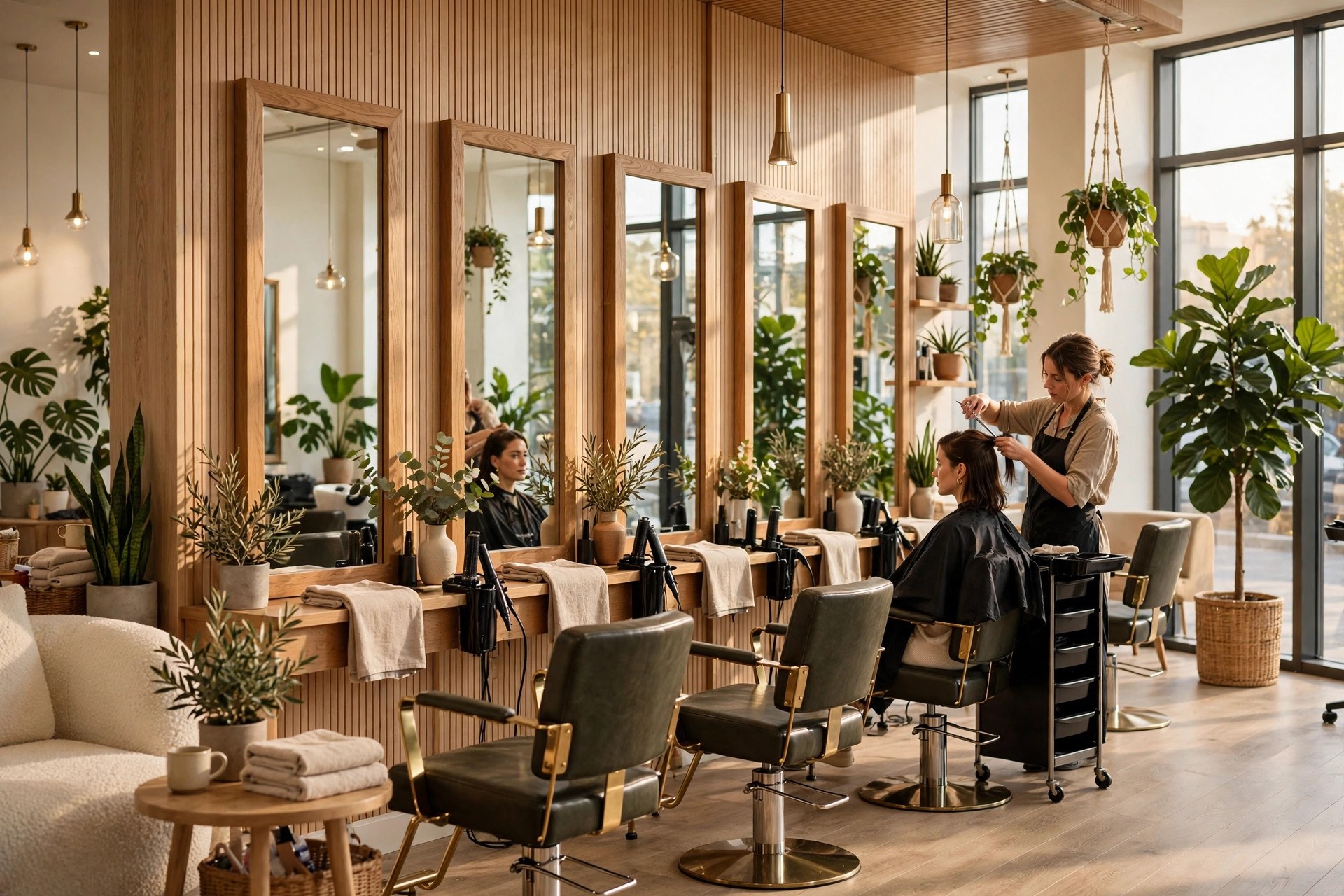
Your chairs are your revenue. Every hour a stylist sits without a client is money you will never get back, and every client who calls after hours and hears voicemail is a booking your competitor can pick up before morning. An online booking system for salons fixes both problems at once. It lets clients book with the stylist and service they want, any time of day, with deposits that protect you from no-shows and a calendar that fills gaps automatically. This guide walks through how salon booking software works day to day, how to set up booking by stylist and service, how deposits and cancellation rules cut no-shows, how to keep every chair full, what the options cost, and the exact math on what booked chairs are worth compared with phone-only scheduling.
The quick answer
- Clients book after hours: a large share of salon inquiries arrive evenings and weekends, and online booking captures them while you sleep.
- Book by stylist or by service: let clients pick their favorite stylist or their treatment, and the system shows only real, bookable slots.
- Deposits kill no-shows: a card on file or a small deposit at booking time turns a 10 percent no-show rate into a 2 percent one.
- Calendar density pays for everything: waitlists, smart gap-filling, and buffer rules keep chairs full from open to close.
- Costs are modest: salon booking software runs $30 to $300 a month, plus card processing, with setup measured in days.
- Live in under two weeks: connect your services and staff, set deposits and policies, embed the booking page, then announce it everywhere.
Why the phone is costing you clients
Most salon clients decide to book in the evening. They are scrolling on the couch after dinner, they remember they need a trim before the wedding, and they want it handled in thirty seconds. If your only option is calling during business hours, a good number of them will not call. They will tap the next salon’s booking button instead. Industry surveys of service businesses consistently find that a major share of booking inquiries arrive outside opening hours, and that share keeps growing as younger clients, who almost never call anyone, become your core customer base.
The phone has a second cost that owners underestimate: interruptions. Every call that rings at the front desk pulls your receptionist away from the client standing in front of them. The consultation in progress gets a pause, the checkout gets delayed, and the client paying at the till watches your team juggle. Stylists who answer their own phones lose cutting time, and a salon where stylists check texts between clients leaks minutes all day. Online booking moves the transaction off the phone and onto the client’s own screen, which is exactly where they want it.
There is also the double-booking problem. Paper books and memory-based scheduling create gaps nobody notices: a 45-minute color retouch slotted into a 90-minute block, a blowout booked against a stylist who is on lunch, a new client given a junior stylist’s slot because nobody checked the service duration. A proper booking system holds the rules for every service and every staff member and simply refuses to create a bad booking. That alone recovers hours a week.
What an online booking system actually does
An online booking system for salons is a live calendar that clients can book from, connected to a page on your website, your Google business profile, your Instagram, and anywhere else clients find you. The client picks a service, picks a stylist if they want one, sees the real open slots, enters their details, and gets an instant confirmation. On your side, the appointment lands in the right stylist’s column with the right duration, the right price, and the right buffer time before and after.
Behind that simple flow, the system handles the admin work that eats reception hours. It sends confirmation and reminder texts and emails automatically. It collects deposits or a card on file at booking. It enforces your cancellation policy, so a client who cancels inside the cutoff sees the fee before they confirm the cancellation. It keeps a client database: visit history, formulas, notes about preferences, and retail purchases. It runs the waitlist, so when someone cancels, the next person in line gets offered the slot instead of it sitting empty. And it feeds your reports: revenue by stylist, rebooking rate, no-show rate, and the busiest and emptiest hours of your week.
The best way to think about it is not as a website feature but as a front desk that never sleeps. It takes the booking, takes the deposit, sends the reminder, enforces the policy, and records the data, all while your team focuses on the clients in the chairs. Salons that switch from phone-first to online-first typically see online bookings take 40 to 70 percent of all appointments within a few months, and the phones get quieter in the best possible way.
Online booking meets clients at the moment they decide, which is often late at night when the salon phone goes straight to voicemail.
Booking by stylist, by service, or both
Salon clients think in two ways: “I want Maya” and “I want balayage.” Your booking system has to serve both. The stylist-first path shows each team member with their photo, bio, and specialties, and the client picks a name, then a service, then a time. The service-first path lists treatments, haircuts, color, extensions, nails, facials, and after the client picks one, the system shows every stylist who performs it, or an “any available” option that books the earliest slot in the house. Most salon systems offer both paths and let you set which one clients see first.
The setup work is where owners need to be careful, because the booking logic is only as good as the data behind it. Every service needs an accurate duration, and not one duration for everyone. A senior stylist may do a full head of foils in two hours while a junior needs two and a half. Set durations per stylist, not just per service. Every service needs the right price or price range, and every service needs to be assigned only to the staff who are trained to perform it. New hires get added to the services they can actually do, which also protects you from a walk-in booking a keratin treatment with a stylist who has never done one.
Buffer time is the quiet profit lever. Add 10 to 15 minutes after color services for the stylist to mix, clean, and reset, and 5 minutes between haircuts for the chair turnaround. Without buffers, your day slides: every appointment starts five minutes late and the last client of the day gets a rushed finish. With buffers, the calendar looks slightly less full on paper but every appointment actually happens on time, which is what clients remember and review you for.
One more setting matters for salons: service add-ons and combinations. Clients book a haircut and then want a treatment added, or a color with a blowout. Let the booking flow offer add-ons at checkout and let combined services block the right total time. This single feature raises the average ticket measurably, because clients who would never ask at the desk will happily tap “add deep conditioning treatment” on their phone at midnight.
Deposits and card on file: your no-show armor
No-shows are the silent tax on salons. A 10 percent no-show rate on a six-chair salon doing 30 appointments a day means three empty slots a day. At an average ticket of $85, that is $255 a day walking out the door, over $6,000 a month, over $75,000 a year. Most of those no-shows are not malicious. The client forgot, something came up, or canceling felt awkward so they just did not come. Deposits fix the psychology: once money is on the line, showing up becomes the default.
The industry standard that works best is a card on file for every booking, with a clear cancellation policy: cancel more than 24 or 48 hours ahead and nothing is charged; cancel inside the window or no-show and a fee applies, often 50 percent of the service or a flat fee for long appointments. The key is that the client agrees to the policy at booking time, in the booking flow itself, not as fine print they discover later. When the policy is visible up front and the card is already on file, disputes almost disappear.
For high-value services, take an actual deposit at booking: 20 to 50 percent for color corrections, bridal parties, extensions, and any appointment over two hours. Deposits do two jobs. They confirm the client is serious, and they make the reminder texts more effective, because the client has already paid part of the visit. Salons that move from no-deposit phone booking to card-on-file online booking commonly see no-show rates fall from the 8 to 12 percent range down to 2 to 4 percent. On the six-chair example above, that recovers roughly $4,000 to $5,000 a month in revenue that used to evaporate.
A few practical rules keep deposits working smoothly. Apply the same policy to regulars and new clients; exceptions train people to push. Make the fee automatic, not something the receptionist has to chase, because staff will avoid charging people they like. State the policy on the booking page, in the confirmation, and in the reminder, so nobody can say they did not know. And keep one human override: if a genuine emergency comes up, waiving the fee once builds loyalty that is worth more than the charge.
Calendar density: fill every chair, every hour
Booking software earns its keep a second time through calendar density: how much of your available chair time actually turns into paying appointments. Most salons run at 60 to 70 percent density without realizing it. The gaps hide in plain sight: a 30-minute hole between two colors that nobody books because the system showed it as unavailable, Tuesday afternoons that never fill while Saturdays are booked out three weeks, a stylist with a thin book while another turns clients away.
Waitlists are the simplest density tool. When a client wants a slot that is full, they join the waitlist for that day or that stylist. When a cancellation lands, the system offers the slot to the waitlist automatically, first in line first served, with a short window to claim it. In a busy salon, the waitlist fills most cancellations within the hour. Without one, the front desk has to remember who wanted what and start calling, which rarely happens on a busy day, so the slot sits empty.
Gap-filling rules do the quieter work. Configure the system to offer short services in short gaps: if a 45-minute hole opens between appointments, show it for blowouts and trims rather than hiding it. Use minimum booking notice wisely: a four-hour minimum protects the schedule from chaos, but for same-day gaps, let the system release remaining slots to online booking so last-minute clients can grab them. Some salons run a standing same-day discount code for off-peak hours, announced on Instagram stories, and watch slow afternoons fill within an hour.
Rebooking at the chair is the third density lever, and it pairs directly with online booking. When the stylist finishes a cut, the client rebooks their next visit on the spot, through the booking page on their own phone, before they leave. Salons with strong rebooking cultures keep 70 to 80 percent of clients on a standing cycle; salons without one hope clients remember to call in six weeks, and many do not. Train every stylist to offer the next appointment as part of the service, and make the rebook link the easiest thing in the world to tap.
Full chairs pay the rent. Waitlists, gap-filling, and rebooking at the chair are what turn a half-empty calendar into a full one.
Your options, compared
Salon booking software falls into three groups: salon-specific platforms built for the industry, general scheduling tools that work for any service business, and the booking add-ons inside your existing salon management software. For most salons, the salon-specific platforms win, because they understand things like service durations per stylist, color processing time, and station-based scheduling out of the box. The comparison below covers the categories so you can match one to your size and budget. Our detailed breakdown of the best online booking software for salons goes deeper on individual products.
| Option type | Typical cost | Strengths | Watch out for |
|---|---|---|---|
| Salon-specific platform | $30 to $200 per month | Service and stylist logic built in, deposits, waitlists, client records, salon reporting | Some lock you into their payment processing rates; check contract terms |
| General scheduling tool | $15 to $60 per month | Cheap, simple, quick to set up; fine for solo stylists | No salon-specific features like processing time or formula notes; outgrown fast |
| All-in-one salon suite | $100 to $300 per month | Booking plus POS, inventory, payroll, and marketing in one login | Higher cost and a longer learning curve; overkill under three chairs |
| Booking chatbot add-on | $50 to $250 per month on top of booking | Conversational booking on your site and socials; captures clients who prefer chat to forms | Needs a real booking engine underneath; a chat front end alone cannot hold a calendar |
Solo stylists and booth renters can start with a general tool or the cheapest salon tier and do well. Multi-chair salons should pick a salon-specific platform from day one, because migrating a live book of hundreds of clients to a new system later is the kind of project that eats a month. If conversational booking appeals to you, a chat layer on top of a solid booking engine works well; our guide to the AI booking chatbot for salons explains how the two fit together.
What it costs
Booking software is one of the cheapest investments a salon makes relative to what it returns. The pricing has four parts: the software subscription, card processing on deposits and payments, text message fees for reminders, and setup help if you want it.
| Cost layer | Typical price | Notes |
|---|---|---|
| Booking software | $30 to $300 per month | Scales with chairs, staff, and features; solo plans at the low end |
| Card processing | Around 2.9 percent plus 30 cents per transaction | Applies to deposits and online payments; compare with your in-store rate |
| Reminder texts | Often included; some plans charge per message | Confirm what is bundled before you compare plans, since heavy reminder users can hit caps |
| Setup and migration | $0 to $1,500 one time | DIY is realistic for small salons; paid onboarding helps multi-chair shops with client imports |
| Your website booking page | $0 if you embed it; part of a site build if you need one | If your site needs work, see what a salon website costs before you budget |
A realistic budget for a four-to-six-chair salon is $80 to $150 a month for the software plus processing fees, with a one-time setup cost of a few hundred dollars if you want help importing clients and configuring services. Compare that with one saved no-show a week, which at an $85 ticket is $340 a month, and the software pays for itself several times over before you count a single new client.

With booking, deposits, and reminders running themselves, your front desk gets back to the job that matters: the client in front of them.
Setting it up in four weeks
A salon booking system is a weeks-long project, not a months-long one. The salons that stall are the ones that try to configure every feature before taking a single booking. Start with services, staff, and deposits, and add the rest once clients are booking.
Week 1: services and staff. List every service with its real duration per stylist, its price, and which staff members perform it. Add buffer times. Import your client list with phone numbers and emails so returning clients get recognized at booking. This is the foundation everything else sits on, so do it carefully.
Week 2: policies and money. Set your cancellation window, no-show fee, and deposit rules per service type. Connect your payment processor and test a deposit end to end. Write your confirmation and reminder messages: a 48-hour reminder and a 24-hour reminder cover most salons, and every reminder should let the client confirm, reschedule, or cancel with a tap. Our guide to appointment reminders for salons covers the timing and wording that keeps no-shows down.
Week 3: the booking page. Embed the booking widget on your website, add the booking link to your Google business profile, and put it in your Instagram bio and link page. Test the whole flow on a phone as a new client would: service path, stylist path, deposit, confirmation. Fix anything confusing before real clients see it.
Week 4: launch and train. Announce online booking everywhere: in-salon signage with a QR code, an email to your client list, posts on social media, and a script for the front desk to mention it at checkout. Train the team on the new dashboard, the waitlist, and what to do when a client calls anyway. Watch the first 200 bookings and tune durations and buffers where the real world disagrees with your settings.
Mistakes that kill online bookings
Hiding the booking button. If clients have to hunt for the booking link, they will not book. It belongs in the top of every page on your site, in your Google profile, in your Instagram bio, and on a QR code at the front desk and on every mirror.
Too many steps. Every extra screen loses clients. Service, stylist, time, details, confirm: five steps or fewer. If your flow asks for the client’s life story before showing a single time slot, rebuild it.
No card on file. Skipping deposits to be nice is the most expensive kindness in the salon business. The salons with the lowest no-show rates are not the friendliest about policy; they are the clearest about it.
Wrong durations. A color booked too short cascades lateness through the whole day. Review actual service times after the first month and adjust. Your booking system should reflect reality, not the optimistic version.
Forgetting existing clients. Announce the system to your current book first. They are the ones who will use it most, and a client who has called for five years needs one clear explanation of why booking online is better for them too.
No-show policy without reminders. Charging a fee is fair only if the client got reminded. Reminders at 48 and 24 hours are the minimum; without them, your policy will feel like a trap and cost you regulars.
Letting the phones stay the default. If the front desk keeps taking every booking by phone out of habit, the system never reaches critical mass. Make online the default and the phone the backup, and say so out loud to the team.
Your rollout checklist
Work through these in order. Each one builds on the last.
- 1List every service. Name, price, and real duration per stylist, plus buffer time after each one.
- 2Assign services to staff. Only the stylists trained to perform each service appear as bookable for it.
- 3Set your deposit and cancellation policy. Card on file for all bookings; deposits for long and high-value services.
- 4Import your client list. Names, phones, and emails so returning clients are recognized at booking.
- 5Write the reminder sequence. Confirmation at booking, reminders at 48 and 24 hours, every one replyable.
- 6Build the booking page. Service path and stylist path, five steps or fewer, tested on a phone.
- 7Put the link everywhere. Website header, Google profile, Instagram bio, QR codes at the desk and on mirrors.
- 8Turn on the waitlist. Automatic offers to waitlisted clients when cancellations land.
- 9Train the team. Dashboard, waitlist, deposit exceptions, and the checkout rebooking script.
- 10Launch and tune. Announce to your client list, watch the first 200 bookings, adjust durations and buffers.
Frequently asked questions
Will my older clients use online booking?
Most will, because booking online is simpler than calling for anyone who has a smartphone. Keep the phone as a backup and train the front desk to walk hesitant clients through their first online booking. Within weeks, the same clients book their second visit online without being asked.
How do deposits work for regular clients?
The same way as for new clients: the card on file covers everyone. Regulars rarely object once the policy is explained as protection for the stylists’ time. Keep one human override for genuine emergencies, and use it sparingly.
What is a normal no-show rate for salons?
Phone-booked salons without deposits commonly run 8 to 12 percent. With card-on-file deposits and reminders, 2 to 4 percent is normal. If your rate stays above 5 percent after the switch, check that reminders are actually sending and that the policy is visible at booking.
Can clients book with a specific stylist?
Yes. The stylist-first path shows each team member with their photo and specialties, and the client picks a name before choosing a service and time. You can also offer an earliest-available option for clients who care more about timing than who does the work.
How do I handle double bookings?
The system prevents them by holding each stylist’s column with real durations and buffers. If a client needs two services back to back, book them as a combined service so the calendar blocks the right total time. Never let staff book over the system manually without checking the column first.
Should I charge for late cancellations?
Yes, if your policy is clear and reminders go out. A 24 to 48 hour cancellation window with a 50 percent fee is the industry standard. The fee is not about punishment; it is about making the slot’s value visible so clients treat it like the commitment it is.
What happens when a client no-shows with a deposit?
The policy you set at booking applies automatically: the no-show fee or forfeited deposit is charged to the card on file, and the client gets a polite message explaining what happened and how to rebook. Automation matters here, because staff will avoid charging people face to face.
Can online booking handle walk-ins?
Yes. Keep same-day slots open in the system so walk-ins can be booked on the spot through the same flow, which captures their details and adds them to your client database. A walk-in who books through the system becomes a rebookable client instead of a one-time visit.
How long does it take to set up?
Two to four weeks for a multi-chair salon, faster for solo stylists. Services and staff setup takes the longest because the durations have to be right. The booking page, reminders, and deposits can be live within days once the service data is clean.
Do I still need a receptionist?
In most salons, yes, but the job changes. Instead of spending the day on the phone taking bookings, your front desk handles check-ins, checkouts, retail, and the client experience. Many salons find one receptionist can now support more chairs than before.
Fill every chair without living on the phone
Digital Hayder builds online booking systems and AI receptionist setups for salons: booking by stylist and service, deposits and no-show protection, automated reminders, and waitlists that keep every chair full. Tell us about your salon and we will design the booking flow around it.
Contact Us