When a homeowner finds a water stain spreading across the ceiling, they do not browse. They search “roofer near me,” tap the first business with a strong rating, and call. That first screen is almost always Google Business Profile results, and the roofer with the most complete, most reviewed, most active profile wins the call before a website ever loads. Google Business Profile optimization for roofers is the process of turning that free listing into your hardest working salesperson: correct categories, a full list of services, storm season posts, project photo galleries, honest review velocity, and answers to the insurance questions homeowners ask before they ever pick up the phone. This guide covers every field that matters, the storm season playbook, the review system, and the money math that shows what profile driven estimate requests are really worth.
The quick answer
- Complete profiles outrank thin ones: filled services, categories, hours, and photos tell Google your listing deserves the top three local spots.
- Storm posts capture the surge: a hail or wind event can multiply search demand for days, and fresh posts put you first in line.
- Project photos sell the job: before, during, and after galleries prove your crew does real work in real neighborhoods.
- Review velocity beats total count: a steady stream of fresh reviews with thoughtful replies outranks a stale five star pile.
- Q and A answers insurance questions early: seed your own questions about claims, deductibles, and timelines so callers arrive ready.
- Payback is measured in weeks: a profile that pulls two extra estimate requests a week can pay for a year of management in a single signed roof.
Why the profile decides who gets the roof
Roofing is a high urgency, high trust purchase. Nobody plans a roof replacement months ahead; they call because the roof leaks, the shingles are gone after a storm, or the inspector flagged damage during a home sale. In that moment, the homeowner wants three things: proof you are real, proof you are good, and a phone number. The Google Business Profile delivers all three in one glance, or it fails all three.
Consider what a searcher sees. At the top of the results page sits the local pack: three roofing companies with names, star ratings, review counts, hours, and photos. Below that, the map pins. The companies in that pack get the overwhelming majority of calls. Everything below the fold, the organic website listings, the ads, splits the leftovers. If your profile is thin, has nine reviews, no photos, and no services listed, Google has no reason to put you in the pack, and the homeowner has no reason to pick you even if you somehow appear.
The profile is also free. Paid ads stop the moment you pause the budget. Organic SEO takes months. A fully optimized profile costs you nothing from Google itself, and it keeps producing estimate requests every week for years. Roofers who treat the profile as a second website, updated, reviewed, and watched, consistently report it as their cheapest source of booked estimates. For the broader picture of how the profile fits your full plan, see our roofing marketing ideas roundup.
The fields most roofers leave half empty
Open your profile right now and check these fields. Most roofing profiles are missing at least three of them, and each gap costs you ranking power and caller confidence.
Business name, categories, and phone
Your business name must match the real legal name of the company, with no keyword stuffing. Adding “Roof Repair Storm Damage Cheap Roofing” to your name can get the profile suspended, and recovering a suspended profile takes weeks. The primary category should be “Roofing contractor.” Then add secondary categories that match real services: “Roof repair service,” “Gutter cleaning service,” “Siding contractor,” or “Skylight contractor” if you do that work. Each extra category is another doorway for Google to show you. The phone number must be the number your office actually answers, answered during the hours you claim. A missed call from a profile listing is a lead you paid for with your ranking effort and then threw away. Pair the profile with a safety net like missed-call text-back for roofers so after hours calls still convert.
Hours, including storm hours
Set real hours and keep them accurate, including holiday changes. Roofers get a disproportionate share of calls on weekends and evenings, exactly when homeowners are home looking at the ceiling. If you run a storm response line, add special hours or a note in the business description about emergency availability. Google shows an “Open now” badge that strongly influences call behavior; a profile marked closed at 7 PM on a Saturday hands its calls to the competitor marked open.
Business description and services
The business description is 750 characters. Use it to say who you serve, what you install, and what makes your process different, in plain language. Then fill the Services section completely. This is the field most roofers skip, and it is one of the strongest ranking signals. Add every real service with its own description and price hint where it helps: roof replacement, roof repair, storm damage inspection, metal roofing, shingle roofing, flat roofing, gutter installation, skylight installation, roof cleaning, and emergency tarping. Each service is a keyword match waiting to happen. A homeowner searching “metal roof installer” finds the roofer whose profile lists metal roofing as a service, not the one with an empty services tab.
Attributes that filter callers
Attributes are the small badges Google shows: women-led, veteran-led, identifies as Black-owned, and service details like “online estimates” or “on-site services.” Fill every attribute that honestly applies. Homeowners do filter on these, and they also feed Google’s understanding of your business. Add the “online estimates” attribute if you offer virtual or photo based estimates; it is one of the strongest conversion helpers for storm season callers who want a fast answer.
| Profile field | What good looks like | What it costs you when empty |
|---|---|---|
| Primary and secondary categories | Roofing contractor plus 3 to 5 real service categories | You miss searches for repair, gutters, metal, and skylights |
| Services list | 10 or more services, each with a description | Google cannot match you to specific service searches |
| Hours | Accurate hours with storm and holiday updates | No “Open now” badge; weekend callers go elsewhere |
| Business description | Full 750 characters, plain language, service areas named | Weaker relevance signal for your core keywords |
| Phone number | Answered live during listed hours | Ranked calls become missed calls |
| Attributes | Every honest attribute checked, online estimates noted | Fewer trust filters matching you to picky homeowners |
Service areas: draw the map your trucks can actually cover
The service area setting tells Google where you will travel, and it is one of the most misunderstood fields in roofing profiles. Many roofers either leave it blank, which shrinks their reach, or list forty towns they barely serve, which dilutes it.
Draw your areas around reality. List the cities and suburbs your crews genuinely serve within a normal drive, usually a 30 to 45 minute radius from your yard. Name the big ones and the small ones: the profile accepts specific cities, and ranking in a suburb comes partly from naming it. If you serve the whole metro plus outlying towns for storm work, set the metro as your core and add the storm towns during storm season, then trim back when things quiet down.
Do not create fake addresses in towns you want to rank in. Google has suspended thousands of service business profiles for address fraud, and roofing is one of the most watched trades. One real location, honest service areas, and strong reviews beat five shady listings every time. If you open a second real office or yard, that earns a second profile. If you do not, it does not.
Also match your service areas to your reviews and photos. When reviews mention the town by name and your photos are geotagged from real jobs there, Google gains confidence that you truly serve that area. Ask happy customers to name their town in the review: “Thanks for the fast roof replacement in Brookfield” reads naturally and works as a location signal.
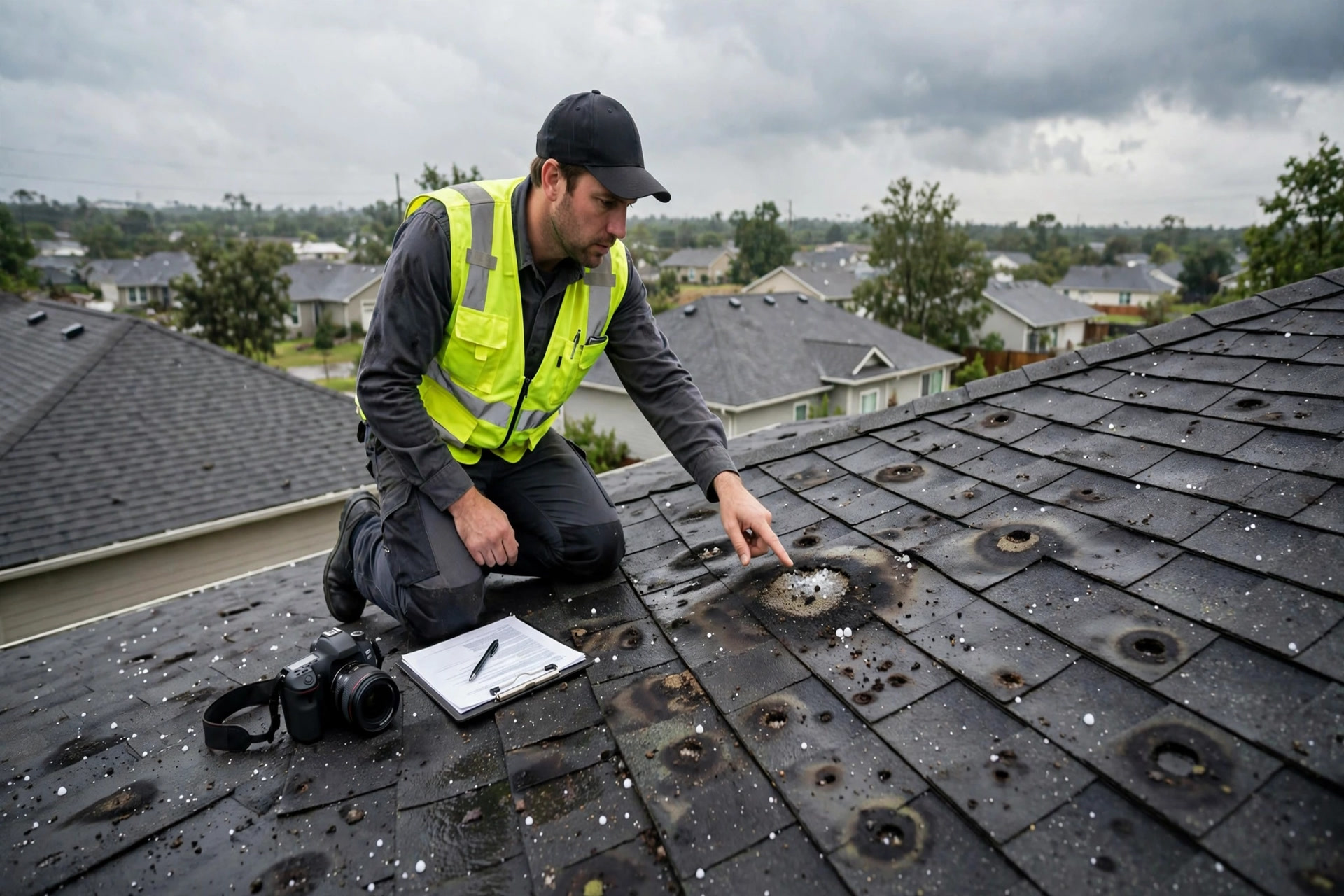
Storm season doubles search demand in some markets. Profiles with fresh posts and inspection photos catch that surge first.
Storm season: posts that catch the surge
After a hail or wind event, roofing searches in the affected area spike for days. Homeowners who never thought about their roof are suddenly searching “hail damage roof,” “storm damage roof repair,” and “free roof inspection.” Google Business Profile posts let you speak directly to that surge, for free, at the exact moment it happens.
Post within 24 hours of the storm. The post should say the storm hit, name the affected areas, and offer the next step: “Hail hit the north side last night. We are running free storm damage inspections this week across Riverside, Brookfield, and Maple Grove. Call now to get on the schedule before the next rain.” Add a photo from a real inspection, even a close up of hail bruising on a shingle. Posts expire after about a week, which is perfect: they match the natural life of a storm surge.
Build a small library of storm post templates before the season starts, so you are not writing copy at midnight after a storm. One template for hail, one for high wind, one for fallen branches and debris, one for the “storm missed us but your roof is due” slow season post. Rotate in photos of real local damage, with permission from the homeowner. Never use stock photos of dramatic storm clouds as your only image; homeowners spot generic imagery and it undercuts the trust a storm post needs.
Beyond storms, post once a week in normal times. Project completions, crew introductions, a quick tip about gutter cleaning before fall, a reminder that you offer free inspections. Weekly posts keep the profile looking alive, and an active profile signals to Google and to homeowners that the business is operating, staffed, and paying attention. Roofers who post consistently tell us it takes about fifteen minutes a week once the templates exist.
Photo galleries that win estimates
Homeowners cannot judge roofing skill from a phone call, so they judge it from photos. Profiles with strong photo galleries get noticeably more calls and direction requests than photo poor competitors. The good news: you already produce the content. Every job is a photo shoot if you build the habit.
Shoot three photos per job minimum: before, during, after. The before photo shows the problem: missing shingles, curling edges, hail bruising, the stain on the ceiling. The during photo shows the crew at work: tear off in progress, underlayment going down, flashing being set. The after photo shows the finished roof in good light. Upload the set with a plain caption naming the town and the work: “Full shingle replacement in Brookfield.” Over a year, this builds a gallery of real local proof that no competitor can fake quickly.
Add the human photos too. The owner, the crew leads, the trucks with the logo, the office if you have a showroom. Homeowners hire people, not logos, and a face on the profile raises call rates. Avoid heavy filters, staged stock shots, and close ups of nothing. Google also ranks photos by recency and by views, so keep uploading: ten fresh photos a month beats a hundred uploaded once three years ago. Video helps even more. A thirty second walkthrough of a finished roof, shot on a phone, often becomes the most viewed media on a profile.
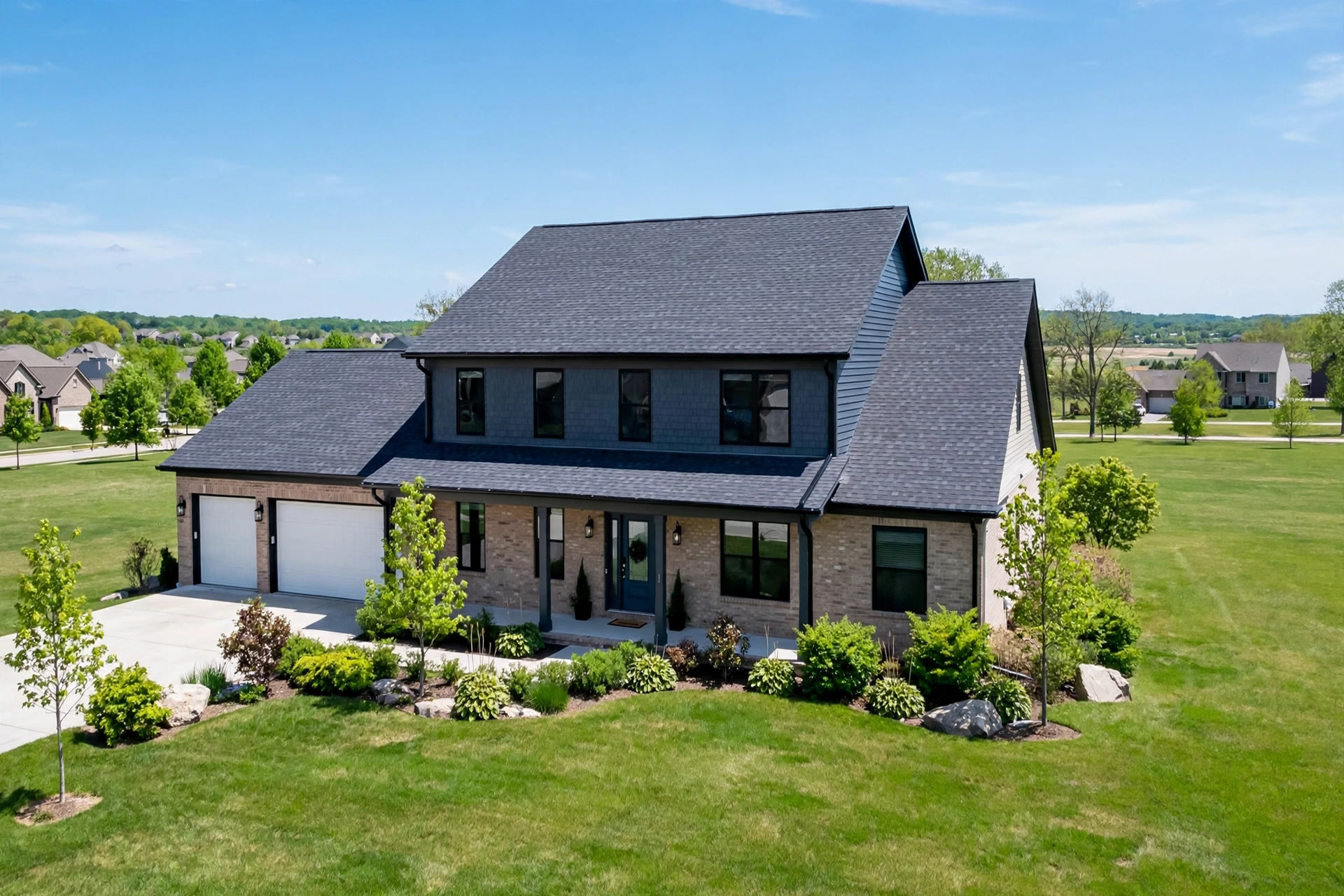
Before, during, and after photos from real local jobs are the strongest trust signal a roofing profile can carry.
Review velocity and replies: the engine that never stops
Reviews are the single heaviest ranking and conversion factor on the profile. Two numbers matter: how many you have, and how recently they arrived. A roofer with 120 reviews but none in the last six months looks dormant. A roofer with 60 reviews and four new ones this month looks alive and in demand. Freshness, called review velocity, is the tiebreaker Google uses between otherwise similar profiles.
Build the review request into the job closeout. When the crew lead walks the finished roof with the homeowner, that is the moment: “We are glad you love it. Would you leave us a Google review? It takes a minute and it really helps our crew.” Send the direct review link by text the same day, not a week later. Our guide to getting more Google reviews for roofers covers the exact scripts and timing. Target a steady pace: for most residential roofers, two to four new reviews a month keeps velocity healthy without looking manipulated.
Reply to every review, good and bad, within 48 hours. Thank the happy customers by name and mention the work: “Thanks, Maria. The crew enjoyed working on your home in Riverside.” This is not just politeness; replies show future callers that you are responsive, and they add keyword rich text to your profile. For negative reviews, reply calmly, take responsibility where it is due, and move the conversation offline: “We are sorry the cleanup fell short. Please call me directly at this number so we can make it right.” Never argue, never blame, and never reveal private job details. A well handled bad review converts more skeptics than a page of five star reviews does.
Watch for the review traps. Never buy reviews, never offer discounts in exchange for them, and never have the crew post reviews from the office wifi. Google detects patterns and removes fake reviews in batches, sometimes along with real ones. One honest review a week beats fifty suspicious ones that vanish.
Q and A: answer the insurance questions before the phone rings
The Questions and Answers section of your profile is a free FAQ that sits right where callers look. Most roofers ignore it, which means competitors, random strangers, or nobody answers the questions homeowners actually ask. You can seed your own questions and answer them yourself, and you should.
Start with the insurance questions, because they drive storm season calls: “Do you help with insurance claims?” Answer: yes, we document the damage with photos and a written report, meet the adjuster on site when requested, and walk you through each step; you approve the work, we handle the paperwork. “Will filing a claim raise my rates?” Answer: that depends on your carrier and policy, but storm claims are typically treated differently from liability claims; we suggest calling your agent, and we are happy to explain what we documented. “How long does a roof replacement take?” Answer: most residential replacements finish in one to two days once materials arrive; storm jobs depend on material lead times, which we confirm in writing before you sign.
Add the practical questions too: free inspections, financing options, warranty terms, the brands you install, whether you handle gutters and siding, and how far you travel. Keep answers short and factual. Then monitor the section monthly. Anyone can post a question or answer on your profile, and wrong answers from strangers do appear. When they do, post the correct answer from the business account and flag the wrong one. This small habit protects callers from bad information and keeps your profile authoritative.
Products, services, and the booking link
Two smaller sections punch above their weight. The Products section lets you list what you install with photos: architectural shingles, metal standing seam, flat TPO, specific manufacturer lines if you are certified. Each product gets a name, a description, and a price range. Homeowners comparing options click through these, and the price ranges pre qualify callers before they ring you.
The booking link connects your profile directly to your estimate scheduler. Google offers a “Book online” or appointment link field; point it at your estimate booking page, not your homepage. A caller who taps through to a calendar with open slots converts far better than one who lands on a homepage and has to hunt for the phone number. If your scheduler is a chatbot or an AI chatbot for roofing companies, link that; after hours profile traffic converts best when the booking path answers instantly.
Finally, add your website link and make sure it points at a page built to convert roofing traffic, with a clear estimate form and a click to call button. The profile sends you motivated traffic; the landing page has to close it. Keep the menu link, if you use one, pointed at your services page rather than a generic menu.
Measuring what the profile earns you
Optimization without measurement is guessing. Google gives you profile insights for free: how many people found you through search versus maps, how many called, how many requested directions, how many visited the website. Check these monthly and watch the trend after each change you make. A jump in calls the week after you added storm posts tells you exactly what worked.
Go one step further with tracking. Add UTM tags to your website link so your analytics can separate profile traffic from everything else. Use a call tracking number on the profile, but keep your real number as the primary number to protect NAP consistency; many roofers use the tracking number as the profile’s listed number and keep the real one on the website, which works as long as the tracking number is consistent everywhere. Tag estimate requests by source in your CRM so you can trace a signed roof back to the profile months later.
| Metric | Where to find it | Healthy target for a residential roofer |
|---|---|---|
| Profile views | Google Business Profile insights | Growing month over month; storm months spike |
| Calls from profile | Insights plus call tracking | 20 to 60 calls a month depending on market size |
| Direction requests | Insights | Steady baseline; shows local intent |
| Website clicks | Insights with UTM tags | 10 to 25 percent of profile views |
| New reviews per month | Profile review tab | 2 to 4, every month, no long gaps |
| Estimate requests tagged to profile | Your CRM | 8 to 15 a month for a mid-size market |
Every signed roof that started as a profile view is a lead that cost you nothing in ad spend.
Mistakes that sink roofing profiles
Keyword stuffing the business name. The fastest way to a suspension. Keep the real name, put keywords in services and posts.
One profile per truck. Extra listings for the same business get merged or suspended. One location, one profile, honest service areas.
Photos uploaded once and forgotten. A gallery that stops in the past signals a business that might have stopped too. Keep the stream going.
Ignoring the Q and A section. Strangers will answer questions about your business if you do not. Seed it yourself and watch it monthly.
Review gaps after busy season. Most roofers collect reviews in summer and go silent in winter. Velocity gaps cost rankings; keep asking year round, including repair and inspection jobs.
No tracking. If you cannot tie signed roofs to the profile, you will underinvest in the channel and overspend on ads. Tag every lead source in the CRM.
Setting it and forgetting it. Hours change, services expand, storm seasons come. A profile reviewed quarterly stays accurate; one untouched for a year drifts into fiction.
Your rollout checklist
Work through these in order. Each one builds on the last.
- 1Audit every field. Open the profile and check name, categories, hours, phone, description, services, and attributes against the table above.
- 2Fix categories and services. Set Roofing contractor as primary, add real secondary categories, and list every service with a description.
- 3Set honest service areas. Name the cities and suburbs your crews truly serve; remove towns you never visit.
- 4Upload the photo foundation. Add 30 or more real photos: jobs, crew, trucks, office, and one short finished roof video.
- 5Seed the Q and A. Post and answer the top 8 insurance, pricing, and process questions homeowners ask.
- 6Start the review engine. Add the review link to the job closeout script and send it by text the day each job finishes.
- 7Reply to every review. Thank happy customers by name within 48 hours; answer negative reviews calmly and move them offline.
- 8Build the storm post templates. Hail, wind, and debris templates ready to publish within 24 hours of the next event.
- 9Connect tracking. UTM tags on the website link, a call tracking number, and CRM source tags on every estimate request.
- 10Schedule the quarterly review. Hours, services, photos, Q and A, and review velocity checked every 90 days without fail.
Frequently asked questions
How long does Google Business Profile optimization take to show results for a roofer?
Field fixes and photo uploads can lift calls within 30 to 60 days. Review velocity and posting consistency compound over two to three quarters. Most roofers see the full effect, roughly double the estimate requests, within six months of steady work. Storm posts can produce results in days when a weather event hits.
Can I rank in towns where I do not have an office?
Yes, through the service area setting, reviews that mention the town, and photos from real jobs there. You cannot fake a location with a false address; that gets profiles suspended. One honest profile with strong local proof beats multiple thin listings.
How many reviews does a roofing company need?
There is no magic number, but the pattern is clear: the top ranked roofers in most markets have 100 or more reviews with fresh ones arriving monthly. More important than the total is the pace. Two to four new reviews a month, every month, beats a big count that stopped growing a year ago.
Should I respond to negative Google reviews?
Yes, every one, within 48 hours. Stay calm, acknowledge the issue, and move the conversation to a phone call. Future callers read your replies as closely as the reviews themselves, and a professional response to a complaint builds more trust than a wall of five star praise.
Do Google Business Profile posts really bring roofing leads?
They bring timing. A post alone will not outrank a competitor, but a storm post published within a day of hail puts your offer in front of homeowners at peak intent. Weekly posts also keep the profile active, which supports rankings. Treat posts as a free billboard you refresh weekly, not a ranking trick.
What photos work best on a roofing profile?
Before, during, and after sets from real local jobs, crew photos, trucks, and short videos of finished roofs. Name the town in the caption. Upload at least ten fresh photos a month. Skip stock photos and heavy filters; homeowners trust real job sites.
Can I list emergency or storm services on the profile?
Yes. Add emergency roof repair, storm damage inspection, and emergency tarping as services, and use posts and the business description to explain your storm response. Keep hours accurate so the “Open now” badge works in your favor during events.
How do I handle the Q and A section?
Seed it yourself with the questions homeowners actually ask about insurance claims, pricing, timelines, and warranties, then answer them from the business account. Check monthly for questions or answers posted by others, correct anything wrong, and flag spam.
Is the Google Business Profile enough, or do I still need a website and ads?
The profile is your cheapest lead source, but it works best as part of a system. Your website closes the traffic the profile sends, and ads fill the gaps in slow months. Roofers who combine an optimized profile with Local Services Ads for roofers cover both free and paid demand at the top of the search page.
How do I measure ROI from my Google Business Profile?
Track profile views, calls, direction requests, and website clicks in the free insights dashboard, add UTM tags to the website link, use call tracking, and tag every estimate request by source in your CRM. When you can trace signed roofs back to the profile, the ROI math writes itself.
Turn your profile into your best estimator
Digital Hayder optimizes Google Business Profiles for roofing companies: full field audits, storm post systems, review engines, photo strategies, and tracking that ties signed roofs back to the listing. Tell us about your market and we will build the plan around it.
Contact Us