
Most auto repair shops still run scheduling the way they did twenty years ago: a phone that rings while the service writer is with a customer, voicemail catching drivers after closing time, and a paper appointment book or a spreadsheet that only one person truly understands. Drivers have changed how they book everything else in their lives, from haircuts to hotel rooms, and they expect the same from their mechanic. An online booking system for auto repair shops closes that gap. It lets customers pick a service, choose a time, and reserve a bay around the clock, while your team arrives each morning to a schedule that is already full. This guide covers how online booking works in a repair shop, the software options and what they cost, how booking ties into your shop management system and reminders, the exact booking flow customers finish, and the math on booked bays versus phone-only scheduling.
The quick answer
- After-hours capture: roughly half of service inquiries arrive outside shop hours, and online booking converts those into real appointments instead of voicemail.
- Bay time per job: good systems assign realistic bay time by service type, so a brake job never blocks the lift a diagnostic needs.
- Phone vs online head to head: online booking wins on after-hours, no-shows, and staff load; the phone still wins on complex or unusual repair conversations.
- Software runs $29 to $300 a month: simple schedulers at the low end, shop-management systems with built-in booking at the high end, and one-time setup of $500 to $3,000 if an agency builds it.
- Integration is the make-or-break: booking must write straight into your shop management calendar, or you end up double-booking bays.
- Live in one to two weeks: connect the calendar, map services to bay time, add reply-to-confirm reminders, then announce it on every estimate and invoice.
Where the phone-only shop loses money
Walk through a typical day at a phone-only shop. The service writer is explaining a $900 suspension job to a customer at the counter when the phone rings. It rings four times and stops. That was a driver whose check-engine light came on during the morning commute, and they will now call the next shop on the list. This happens several times a day in most shops, because the same person who answers the phone is also the person writing estimates, approving work, and handing back keys.
The after-hours problem is bigger. Industry data on service businesses consistently shows that around half of new inquiries arrive outside business hours: evenings, weekends, and the early morning before the shop opens. A phone-only shop captures almost none of them. Voicemail has an answer rate near zero for callbacks that convert, because most drivers want a confirmed time, not a promise that someone will call them back tomorrow. They open a competitor’s website, find a booking button, and pick a time. The shop with the button wins the job.
There is a third cost that shop owners feel but rarely measure: the interrupted workday. Every incoming scheduling call pulls the service writer off the counter, off the estimate, or off the follow-up call that would have sold a declined service. Studies of front-counter productivity put the cost of each interruption at several minutes of lost focus on top of the call itself. An online booking system moves the routine scheduling work, oil changes, tire rotations, inspections, brake jobs, off the phone entirely, so the team handles only the conversations that need a human: the strange noise, the warning light, the “is it safe to drive” questions.
How online booking works in a repair shop
An online booking system for auto repair shops is a scheduling page, usually on your own website and often linked from Google Business Profile, that lets drivers book service appointments without calling. The customer picks a service category, enters vehicle details, chooses from real open slots, and gets an instant confirmation. Behind the scenes, the system blocks the right amount of bay time, assigns the job to the correct technician skill level if you want, and pushes the appointment into your shop management software.
The service picker is the heart of it. A repair shop menu is more complex than a haircut menu, so good systems group services into plain categories: maintenance (oil service, filters, tire rotation), brakes, tires, inspections, diagnostics, and air conditioning. Each maps to a default bay-time block: 45 minutes for an oil service, 2 hours for a brake job, half a day for a diagnostic that might need road testing. The customer never sees the bay-time logic; they just see available times that actually fit your real capacity.
Vehicle details matter more here than in most booking businesses. The system should collect year, make, model, and ideally the VIN at booking time. VIN decoding pulls the exact engine, drivetrain, and trim, which lets your parts process start before the car arrives and lets the service writer spot “we need to order that part” jobs a day early. Mileage helps too: it flags the 60,000-mile service interval or the timing-belt window, and your team can prepare the estimate before the customer walks in.
Confirmation and communication run automatically. The customer gets an instant confirmation with the date, time, service, and what to bring. Your team gets a notification with the full job details. If your shop already uses automated follow-up, our guide to AI chatbots for auto repair shops shows how chat booking and website booking can share one calendar so nothing gets double-booked.
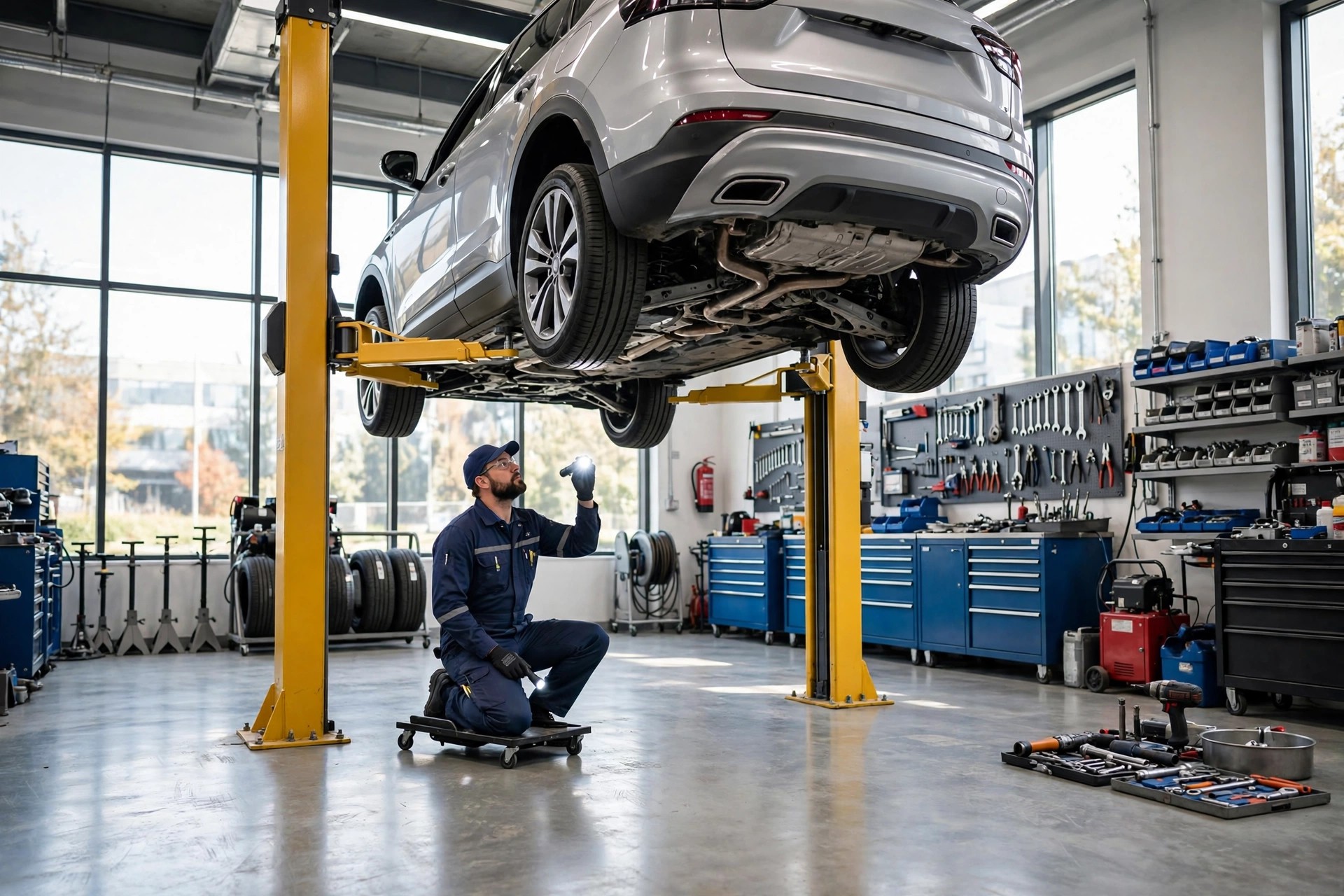
Online booking assigns the right bay time to each job type, so lifts stay productive and diagnostics never get squeezed by quick oil services.
Online booking vs the phone, head to head
Online booking does not replace the phone in a repair shop, and any vendor who says it does has never worked a service counter. The phone remains the best tool for the hard conversations: the intermittent noise the customer cannot describe, the dashboard light they cannot name, the “should I drive it in or tow it” safety question. What online booking does is take the routine 60 to 70 percent of scheduling off the phone so those hard conversations get the attention they deserve.
| Task | Online booking | Phone call |
|---|---|---|
| After-hours inquiries | Booked instantly at midnight or on Sunday | Voicemail, callback the next day at best |
| Routine scheduling | Customer self-serves in under two minutes | 5 to 10 minutes of staff time per booking |
| No-shows | Automatic reply-to-confirm reminders cut them sharply | Manual reminder calls eat staff hours |
| Vehicle details | Collected at booking: VIN, mileage, service history | Often incomplete until the car arrives |
| Complex diagnosis | Routes to a call or a diagnostic appointment | Best: tone, questions, and judgment |
| Safety questions | Not a fit; always route to a human | Best: a person decides tow vs drive |
| Upsell of declined work | Can show recommended services at booking | Best: a service writer explains the why |
| Staff load | Near zero per booking | Every booking costs counter time |
The shops that get the most from online booking run both channels on purpose. The booking page handles maintenance, tires, brakes, and inspections. The phone handles noises, lights, drivability problems, and anything safety-related. The booking confirmation page and every reminder message carry the shop number with the line “hearing a noise or seeing a warning light? Call us,” so customers with real problems never try to squeeze a diagnosis into a 45-minute oil-change slot.
Booking software options for repair shops
Repair shops have four realistic routes to online booking, and the right one depends on your size, your current software, and how much of the work you want done for you.
| Option | Typical cost | What you get | Best for |
|---|---|---|---|
| Shop management built-in booking | $150 to $300 per month as part of the system | Booking page that writes directly into your shop calendar, VIN decode, service history, texting | Shops already on Tekmetric, Shop-Ware, Mitchell 1, or AutoLeap |
| Standalone scheduler | $29 to $99 per month | Generic booking page with calendar sync, reminders, and payments; needs manual or API link to shop software | Small shops that want booking fast without changing systems |
| Website booking plugin | $0 to $200 per year plus setup | Booking form inside your own website, full control of design; you wire it to the calendar | Shops with a WordPress site and someone technical |
| Done-for-you booking setup | $500 to $3,000 one time, plus software | Agency builds the page, maps services to bay time, connects the calendar and reminders, trains the team | Shops that want it live in two weeks with no DIY |
The built-in route is the cleanest if your shop management system offers it, because the booking page and the shop calendar are the same data. No sync to break, no double entries, and the customer sees the same availability your service writer sees. If your current system lacks online booking, a standalone scheduler connected by API or even by calendar sync gets you 90 percent of the value in a few days. What you must not do is run a booking page that emails requests to an inbox nobody watches; a booking request that waits 24 hours for a callback is just a slower voicemail.
What each price tier buys you
Starter: simple scheduler
A clean booking page with service categories, calendar sync, and automatic confirmations. Best for one-to-three-bay shops booking mostly maintenance work.
- Online service picker with bay-time blocks
- Automatic email and text confirmations
- Google Calendar or basic shop-calendar sync
Growth: scheduler plus reminders and payments
Adds reply-to-confirm reminders, card-on-file or deposit options, and review requests after the visit. The tier where no-shows start dropping fast.
- Everything in Starter, plus two-way text reminders
- Deposits or card holds for long diagnostic slots
- Automatic review requests after completed jobs
Full shop system with built-in booking
Booking lives inside your shop management system: same calendar, same customer records, VIN decode, inspection and estimate tools included.
- Booking page wired directly to the shop calendar
- VIN decode, service history, and digital inspections
- Texting, reminders, and declined-service follow-up in one place
Connecting booking to your shop management system
Integration is where repair-shop booking succeeds or fails. A booking tool that does not talk to your shop management software creates two calendars: the one customers see and the one your service writer lives in. That is how double bookings happen, how a lift gets promised to two cars, and how the team stops trusting the system and goes back to the phone.
The minimum viable integration is two-way calendar sync. Bookings made online appear in the shop system within seconds, and blocked time in the shop system, technician vacation, a lift down for repair, disappears from the booking page just as fast. The stronger version connects customer records too: a returning customer who books online should land on their existing profile with vehicle and service history attached, not create a duplicate record your service writer has to merge.
VIN decoding deserves special attention. When the booking form captures the VIN, your system can decode year, make, model, engine, and trim before the appointment. That feeds parts lookup, so the service writer knows at a glance whether the brake pads for this exact car are on the shelf or need ordering. For European and specialty shops, this is the difference between a same-day brake job and a car sitting on the lift for two days waiting on parts. If your booking tool cannot capture and decode the VIN, add it to the confirmation email as a required field before arrival.
Finally, protect the technician schedule. Map each service category to the right skill level and the right bay: alignments need the alignment rack and the trained tech, not just any open lift. Good systems let you set rules like “diagnostics only with senior technicians” or “no more than two engine jobs per day.” If you are weighing a full website rebuild alongside booking, our breakdown of how much an auto repair shop website costs covers what a booking-ready site should include.

When routine scheduling moves online, the service writer spends counter time on estimates and declined-service conversations instead of booking oil changes.
Reminders that protect booked bays
A booked bay that sits empty is the most expensive kind of idle time in a repair shop. The lift, the technician, and the service writer are all paid whether a car is on the rack or not, and a no-show on a two-hour brake job cannot be filled with ten minutes of notice. Reminder automation is the partner system that makes online booking pay, and it works best when it is tied to the same calendar.
Run a 48-24-2 sequence. The 48-hour reminder gives the customer time to rearrange their day and gives you time to fill the slot if they cancel: “Hi Mike, confirming your brake service Thursday at 9 AM at Riverside Auto. Reply YES to confirm or tap here to reschedule.” The 24-hour reminder is the commitment prompt with practical details: address, drop-off instructions, and what to bring. The 2-hour reminder on the morning of the appointment is short: “See you at 9. We are at 450 Main Street; park in the service lane and come to the counter.” Shops running this sequence commonly cut no-shows from the 10 to 15 percent range down to 4 to 7 percent.
Make every reminder replyable. When a customer replies “I need to move it to Friday,” the system should offer open Friday slots and move the booking without staff involvement, then release the Thursday bay back into availability. Unconfirmed appointments the afternoon before become a short call list instead of the whole schedule. Pair this with a rebooking push for declined services and overdue maintenance, which our guide to email marketing for auto repair shops covers in detail, and the calendar fills from both ends: new bookings in, old customers back.
The booking flow drivers actually finish
Repair customers abandon booking pages for predictable reasons: too many questions, confusing service names, or a calendar that shows times the shop cannot honor. Keep the flow to five steps and use the words drivers use, not shop jargon.
Step 1, the service. Show plain categories first: oil service, brakes, tires, inspection, check-engine or diagnostic, air conditioning, and “something else.” Avoid internal names like “BG fuel service” at this stage; the upsell conversation happens at the counter.
Step 2, the vehicle. Year, make, model, then VIN as an optional-but-encouraged field: “Add your VIN and we will have parts info ready before you arrive.” Returning customers skip this; the system pulls their garage.
Step 3, the time. Show three to five real openings across the next few days, labeled morning or afternoon. Never show more than a week out at first; a wall of dates makes people stall. If the service needs a long block, say so: “Brake service takes about 2 hours.”
Step 4, contact details. Name, mobile number, email. One screen, no account creation, no password. Forcing registration before booking is the single biggest conversion killer on service pages.
Step 5, the confirmation. “You are booked for an oil service on Tuesday at 10:00 AM. Plan on about 45 minutes. We will text you a reminder the day before.” Include the shop number and the safety line: “Hearing a noise or seeing a warning light? Call us instead of booking online.”
Test the flow on a phone, because that is where most customers will use it. If any step takes more than 30 seconds on mobile, simplify it. Shops that tune this flow typically see 40 to 60 percent of routine maintenance bookings move online within a few months, which is 40 to 60 percent fewer scheduling calls interrupting the counter.
Handling walk-ins, diagnostics, and loaner cars
Real shops are messier than booking software, so plan for the edge cases before launch or they will break the system in week one.
Walk-ins. Keep one bay, or part of one bay, unbookable online as a walk-in buffer. The booking page shows real capacity minus that buffer, so walk-in drivers still get served without wrecking the booked schedule. On slow days the service writer can release the buffer into availability with one click.
Diagnostics. Never sell a fixed-price diagnosis online without a conversation. Offer “diagnostic appointment” as a service with a clear description: “Our technician will inspect the issue and call you with findings and an estimate before any repair work begins.” Take a deposit or card hold for diagnostic slots, because they are the longest blocks and the most abused by no-shows. Price the diagnostic fee transparently and note whether it applies toward the repair.
Loaner cars and shuttles. If you offer them, make them bookable add-ons with limited inventory. A booking page that promises a loaner to every brake-job customer will run out by 9 AM. Show remaining availability: “2 loaner cars left for Thursday.” The same applies to shuttle rides; cap them per day and let the system enforce it.
Multi-day jobs. Transmissions, engine work, and major suspension jobs do not fit a booking grid. Route these to a “request a call” option inside the booking flow: the customer picks the job type, and the shop calls back to schedule around parts ordering and technician availability. Trying to automate these creates more problems than it solves.
What it costs and what it earns
Total cost has three parts: the software subscription, the one-time setup, and the small ongoing cost of reminder texts. A small shop on a standalone scheduler pays roughly $50 to $100 a month all-in. A mid-size shop on a full management system with built-in booking pays $200 to $300 a month. One-time setup, page design, service-to-bay-time mapping, calendar integration, team training, runs $500 to $3,000 if an agency does it, or a few evenings of your own time if you do it yourself.
The return comes from three places. First, after-hours bookings that used to be voicemail: even a handful of extra jobs a month covers the software. Second, fewer no-shows: each saved two-hour bay is $200 to $400 in labor revenue that would have evaporated. Third, recovered counter time: every scheduling call that moves online gives the service writer minutes back for estimates and declined-service follow-up, which is where the real margin lives. The shops that track this usually find the system pays for itself within the first month.
A booking calendar the whole team can see ends the era of the appointment book that only one person understands.
Mistakes that keep calendars empty
Launching without calendar integration. A booking page that emails requests to an inbox is a slower voicemail, not online booking. Real availability, instant confirmation, or do not launch.
Showing every slot to everyone. Diagnostics need senior techs, alignments need the rack. If the page lets anyone book anything, the schedule will need constant manual repair.
Forcing account creation. Drivers will not create a password to book an oil change. Name, phone, done. Accounts can come later, after the first visit.
Hiding the phone number. Some customers will always call, especially for noises and warning lights. Burying the number to push online booking just loses those customers to the shop whose number is easy to find.
No buffer between jobs. Booking bay time back to back with zero transition time means every late arrival cascades through the day. Build 10 to 15 minute buffers into the grid.
Forgetting the Google profile. Most drivers find you on Google first. If the booking link is not on your Google Business Profile, you are paying for a booking page that half your customers never see.
Never announcing it. The booking page only works if customers know it exists. Put the link on every estimate, invoice, reminder text, and the front counter sign. Mention it at checkout: “Next time you can book this in about a minute on our site.”
Your rollout checklist
Work through these in order. Each one builds on the last.
- 1Map services to bay time. List every service you offer and assign a realistic time block plus the bay and skill level it needs.
- 2Pick the software route. Built-in booking if your shop system offers it, standalone scheduler if it does not, agency build if you want it done for you.
- 3Connect it to the shop calendar. Two-way sync so online bookings land in the shop system and blocked time disappears from the page.
- 4Build the five-step booking flow. Service, vehicle, time, contact, confirmation; no accounts, no jargon, mobile-first.
- 5Add the VIN field. Optional but encouraged, feeding parts lookup so the service writer can prep before arrival.
- 6Set the edge-case rules. Walk-in buffer bay, diagnostic deposit policy, loaner car caps, and the call-back route for multi-day jobs.
- 7Build the 48-24-2 reminder sequence. Every reminder replyable, with one-tap rescheduling that releases the old bay.
- 8Put the link everywhere. Website header, Google Business Profile, estimates, invoices, reminder texts, and a sign at the counter.
- 9Train the team. Who watches the booking inbox, how handoffs for complex issues work, and the response-time target for call-back requests.
- 10Review the first 100 bookings. Fix the services customers pick wrong, the slots that cause pile-ups, and the wording that confuses people.
Frequently asked questions
Will online booking reduce my phone calls?
It reduces scheduling calls, which are the routine 60 to 70 percent: oil services, tires, brakes, inspections. Complex calls about noises, warning lights, and drivability problems will still come by phone, and that is exactly the split you want, because the hard calls get the attention they deserve.
What does an online booking system cost for a repair shop?
A standalone scheduler runs $29 to $99 a month, a full shop management system with built-in booking runs $150 to $300 a month, and agency setup runs $500 to $3,000 one time. Reminder texts add a few dozen dollars a month. Most shops spend $50 to $300 a month all-in after setup.
Can it connect to my shop management software?
Usually yes. Systems like Tekmetric, Shop-Ware, Mitchell 1, and AutoLeap include booking or connect to schedulers by API. Two-way calendar sync is the minimum to accept: bookings must land in the shop system and blocked time must disappear from the page. Confirm the integration before you sign anything.
How do I stop customers from booking the wrong service?
Use plain-language categories instead of shop jargon, show a short description under each service, and add the safety line that noises and warning lights should call, not book. Review the first 100 bookings and rename the services customers keep picking wrong.
Should I take deposits for online bookings?
For routine maintenance, no; friction kills conversion. For diagnostic appointments and multi-hour jobs, a deposit or card hold is standard and fair, because those are the longest blocks and the most costly no-shows. State the policy clearly on the booking page.
What about customers who just show up without booking?
Keep a walk-in buffer: one bay, or part of one, that is never bookable online. Serve walk-ins from the buffer without disturbing the booked schedule, and release the buffer into availability on slow days.
How long does setup take?
One to two weeks for the standard path: pick the software, map services to bay time, connect the calendar, build the reminder sequence, and train the team. The service-to-bay-time mapping is the step most shops underestimate; do it carefully and the rest is straightforward.
Will older customers use online booking?
Many will, because they already book flights, hotels, and haircuts online. Keep the flow to five steps with big tap targets and plain words. And keep the phone number prominent: customers who prefer calling can still call, and the page simply catches everyone else.
How do reminders tie into the booking system?
The reminders read the same calendar the booking page writes to, so confirmations, reschedules, and cancellations stay in sync automatically. A 48-24-2 sequence of replyable reminders commonly cuts no-shows from the 10 to 15 percent range down to 4 to 7 percent.
How do I measure whether it is working?
Track five numbers monthly: after-hours bookings captured, share of routine bookings made online, no-show rate, average days to fill a cancelled slot, and scheduling calls per day at the counter. Compare against the two months before launch; most shops see the no-show and after-hours numbers move first.
Fill your bays without adding counter staff
Digital Hayder builds online booking systems and AI receptionist setups for auto repair shops: service-to-bay-time mapping, shop software integration, reply-to-confirm reminders, and booking pages drivers actually finish. Tell us about your shop and we will design the booking flow around it.
Contact Us