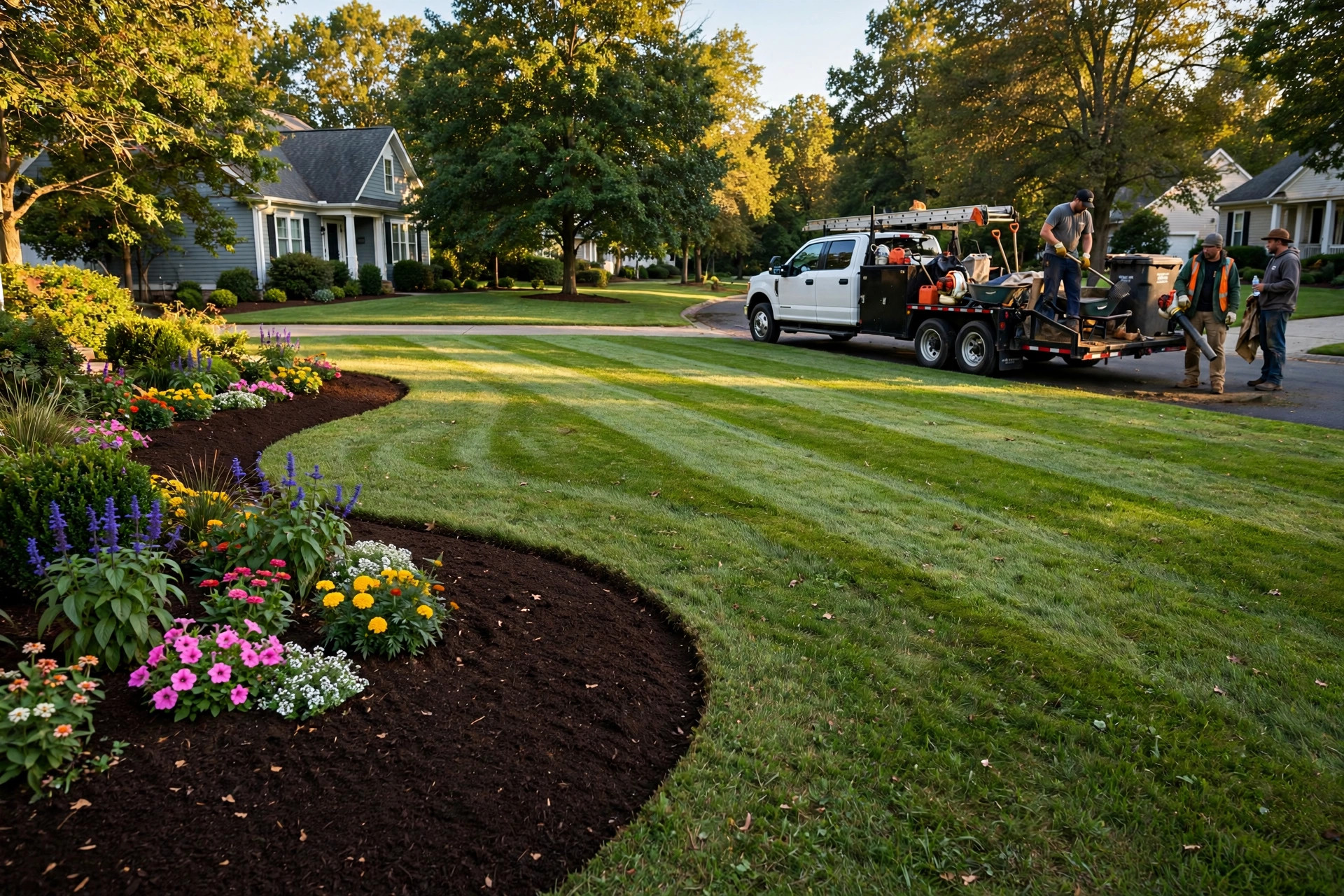
It is late Friday afternoon and your crew is loading the last tools into the truck. The bed lines are crisp, the mulch is fresh and dark, the flowers are in, and the lawn has that striped just-mowed look. The homeowner walks out the front door, stops on the driveway, and stares. Then she pulls out her phone and starts taking photos of her own front yard like it belongs on a magazine cover. That five-minute window, between the reveal and the truck pulling away, is the single most valuable moment in landscaping marketing. It is when the customer is happiest with your work, most likely to tell a neighbor, and most willing to do you a favor. Most landscaping companies let it pass. They finish the job, wave goodbye, and months later wonder why their Google profile shows 23 reviews while the competitor across town shows 400. This guide shows how to capture that moment: the exact ask, the text message to send with the before and after photos, how to build the system into every crew, and how review volume feeds the two things that actually grow a landscaping business, dense routes and commercial bids.
The quick answer
- The core job: ask at the reveal, when the finished yard is fresh and the customer is standing in front of it. Timing beats cleverness.
- What to send: a short text with a direct Google review link, ideally with the before and after photo attached so the customer relives the transformation.
- Who sends it: the crew, from the job site, inside the closing routine. Office follow-ups days later convert a fraction as well.
- How reviews pay off: they feed route-density marketing (neighbors hire neighbors) and they win commercial and HOA bids before the meeting starts.
- The rule to respect: ask for honest reviews, never pay for them or demand five stars. Incentivize the ask, not the rating.
- The target: build toward 200 or more reviews. Review volume and review velocity are known drivers of local search visibility.
The reveal moment is your review goldmine
Customers rate experiences at their emotional peak, and in landscaping the peak is the walkthrough. The customer sees weeks of planning turn into a finished yard in a single glance. That feeling fades fast. By the time an office email arrives three days later, the yard is just the yard again, and the review request is one more unread message. BrightLocal’s consumer research finds that 98 percent of people read online reviews for local businesses, and separate industry surveys find that roughly three quarters of consumers have been asked to leave a review at some point. The customers are willing. The only question is whether you ask when it counts.
Why the walkthrough beats every other ask-moment
The walkthrough has three advantages no follow-up can copy. First, the customer is physically present and emotionally engaged, so the friction of the ask is near zero. Second, the crew leader is standing there, a real person the customer likes, not a brand sending an automated email. Third, the customer can see the result while they write, which produces longer, more specific reviews. Specific reviews matter: when a review mentions the project type, the neighborhood, and the crew by name, it reads as proof to the next homeowner and it feeds the keywords Google uses to understand what you do. An ask at the walkthrough commonly converts several times better than an email sent days later, which is why the whole system in this guide is built around it.
The before and after photo does the heavy lifting
Attach the before and after photo to the review request text. It takes the crew ten seconds if they already take job photos, which they should. The photo makes the customer relive the transformation while they are writing, so the review gets longer and more detailed. Many customers will also attach the photo to their Google review, and reviews with photos stand out on your profile and in the local results. Make before and after photos a non-negotiable part of every install: same angle, same framing, one when you arrive and one when you leave. Our landscaping marketing ideas guide covers how those photos pull double duty in ads and social posts too.

The reveal is the peak of the customer experience. Ask here and the review writes itself.
The text request: what to send and when
Text beats email for review requests in the trades, and it is not close. Texts get opened in minutes; marketing emails get opened sometimes. The request should arrive within 30 minutes of the crew marking the job done, while the yard is still the customer’s whole world.
Send it from the job site, not from the office
The best version of this system has the crew leader send the text from the field. The customer just shook this person’s hand. The message feels personal because it is. If your crews cannot send texts, the office sends it the moment the crew marks the job complete in your scheduling app, and the message names the crew leader. Either way, include the direct Google review link, not your homepage. Get the short review link from your Google Business Profile and shorten it if needed. One tap should land the customer on the review form with the stars in front of them. Every extra click loses people.
The exact message that gets answered
Keep it under about 300 characters, use the customer’s first name, mention the work, and ask directly. Here is a template that works: “Hi Maria, Jake here from GreenScape. The crew just wrapped your front beds and they look great. If you are happy with how it turned out, a quick Google review means a lot to our crew: [link]”. For maintenance clients, rotate the trigger: ask after the first visit of the season, after a cleanup, or after you solve a problem they complained about. Never tie the request to a discount or a gift in exchange for a review. Google’s policy forbids incentivized reviews, and one flagged batch can get reviews removed. Reward the crew for making the ask, not for the rating that comes back.
Systematize it per crew
A review system that lives in the owner’s head dies in the owner’s head. The ask has to be a line item on the crew’s job closeout, as routine as blowing off the driveway.
Give every crew leader a review target
Set a simple number: four posted reviews per crew per month is a strong starting target for install crews, two for maintenance crews. Add three lines to the closeout checklist: walkthrough done, before and after photos taken, review text sent. Then pay a small bonus per review that posts, framed explicitly as a bonus for making the ask. Crew leaders who take pride in their work ask naturally; the target just makes it consistent. When a crew hits the target three months running, raise it. Review velocity, meaning a steady stream of new reviews, signals to Google that the business is active, which matters as much as the total count.
Track reviews by crew, not just by company
Google does not tell you which crew earned the review, so tag it yourself. When a review names a crew leader or a project, log it in your CRM against that crew. Post a simple leaderboard in the shop: crew names and review counts for the month. Friendly competition between crews does more than any memo from the office. It also tells you who needs coaching. If one crew does the same quality of work but never generates reviews, the problem is the ask, not the work, and a ride-along with a top crew fixes it fast.
| When you ask | How it is delivered | Typical conversion | Why it works or fails |
|---|---|---|---|
| At the reveal, same day | Crew text with before and after photo and review link | High: a large share of happy customers follow through | Peak emotion, personal ask, one-tap link, photo triggers the memory |
| Same evening from the office | Text with review link naming the crew leader | Medium: solid if sent within hours | Still fresh, but the personal moment is gone |
| Three days later | Email with review link | Low: single digits for most shops | The yard is old news and the email competes with everything else |
| Never, hoping for the best | Nothing | Near zero from happy customers | Only angry customers review on their own, which skews your rating down |
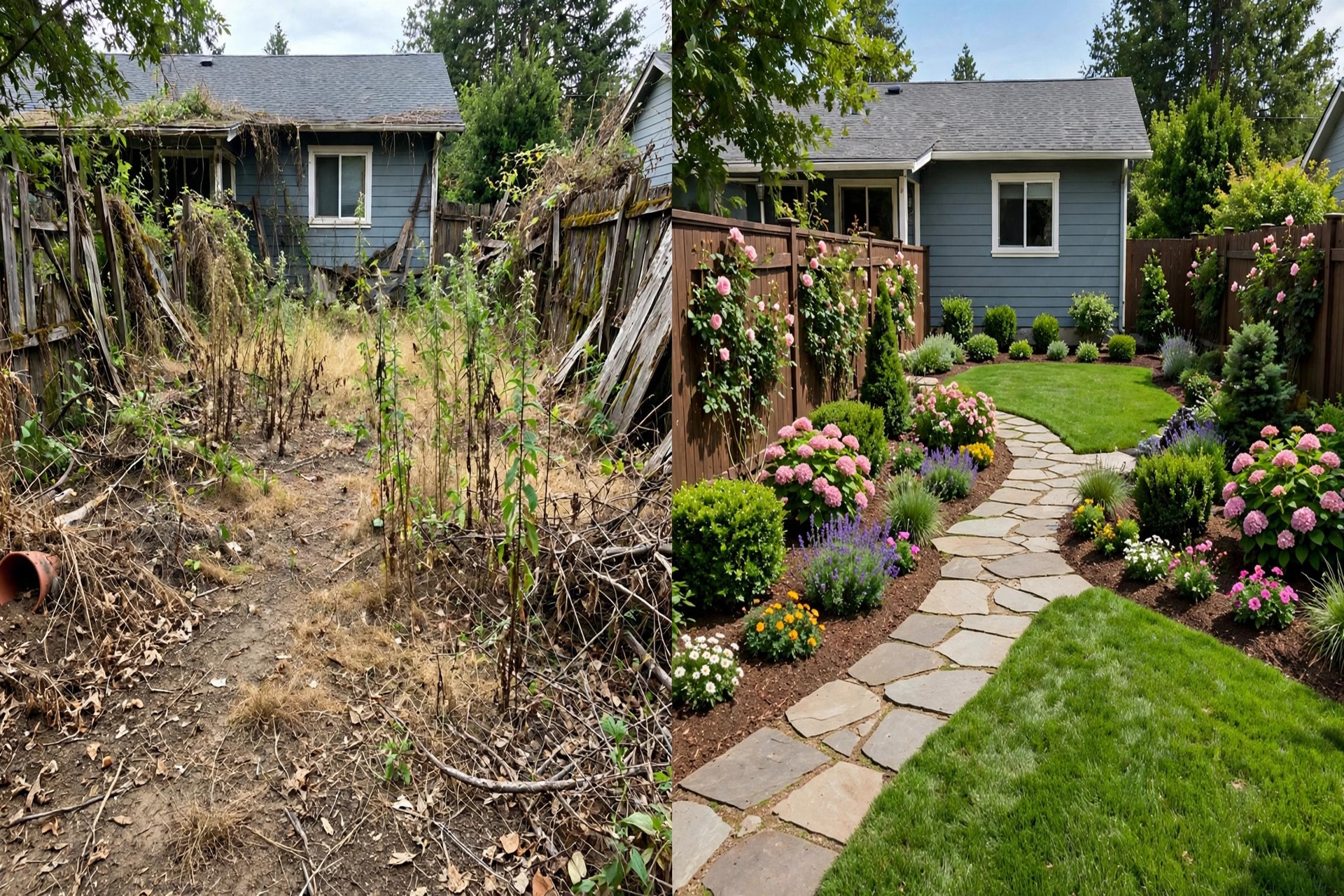
The before and after photo attached to the request turns a favor into a story the customer wants to tell.
Turn review volume into route density
Reviews are not vanity metrics for landscapers. They are the mechanism that compresses your service area, and a compressed service area is pure profit.
Reviews make neighborhoods yours
When a homeowner searches for a landscaper, the company with 300 recent reviews and project photos beats the company with 20, even at a higher price. Review velocity matters here: Google favors businesses collecting reviews steadily, and customers trust recent reviews over old ones. Each install review also tends to name the neighborhood, which reinforces your relevance for nearby searches. The business effect is route density. When three houses on one street hire you because the first one’s review convinced them, your crew mows, edges, and maintains without driving across town between stops. One extra job per month in a neighborhood you already serve is nearly pure margin, because the truck is already there. This is why the review system is a growth strategy, not a reputation chore.
Commercial bids and HOA contracts live or die on reviews
Property managers and HOA boards Google every bidder before the meeting. A profile with 200 reviews, photos of commercial properties, and thoughtful owner responses beats a cheaper bid from a company with 15 reviews and no photos. Put your review count and rating on the cover page of every commercial bid, with a link to the profile. If you want commercial work, also make sure some of your reviews mention commercial properties, which means asking your commercial clients directly at contract renewal or after a seasonal cleanup. The ask-moment system works there too: the property manager walking a finished property is your commercial version of the reveal.
Answer the reviews you earn
Respond to every review within 48 hours. Thank the reviewer by name, mention the project, and keep it short. Responses are read by future customers, not just the reviewer, so each one is a small ad for how you treat people. For negative reviews, respond publicly once with calm specifics, then move the conversation offline with a phone number. Never argue in the review thread. Our guide to how to respond to negative Google reviews walks through the exact structure. And keep your whole profile sharp, because reviews convert best on a profile that is complete: our Google Business Profile optimization guide for contractors covers the categories, services, and photos that make the reviews work harder.
Your rollout checklist
Roll this out crew by crew. Get the first crew to ten reviews with the system before you train the rest.
- 1Claim your short review link. Get the direct review link from your Google Business Profile and test it on your own phone. One tap must land on the review form.
- 2Write the two templates. One for installs, one for maintenance moments. Under 300 characters, first name, crew leader name, direct ask, link.
- 3Add photos to the closeout. Before and after, same angle, every job. No photo, no closeout.
- 4Put the text on the checklist. Walkthrough done, photos taken, review text sent. The crew leader initials it.
- 5Set the monthly target. Four reviews per install crew, two per maintenance crew, with a small bonus for the ask.
- 6Start the leaderboard. Post crew review counts in the shop monthly and celebrate the winners.
- 7Respond to every review. Within 48 hours, by name, mentioning the project. Assign one person to own this.
- 8Use the count in bids. Put your rating and review count on every commercial and HOA bid cover page.
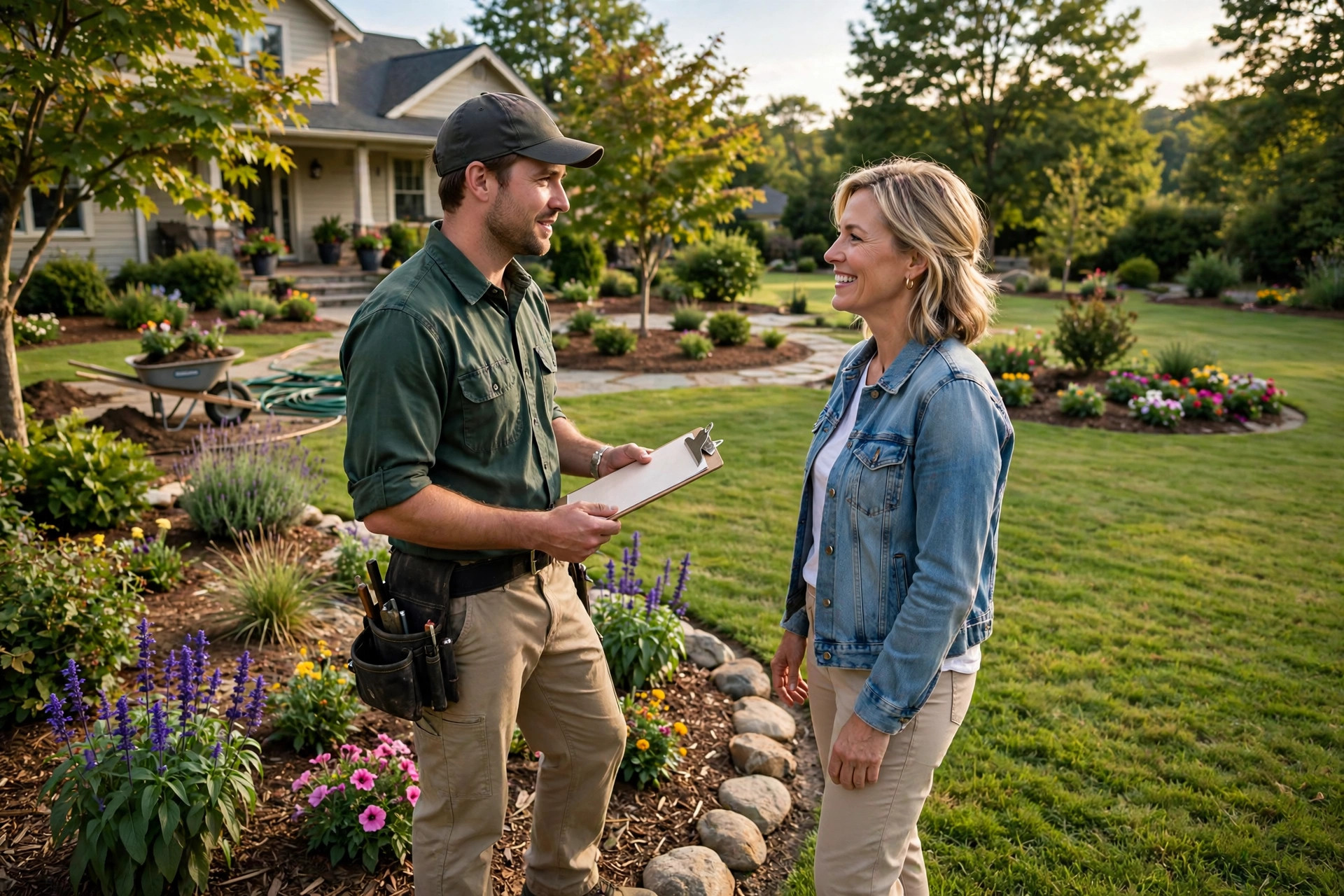
The ask takes thirty seconds at the walkthrough. The review keeps selling for years.
Frequently asked questions
How many Google reviews does a landscaping company need?
Enough to clearly lead your service area. In most markets that means 100 to 200 for residential work, more if competitors are strong. Past 200, keep the velocity steady, because recent reviews influence both rankings and customer trust more than old ones.
Is it okay to ask customers for reviews?
Yes. Google allows asking for honest reviews. What is not allowed is paying for reviews, offering discounts or gifts in exchange for them, or pressuring customers for five stars specifically. Ask everyone, accept what comes back, and respond to all of it.
Can I offer a discount for a Google review?
No. Incentivized reviews violate Google’s policy and can get reviews removed or your profile penalized. You can reward your crew for making the ask, which is about effort, not outcomes. Never tie compensation to the star rating.
What if a customer leaves a bad review?
Respond publicly once, calmly and specifically, then take it offline with a direct phone number. Do not argue in the thread. A professional response to a bad review often impresses future customers more than the review itself worried them.
How do I get reviews from maintenance clients, not just installs?
Pick rotating trigger moments: the first visit of the season, a spring cleanup, or the visit where you fixed something they complained about. Ask two or three times a year per client, not every visit, so the ask stays welcome.
Should I respond to every review?
Yes, within 48 hours. Thank the reviewer by name and mention the project. Future customers read your responses to judge how you treat people, so each reply is a small piece of marketing.
What do I do about a fake review from a competitor?
Flag it through your Google Business Profile as a conflict of interest, and respond briefly and factually in the meantime. Do not accuse anyone publicly. If the flag is denied, a calm factual response still neutralizes most of the damage for readers.
Turn every finished yard into five-star proof
Digital Hayder builds review and reputation systems for landscaping companies: the text-request automation, the per-crew tracking, and the Google Business Profile optimization that turns reviews into dense, profitable routes. Tell us about your crews and we will design the system around how you already work.
Contact Us