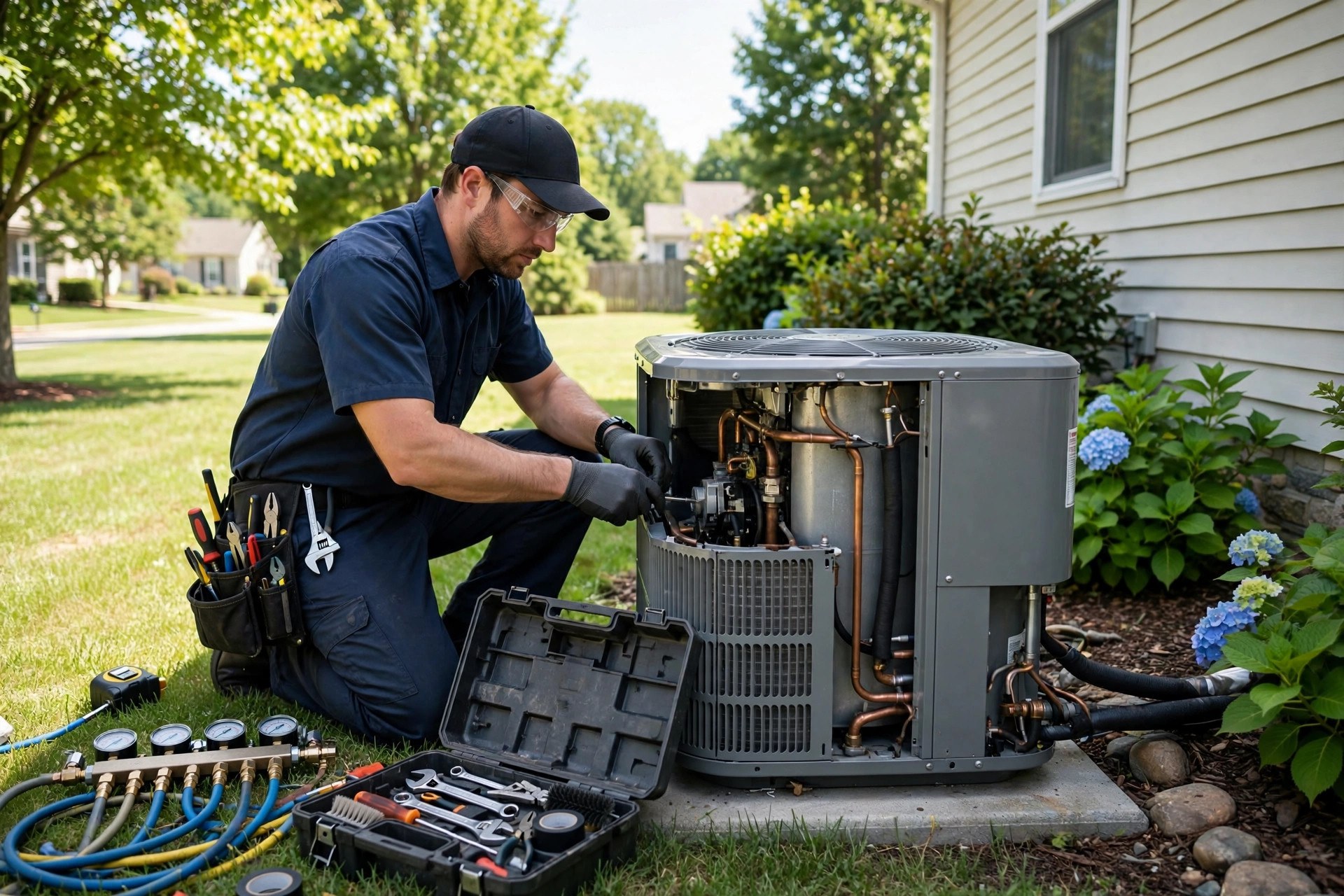
HVAC is a two-season business with a split personality. In July, everyone searches “AC not cooling” and you cannot hire techs fast enough. In October, the phone goes quiet and you live off maintenance agreements. Your Google Business Profile has to serve both seasons: capture the no-cool and no-heat emergencies when demand spikes, and sell tune-ups and maintenance plans when it does not. This guide covers GBP optimization built specifically for HVAC companies: seasonal service listings, emergency flags for dead systems, maintenance plan promotion, service-area strategy, review velocity across the year, and the costs of doing it yourself versus hiring it out.
The quick answer
- Two seasons, one profile: rotate your services, posts, and photos between cooling and heating so the profile always matches what customers search right now.
- No-cool and no-heat are the money searches: “AC not cooling,” “furnace not working,” and “emergency HVAC repair” need explicit coverage in services and posts.
- Maintenance plans belong on the profile: list tune-ups and agreements as services with plain-English benefits; they sell during the slow months.
- Seasonal posts keep you visible: pre-season tune-up campaigns in spring and fall catch demand before the breakdowns start.
- Reviews must flow year-round: ask after installs in peak season and after tune-ups in slow season so velocity never stalls.
- Track by season, not by month: compare each quarter against the same quarter last year, since HVAC demand swings too much for month-to-month reads.
Why HVAC lives and dies by seasonal search swings
Few trades swing like HVAC. The first heat wave of summer can triple “AC repair near me” searches in a week, and the first cold snap does the same for furnaces. Google’s map pack rewards the profiles that look most relevant to the search happening right now, which means a profile optimized only for air conditioning quietly underperforms all winter, and vice versa. The companies that win year-round treat the profile as a living asset that changes with the weather.
The ticket values justify the effort. A no-cool emergency service call runs $150 to $400, a furnace repair $200 to $600, and a full system replacement $7,000 to $15,000 installed. One replacement job won from the map pack can pay for a year of profile management. Meanwhile Google Ads clicks for “AC repair near me” routinely cost $25 to $60 in competitive markets during peak season, so every free map-pack call is margin straight to the bottom line. HVAC companies that hold the top three map positions through both peaks often report the profile driving a third or more of total inbound calls.
The seasonal trap to avoid is the quiet-quarter stall. When demand drops, most companies stop posting, stop asking for reviews, and stop uploading photos. Six months later, when the next peak arrives, the profile looks dormant and competitors who kept the habits pass them. The entire strategy in this guide is built around never going quiet.
Categories and services for a two-season business
HVAC profiles fail when they describe only half the business. Set up both halves from the start.
Primary and secondary categories
Set the primary category to “HVAC contractor” or “Air conditioning contractor,” whichever matches your core work and local search behavior. Add secondaries for the real lines of business: “Heating contractor,” “Furnace repair service,” “Air conditioning repair service,” “Heating equipment supplier” only if you sell equipment retail. Skip categories for work you do not do; a profile claiming commercial refrigeration it never services attracts wrong-fit calls and dilutes relevance.
Build the service list by season
Organize services the way customers search, split into cooling, heating, and year-round groups. Cooling: AC repair, AC installation and replacement, no-cool emergency service, refrigerant leak repair, ductless mini-split installation, thermostat installation. Heating: furnace repair, furnace installation and replacement, no-heat emergency service, heat pump repair and installation, boiler service, thermostat and smart control setup. Year-round: HVAC maintenance plans, seasonal tune-ups, duct cleaning, indoor air quality testing, ductwork repair. Write each service description in customer language with the symptom included: “Furnace not turning on or blowing cold air? Same-day diagnosis and repair, day and night during cold snaps.” Symptom language is what matches panicked searches.
Attributes and hours that match reality
Set honest hours and update them for holidays; nothing damages trust like a “24/7 emergency service” claim that rings to voicemail during a January cold snap. If you genuinely offer round-the-clock emergency response in peak season only, say so in posts rather than in the hours field. Add the attributes that apply: onsite services, online estimates, and any certifications customers recognize. Keep the business description’s first 250 characters season-proof: name the company, the towns served, and both halves of the work, heating and cooling, with emergency availability stated plainly.

Smart thermostats and controls are easy add-on sales that deserve their own service listing on the profile.
No-cool and no-heat: the emergency flags
Emergency HVAC searches are symptom searches. Nobody types “HVAC contractor”; they type “AC blowing warm air,” “furnace not working,” “no heat in house,” or “AC leaking water.” Your profile must match the symptom, not just the trade.
Cover the symptom phrases in three places. First, the service descriptions, as shown above. Second, the Q and A section: seed questions like “My AC is running but not cooling, can you come today?” and “Our furnace stopped working overnight, do you offer emergency service?” with direct answers that state your response policy. Third, Google Posts during peak season: “No cool? We are running same-day AC repair across these towns. Call now.” These posts are indexed and they convert searchers who read the profile before calling.
Set a clear emergency policy and publish it. Customers in a 95-degree house or a 40-degree house need to know what happens when they call: who answers, how fast a tech is dispatched, and what the after-hours diagnostic fee is. Stating the fee upfront, typically $99 to $199 for after-hours diagnostics, filters out price shoppers and builds trust with everyone else. Vague “call for pricing” language loses to competitors who state the number.
The seasonal content calendar for your profile
This is the habit that separates HVAC profiles from every other trade’s. Rotate posts, photos, and featured services with the calendar below, starting each campaign three to four weeks before the season it serves.
| Period | Post themes | Services to feature | Photo focus |
|---|---|---|---|
| Late winter to early spring | AC tune-up specials, pre-summer maintenance plan push | AC tune-up, maintenance plans, thermostat upgrades | Tech performing spring tune-ups, clean condenser units |
| Late spring to summer | No-cool emergency availability, same-day repair, replacement consultations | AC repair, emergency service, system replacement | Emergency repair jobs, new installs in progress |
| Late summer to early fall | Furnace tune-up specials, pre-winter maintenance plan push | Furnace tune-up, maintenance plans, heat pump service | Fall tune-ups, furnace inspections |
| Late fall to winter | No-heat emergency availability, furnace repair, boiler service | Furnace repair, emergency service, boiler service | Winter emergency calls, techs in cold-weather gear |
Each seasonal push should run four to six posts over the period, every one naming the service and the towns. The pre-season tune-up campaigns are the highest-ROI posts on the profile: they sell planned work during shoulder months, build the maintenance-plan base, and surface failing systems before they die on the hottest day of the year, which is when replacement consultations are easiest to win.
Maintenance plans: the recurring revenue signal
Maintenance agreements are the closest thing HVAC has to subscription revenue, and the profile should sell them explicitly. List “HVAC maintenance plan” and “seasonal tune-up” as standalone services with benefit-driven descriptions: two visits a year, priority scheduling during peaks, discounts on repairs, and longer equipment life. Name the price band if you can: “$179 to $299 a year” removes the mystery that stops people from asking.
Promote plans hardest in the shoulder seasons when the schedule has room. A spring post offering tune-ups naturally converts a share of buyers into plan members; a fall post does the same on the heating side. Ask every tune-up customer for a review that mentions the plan by name, “signed up for the maintenance plan after a great tune-up,” because those reviews sell the plan to future readers better than any ad copy. Over two to three years, a profile-driven plan base of a few hundred members becomes the revenue floor that carries the company through mild weather.
Service areas for installs versus repairs
HVAC has a wider natural radius than most trades, but it is not uniform: emergency repairs cluster close, while installations travel farther. Reflect that in the profile. List the core towns you serve for same-day repair by name, usually 10 to 20 towns within a 30-minute drive. If you take installations farther out, say so on the website’s service-area pages rather than stretching the GBP radius; a giant radius weakens the location signal for the close-in emergency searches that matter most.
Match the website town by town. Build service-area pages that name each town with local detail: common housing stock, typical system ages, hard-water or humidity issues that affect equipment. Google cross-checks the profile against the site, and consistency here is a quiet ranking factor most HVAC companies ignore. For the broader local marketing picture, see our HVAC marketing ideas guide.
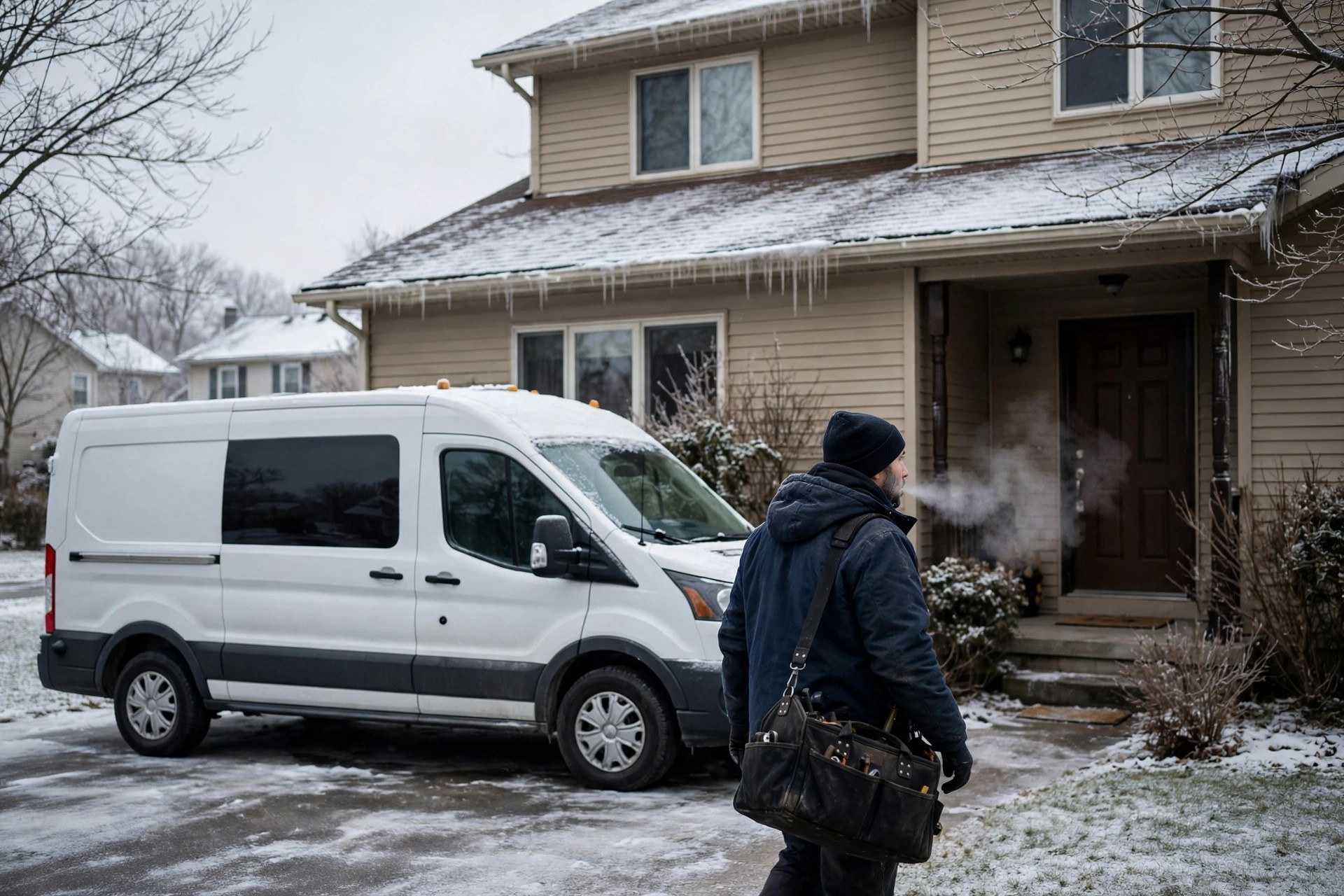
No-heat calls cluster close to home. Your service-area list should reflect where same-day repair is genuinely possible.
Photos: installs, tune-ups, and the team
HVAC customers are buying competence they cannot evaluate themselves; most people cannot tell a good install from a bad one. Photos bridge that gap. Prioritize crisp shots of real work: condenser installs with clean line sets, furnace replacements, attic air handler work, techs performing tune-ups with gauges attached, ductwork repairs, and smart thermostat installs. Before-and-after pairs of rusted-out units replaced with new systems are the most persuasive images in the trade.
Add the team and the trucks: uniformed techs at front doors, branded vans in driveways, the shop and the crew. Update photos with the seasons so the profile always looks current: tune-up photos in spring and fall, emergency and install photos in summer and winter. Profiles with 50-plus real photos earn substantially more calls than sparse ones, and fresh uploads signal an active business to Google. Avoid stock photos of models pointing at thermostats; customers and Google both discount them.
Review velocity across the seasons
Reviews are the prominence half of map-pack rankings, and HVAC companies face a specific challenge: review flow naturally follows demand, which means it stalls in the shoulder seasons exactly when the profile needs steady signals. Fix it by matching the ask to the season’s work.
In peak season, ask after every completed repair and installation; gratitude is highest when the house is comfortable again. In shoulder season, ask after every tune-up and maintenance-plan signup; tune-up customers are relaxed, unhurried, and happy to leave a review. The ask itself should be a short text with the review link, sent within hours of the job. Train techs to make it part of the wrap-up on every visit type, not just installs. For scripts and timing by job type, see our guide to getting more Google reviews for your HVAC company.
Target 8 to 20 new reviews a month in peak season and 4 to 8 in shoulder months; the goal is never hitting zero. Reviews that mention the symptom and the season, “AC died during the heat wave and they had it running the same day,” reinforce relevance for the exact searches you want. Respond to every review within a few days, and treat negative reviews as public customer service: acknowledge, take it offline with a direct number, and never argue.
Q and A, messaging, and booking links
Seed the Q and A section with the questions HVAC customers actually ask, split by season: “How much is an AC tune-up?” “Do you offer free estimates on system replacement?” “What does the after-hours diagnostic fee cover?” “Do you service my brand of furnace?” Answer each plainly with real numbers where possible. Monitor weekly during peaks; emergency questions posted by strangers and left unanswered look terrible on a profile that claims fast response.
Turn on GBP messaging and route it to a monitored line. No-cool and no-heat searchers who cannot get through on a busy summer afternoon will message instead, and the first company to reply usually wins the job. Add the booking link field pointing at your online scheduler so profile visitors can book tune-ups without calling; track how many tune-up bookings originate there, because it is the clearest signal the profile is selling planned work, not just emergencies. If missed calls are the bottleneck rather than the profile, pair this with a call safety net like the one in our missed-call text-back for HVAC companies guide.
Tracking seasonal performance
Month-to-month comparisons mislead in HVAC because demand swings with the weather. Compare each quarter against the same quarter last year, and track the metrics that tie the profile to revenue.
| Metric | Where to find it | What good looks like |
|---|---|---|
| Profile calls | GBP insights, calls | Peak quarters up year over year; shoulder quarters stable, not collapsing |
| Direction requests | GBP insights, directions | Growing with service-area coverage |
| Booking-link clicks | GBP insights, website clicks | Rising in pre-season tune-up campaigns |
| Review velocity | Review count over time | 8 to 20 per month in peaks, 4 to 8 in shoulder months, never zero |
| Call-to-job conversion | Your dispatch records | 55 to 75 percent of qualified calls booked |
| Maintenance-plan signups from profile | Ask at signup or track the booking link | Steady growth each shoulder season |
If calls spike but bookings lag during a heat wave, the problem is capacity or phones, not the profile; consider overflow answering before the next peak. If shoulder-season calls fall off a cliff two years running, the tune-up campaigns and review asks are the levers to pull.
Common mistakes HVAC companies make on GBP
Cooling-only profile. Services, posts, and photos all about AC while the furnace business gets nothing. Split everything fifty-fifty across the year.
Going quiet in the shoulder seasons. No posts and no reviews from October to March reads as dormant when the next peak arrives. The seasonal calendar above exists to prevent exactly this.
Keyword-stuffed business name. “Springfield AC Repair Furnace Installation 24 Hour” risks suspension. Real name only; keywords go in services and posts.
No maintenance plan listing. The highest-lifetime-value product the company sells is invisible on the profile. List it as a service with a price band.
Claiming 24/7 without answering. Cold-snap callers who hit voicemail leave one-star reviews that haunt the profile for years. Claim only what the phones can back up.
Stock photos. Models pointing at thermostats tell nobody anything. Real installs, real tune-ups, real techs.
Ignoring Q and A during peaks. The busiest weeks generate the most questions. Unanswered emergency questions contradict every “fast response” claim on the profile.
What GBP optimization costs
Most of the work is consistent labor rather than tools. Realistic bands for HVAC companies:
| Approach | Typical cost | What you get |
|---|---|---|
| DIY | Free, plus 3 to 5 hours a month | Full control; works if you follow the seasonal calendar without fail |
| One-time seasonal setup | $500 to $1,500 one time | Categories, seasonal service lists, description, photos, Q and A seeding, review system |
| Monthly management | $300 to $800 per month | Seasonal posts, photo uploads, Q and A monitoring, review responses, quarterly reporting |
| Part of full local SEO | $800 to $2,500 per month | GBP plus website location pages, citations, and review generation across the company |
For the paid side of peak-season demand, compare these numbers against local services ad costs; most companies find the profile work pays back first.

Tune-up visits are the steadiest source of shoulder-season reviews and maintenance-plan signups.
Your rollout checklist
Do the first six in one focused week, then run the seasonal calendar.
- 1Claim and verify the profile. Correct business name with no keyword stuffing, accurate primary category.
- 2Build the two-season service list. Cooling, heating, and year-round groups written in symptom language customers search.
- 3Write the season-proof description. Both halves of the business, towns served, and honest emergency availability in 750 characters.
- 4Set service areas by town. Core repair towns listed by name; wider install coverage described on the website.
- 5List the maintenance plan as a service. Benefits and price band stated plainly, not buried in the description.
- 6Upload 30-plus real photos. Installs, tune-ups, techs, trucks, and before-and-after replacements. No stock.
- 7Seed seasonal Q and A. Tune-up pricing, replacement estimates, diagnostic fees, and brand coverage, answered with real numbers.
- 8Start the review engine. Text the link after every job; tune-up reviews in shoulder months, repair and install reviews in peaks.
- 9Turn on messaging and the booking link. Route messages to a monitored line; point the link at the tune-up scheduler.
- 10Run the seasonal calendar for a full year. Pre-season campaigns, seasonal photo swaps, and quarterly same-quarter comparisons.
Frequently asked questions
How long does GBP optimization take to work for HVAC companies?
Expect early movement in 4 to 8 weeks and real ranking shifts in 3 to 6 months. Because demand is seasonal, judge progress against the same quarter last year, not last month; a full year of the seasonal calendar is when the compounding shows.
Should my profile focus on AC or heating?
Both, rotated by season. Keep cooling and heating services listed year-round, but rotate posts, featured photos, and campaigns to match what customers search right now. A cooling-only profile quietly loses all winter.
How do I rank for “AC not cooling” type searches?
Write service descriptions in symptom language, seed matching questions in the Q and A section, and publish peak-season posts naming the symptom, the towns, and your response policy. Relevance comes from matching the words panicked customers actually type.
How many reviews does an HVAC company need?
Velocity matters more than totals: 8 to 20 new reviews a month in peak season and 4 to 8 in shoulder months, never zero. Tune-up reviews keep the flow alive when repair demand drops.
Should I list my maintenance plan pricing on the profile?
Yes, as a price band. “$179 to $299 a year” removes the mystery that stops people from asking and pre-qualifies buyers. Plans are your highest-lifetime-value product; hiding the price helps no one.
Can I claim 24/7 emergency service seasonally?
Only claim what the phones back up. If you answer around the clock in summer but not in spring, keep the hours field honest and state the seasonal emergency policy in posts instead. False 24/7 claims earn one-star reviews during cold snaps.
Do Google Posts matter for HVAC?
Yes, especially pre-season. Tune-up campaign posts in spring and fall sell planned work, and emergency-availability posts in peaks match symptom searches. Each post is a small relevance signal that compounds over the year.
How wide should my service area be?
List the core same-day repair towns by name, usually within a 30-minute drive. Describe wider installation coverage on your website instead of stretching the profile radius, which weakens the signal for close-in emergency searches.
What photos should an HVAC company upload?
Real installs with clean line sets, furnace replacements, tune-ups with gauges attached, before-and-after system swaps, uniformed techs, and branded trucks. Swap the featured photos with the seasons so the profile always looks current.
How do I know if the profile is actually making money?
Track profile calls, booking-link clicks, and maintenance-plan signups per quarter against the same quarter last year, then match calls to dispatched jobs in your records. Booked jobs and plan signups are the numbers that matter, not views.
Own both seasons in the map pack
Digital Hayder optimizes Google Business Profiles for HVAC companies: seasonal service strategy, no-cool and no-heat keyword coverage, maintenance-plan promotion, and review engines that never stall. Tell us about your market and we will build the year-round plan.
Contact Us