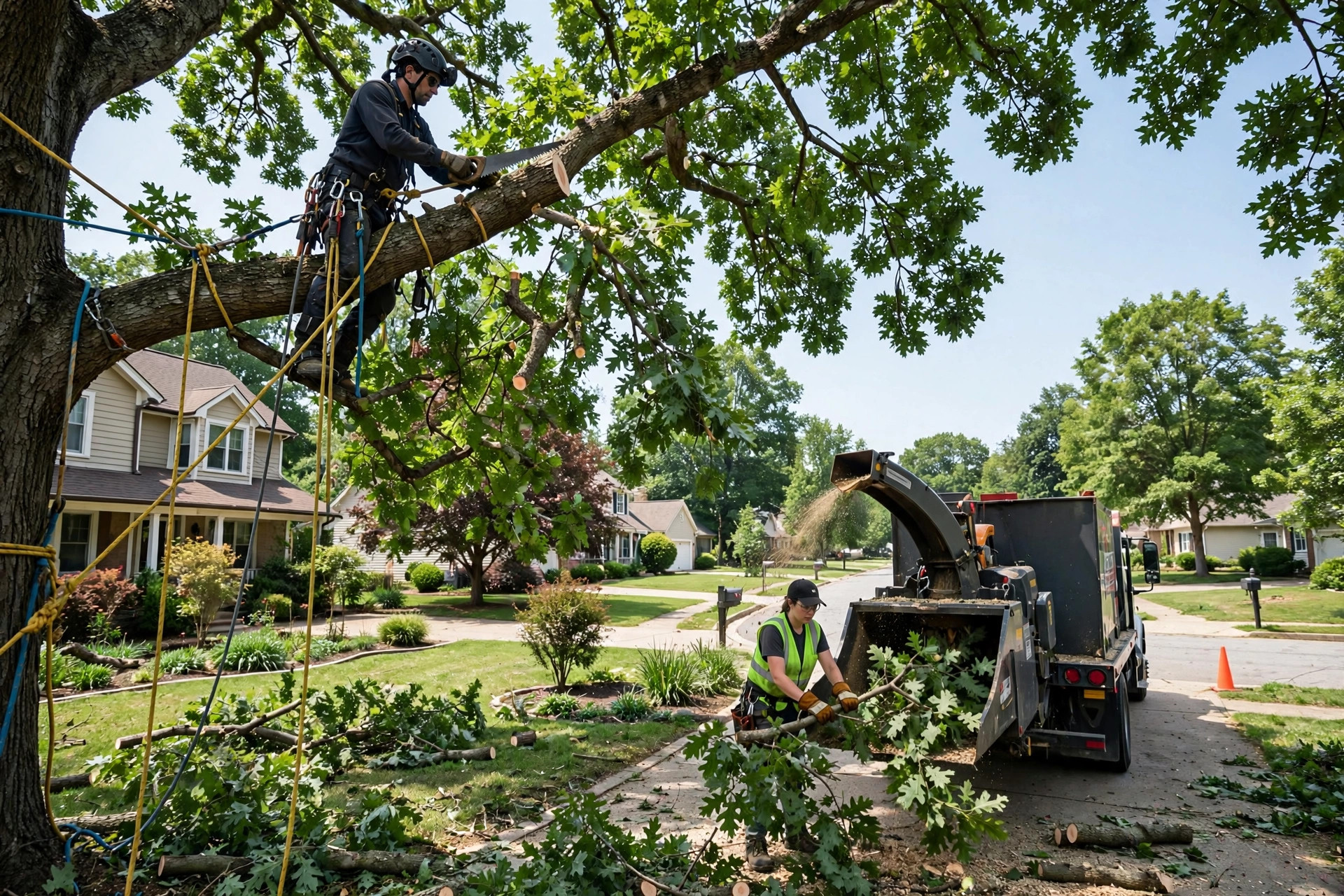
When a storm tears through a neighborhood at 2 AM, the tree service that answers first gets the job. Most tree companies miss that moment. The crew is forty feet up a pine, the chipper is running, and the office phone rings unanswered while everyone is in the field. An AI chatbot for tree service companies fills that gap. It answers every call and chat instantly, sorts emergencies from routine trim work, collects photos for quotes, and books estimates straight into your schedule, day and night. This guide is written for tree service owners who are shopping for one: what the software must do for a tree business, the exact questions that separate serious vendors from smooth salespeople, what it costs, and how the math works out on captured storm calls.
The quick answer
- Storm calls decide your year: one storm can produce a month of leads in 48 hours, and the homeowner hires whoever answers first, usually within minutes.
- Triage is the core job: the bot must sort power line hazards, trees on houses, and blocked driveways from routine trimming, and route each one correctly.
- Photos beat phone tag: quote-ready chatbots collect tree photos and short videos so your estimator prices the job without a wasted site visit.
- Voice plus chat wins: callers dial, browsers chat, so the system should answer your business line with an AI voice agent and your website with chat, sharing one calendar.
- Ask about surges: the make-or-break vendor question is how the bot behaves when call volume jumps tenfold overnight after a storm.
- Payback is fast: one captured storm event can cover a full year of software cost, because a single emergency removal often bills $1,500 or more.
Why tree service phone traffic is different
Tree work does not behave like most home services. A plumber gets a steady stream of similar calls all year. A tree service gets long quiet stretches, then a storm hits and the phone explodes. Understanding that pattern is the whole buying decision, because most generic chatbot vendors have never sold into it.
Start with the job mix. On a normal week, most calls are routine: crown cleaning, deadwood removal, a leaning pine the homeowner has been meaning to deal with, stump grinding after a DIY removal. These callers are shopping. They will talk to two or three companies, compare prices, and book next week. The chatbot job here is simple: capture the lead, collect the details, book the estimate. Nothing urgent, but nothing to lose either, because an unanswered routine call still becomes a competitor’s job.
Then storm season changes everything. High winds or ice bring down limbs and whole trees, and suddenly the callers are emotional. A maple is lying across the driveway. A limb went through the garage roof. The power company says the tree is the homeowner’s problem. These callers are not shopping on price. They are calling down a list, and the first company that picks up, asks the right questions, and promises a crew tomorrow morning wins. Studies of home service buying repeatedly find that a large share of customers hire the first company that responds, and in emergency tree work that share runs even higher because fear drives the decision.
The third factor is ticket size. A routine trim might bill $400 to $800. A full removal runs $1,200 to $3,000. Storm damage removals with crane work can pass $5,000. Missing one call is not like missing a $99 drain cleaning. It is a four-figure job gone to the company across town. When you run the math on chatbot cost later in this guide, keep those ticket sizes in mind, because they are what make the payback so fast.
Finally, there is the staffing reality. Your best people are aloft with a saw, not near a phone. Many tree companies have no full-time office staff at all. The owner answers between jobs, and during a storm nobody answers anything. Any chatbot you buy has to work as the entire front office during exactly the moments when humans cannot be the front office. Vendors who sell you a polite website widget and call it done have not understood your business.
Storm season: the calls that decide your year
Ask any established tree company where its best jobs come from and the answer is the same: storms. A single wind event can generate more qualified leads in two days than a month of advertising. Homeowners who ignored a leaning tree for three years suddenly need it gone today. Insurance adjusters need licensed, insured contractors on record. Municipal contracts open up for debris clearing. It is the most profitable 48 hours of the quarter, and it is also when your phone system is least able to cope.
Here is what happens without an AI system in place. The storm hits at night. Calls start at 6 AM and do not stop. Your crew is already booked on emergency work from the first three callers. Call number four gets voicemail. Callers five through forty get voicemail too, because you are up a tree. Most of them do not leave a message. Industry tracking of home service calls consistently shows that the majority of callers who reach voicemail simply call the next company on the list. By the time you check messages at lunch, twenty jobs have evaporated.
With an AI chatbot answering your business line, the same morning looks different. Every caller gets an immediate answer. The bot runs the triage questions, which you will find below, and sorts the forty calls into three piles: true emergencies that need your personal attention today, priority work your crew can schedule this week, and routine estimates that go on the calendar. It captures names, addresses, photos, and callback numbers for all forty. You lose nothing to voicemail. The jobs you cannot take this week are still your leads for next week, with full details, instead of vanished callers you will never hear from again.
This is also where pairing matters. An AI chatbot handles the live conversation, but storm callers who still slip through need a safety net. Our guide to missed call text back for tree service companies covers the instant auto-text that catches anyone the bot misses, so the two systems cover every entry point together.
Your crew earns money aloft, not on the phone. The chatbot covers the phones so the crew can keep cutting.
What an AI chatbot for a tree service actually does day to day
Strip away the sales language and a tree service chatbot does four jobs. Every vendor you talk to should be able to demonstrate all four on a live demo, using tree work examples, not generic small business scripts. If they cannot, keep shopping.
Answers and books estimates around the clock
The baseline job is simple: a caller or website visitor asks for an estimate, and the bot books it. It should ask the questions your best office person asks: name, address, what the tree work involves, how many trees, how urgent it is, and the best callback number. Then it offers real openings from your scheduling software, not a promise that someone will call back. Real availability is the line between a booking system and a contact form. A bot that collects requests and emails them to you is not worth paying for.
The bot should also know your service area. Tree companies work defined territories, and nothing wastes time like booking estimates forty miles out. Give the vendor your ZIP codes or service map during setup and make the bot check every address against it. Out-of-area callers get a polite decline and, if you want, a referral suggestion, instead of an estimate slot your crew will have to cancel.
Captures photos and video for quotes
This is the feature that separates tree service chatbots from generic ones. Tree work is visual. An estimator who has seen three photos prices a removal in two minutes. An estimator working from a phone description drives across town to look at a bush. The bot should ask callers to send photos right in the chat: the full tree from the street, the trunk and base, and the specific problem, a cracked limb, a lean, storm damage. A ten-second video helps for leaning trees. Everything lands in your CRM attached to the lead, so the estimator opens one record and sees the job.
Photo capture also filters tire kickers. A caller who sends photos is serious. A caller who will not send a single photo after being asked twice is usually price shopping with no intent to book. Your estimator learns to prioritize the photo leads, and close rates on those leads run noticeably higher because the quote is accurate and fast.
Runs emergency triage without waking you
At 2 AM the bot is your dispatcher. It works through the triage questions from the next section, routes power line hazards to the utility company with a clear safety message, flags trees on structures as top priority, and books everything else for the morning. It never diagnoses structural risk and never promises a crew time you do not have. It takes the details, sets expectations honestly, and makes sure the true emergencies reach a human immediately while the routine calls wait politely for business hours.
Follows up quotes and asks for reviews
Estimates that go quiet are found money. The bot can follow up an unsent or unanswered quote after two or three days: a short check-in, a question about timing, an offer to adjust the scope. Tree jobs are high ticket, so one revived quote a month often pays for the software by itself. After a completed job, the same system asks for a Google review while the customer is still happy, with a direct link. Review volume is a ranking factor for local search, and tree companies live on local search.
Emergency triage: the questions that matter
Triage is the section of the demo to watch most closely. A good tree service chatbot does not just take a message and say someone will call back. It asks a short series of sorting questions, and each answer changes what happens next. Walk through the table below with every vendor and ask them to show you each branch live.
| Triage question | Why it matters | Where the answer routes |
|---|---|---|
| Is anyone hurt, or is there immediate danger to people? | Safety comes before scheduling. A tree through a bedroom is a different call than a leaning pine. | If yes, the bot gives the emergency services number first, then takes details for your follow-up. It never delays a 911 call. |
| Is the tree touching or near power lines? | Line contact is utility work, not tree work, and it is lethal for untrained crews. | The bot explains this is the power company’s job, gives the utility emergency line, and offers to schedule the remaining tree work after the lines are cleared. |
| Is the tree on your house, roof, garage, or car? | Structure contact is your highest-value emergency work and the caller’s highest stress. | Top priority. Immediate alert to you or your on-call estimator, first available emergency slot, photo request on the spot. |
| Is it blocking your driveway, the road, or access to your home? | Access blockage is urgent but usually simpler work than structural damage. | Priority scheduling within 24 to 48 hours, ahead of routine estimates. |
| Can you send a photo of the tree and the damage? | Photos let your estimator judge crew size, equipment, and whether a crane is needed before rolling a truck. | Photos attach to the lead record. No photo after two asks still books the estimate, but flagged as sight-unseen. |
| Are you the homeowner, a renter, or a property manager? | Renters cannot authorize tree work, and property managers have their own approval chains. | Renters get a message explaining the owner must approve. Property managers get the commercial intake flow. |
| Is this an insurance claim? | Claim jobs need documentation, and adjusters want licensed contractors with paperwork in order. | The bot notes the claim, asks for the claim number if they have it, and flags the lead for your insurance documentation process. |
Two rules keep triage safe. First, the bot states plainly that it is an automated assistant, not an arborist, and that its sorting is not a safety assessment. Second, every emergency conversation gets flagged for human review as soon as you are available. The bot buys you time and order. It does not replace your judgment on a hazardous tree.
Photo quote capture, step by step
Photo quoting is where a tree service chatbot earns its keep on ordinary weeks. Here is how a well-built flow runs, and what to demand from the vendor.
Step one, the ask. After the caller describes the job, the bot asks for three photos: the whole tree from the street or yard, the trunk and base up close, and the specific issue, the cracked limb, the lean, the storm damage. The ask is specific on purpose. “Send photos” gets blurry close-ups of bark. “Stand across the street and photograph the whole tree” gets a usable image.
Step two, the video option. For leaning trees or storm damage, the bot offers a ten-second video walkaround. Video shows lean direction and targets, the fence, the shed, the power drop, better than any description. Callers shoot it on the phone they are already holding, so compliance is high.
Step three, the details. With photos in hand, the bot asks the pricing questions: how many trees, approximate height, access for equipment, is the stump included, haul-away or leave the wood. These answers plus the photos are usually enough for a firm quote on standard work and a tight range on complex jobs.
Step four, the handoff. Everything lands in one lead record: photos, video, answers, address, callback number. Your estimator reviews it between jobs and replies with a price or books the site visit. The caller gets a response within hours instead of days, which is often the difference between winning and losing the job.
The table below shows what photo quoting can and cannot do. Use it to set expectations with the vendor and with your own team.
| Job type | Photo quote accuracy | Typical ticket |
|---|---|---|
| Small ornamental trim | High: firm quotes from photos work well | $250 to $600 |
| Crown cleaning, single shade tree | High: photos plus height estimate usually suffice | $400 to $900 |
| Straightforward removal, open yard | Good: firm quote in most cases | $800 to $2,000 |
| Removal near structures or lines | Range only: site visit still needed for final price | $1,500 to $4,000 |
| Storm damage with crane work | Range only: photos set the estimate visit priority | $2,500 to $6,000+ |
| Stump grinding | High: diameter photo gives a firm price | $150 to $500 per stump |
Crew scheduling and calendar integration
A chatbot that cannot see your real schedule will embarrass you. It will book two crane removals on the same morning, promise a Saturday slot your crew never works, or stack estimates back to back across town. The scheduling integration is not a nice extra. It is the difference between a system that runs your front office and a toy that creates cleanup work.
Before any demo, write down your scheduling reality: how many crews, which days they run, how long each job type takes, and how much drive time you need between jobs. Then make the vendor configure it live. The bot should know that a removal blocks a full crew for half a day while a stump grind is a one-person, one-hour stop. It should hold buffers you define, and it should never offer a slot your calendar shows as full.
Ask which scheduling tools the vendor integrates with, and get the answer in writing. The common field service platforms used by tree companies all have calendars and APIs, and a serious vendor has built these integrations before. “We can build a custom integration” means it does not exist yet and you will pay to be the test case. That can be fine if the price reflects it, but go in with open eyes.
Also ask about rescheduling. Storms shuffle every schedule you have. The bot should handle the routine moves, pushing a trim back two days with a confirmation text, while flagging anything complex for a human. And confirm the two-way sync: when your estimator moves a job in the scheduling software, the bot’s availability updates, and when the bot books, the job appears on the crew’s board. One calendar, not two.

The calendar integration is the part that matters most. A bot that books against your real schedule is a front office; one that does not is a contact form.
Questions to ask every vendor before you sign
Use this table as your demo script. Ask each question in order, and watch for the warning signs. A vendor who has actually served tree companies will answer most of these without reaching for notes.
| Question | Strong answer | Warning sign |
|---|---|---|
| How does the bot handle a storm surge, ten times the normal call volume overnight? | It answers every call at once, queues triage in priority order, and alerts you only on true emergencies. | “It takes a message and someone calls back.” That is voicemail with extra steps. |
| Does it answer phone calls with voice, or only website chat? | Both: an AI voice agent on your business line plus chat on the website, sharing one calendar and one lead record. | Chat only. Most tree customers call; a chat-only bot misses your main channel. |
| Can callers send photos and video, and where do they land? | Yes, in the chat or by text, attached automatically to the lead in your CRM for the estimator. | “They can email photos.” Nobody does, and now you have two inboxes to check. |
| Which scheduling software do you integrate with, by name? | Names your actual platform and shows a live two-way sync on the demo. | “We can build a custom integration.” You are paying to be the experiment. |
| What happens when the bot cannot answer a question? | It says so plainly, takes the details, and hands the full transcript to a human with an alert. | It guesses, loops, or goes silent. Guessing about hazardous tree work is dangerous. |
| Can I read transcripts and listen to call recordings? | Yes, every conversation is logged, searchable, and yours to review. | No, or only summaries. You cannot improve what you cannot inspect. |
| What is my real monthly cost at my call volume? | A clear number: base fee plus per-minute or per-conversation charges, with a sample bill at your volume. | Vague per-minute pricing with no estimate. Storm month bills can shock you. |
| Who builds the triage flows and trains the bot on tree work? | The vendor, using tree service scripts, with your review before launch. | You do, from a blank template. Expect weeks of your time. |
| Who owns my lead data and recordings if I cancel? | You do, exported in full on request, in a standard format. | Hesitation or “it stays on our platform.” Your leads are your business. |
| What is the contract term and the exit process? | Month to month or a short term, with a clear cancellation process and data handoff. | A long lock-in with setup fees you lose if you leave. Good software does not need a cage. |
Two questions deserve extra weight. The surge question tells you whether the vendor understands your business at all. The real-cost question protects you from the most common complaint in this market: a system that was affordable in quiet months and punishing in storm months, when per-minute voice charges spike exactly when you can least afford surprises.
Website chat vs AI phone calls vs text messaging
Tree customers reach you three ways, and each channel needs a different kind of automation. The right setup covers all three without making you manage three systems.
| Channel | What the AI does | Best for | Limitation |
|---|---|---|---|
| Website chat | Greets visitors, answers service and pricing questions, collects photos, books estimates | Shoppers comparing companies, after-hours browsers, photo uploads | Misses everyone who prefers to call, which is most emergency callers |
| AI voice agent on your business line | Answers every call, runs triage, books estimates, takes messages with full detail | Storm surges, after-hours calls, callers who will never use a chat widget | Costs more per conversation than chat; needs careful triage scripting |
| Text messaging and follow-up | Confirms bookings, sends reminders, follows up quiet quotes, requests reviews | Keeping booked work booked and reviving estimates that went cold | Not a first contact channel for most callers; works best as backup and follow-up |
The practical stack for most tree companies is all three: voice AI on the phones, chat on the website, and text automation for confirmations and follow-up, all writing to one lead record. If budget forces a choice, start with the phones, because that is where the storm calls land. Website chat comes second. Our breakdown of AI chatbot setups for roofing companies shows how another storm-driven trade layers the same three channels, and the pattern maps directly onto tree work.
What a tree service AI chatbot costs
Pricing in this market has four tiers. Match the tier to your call volume and crew count, not to the vendor’s upsell.
Website chat widget, DIY
A chat bubble on your site with booking and FAQ flows you build yourself. Fine for a one-crew company whose main need is after-hours website leads.
- Booking and photo collection on the website
- No phone answering, no voice AI
- You write and maintain every flow
Managed chat plus text follow-up
Done-for-you website chat, text confirmations, quote follow-up, and review requests, managed by the vendor. The sweet spot for two to three crew companies.
- Vendor builds and tunes the flows
- CRM and calendar integration included
- Monthly transcript review and tuning
AI voice agent plus chat, full front office
The voice agent answers your business line around the clock, website chat covers browsers, and everything shares one schedule. Built for storm season.
- Every call answered, even during surges
- Emergency triage with human escalation
- Per-minute voice charges on top; get the storm month estimate in writing
Agency-built system
A custom build: triage scripts written for your services, deep scheduling integration, staff training, and ongoing management. Worth it for larger companies with multiple crews and commercial work.
- Custom triage and photo flows for your exact services
- Integration with your scheduling and CRM stack
- Dedicated management through storm season
Watch the per-minute trap on voice plans. A vendor charging $0.30 a minute sounds cheap until a storm month puts 1,000 minutes through the system and the bill hits $300 on top of the base fee. That can still be a bargain against the jobs captured, but get the math in writing before the storm, not after. Also compare lead costs: if you run paid ads, check what Google Ads cost for tree service companies to see what each captured call is worth to you, since the chatbot protects the leads those ad dollars buy. And if your website itself needs work before chat goes on it, see how much a tree service website costs.
Every job the bot books is crew time billed. Storm work captured at 2 AM pays for the system many times over.
Red flags in vendor demos
The demo never mentions storms. If the salesperson walks through restaurant reservations or dental bookings and cannot switch to a tree emergency scenario on the spot, they have no tree clients. Thank them and leave.
No photo capture. A tree service chatbot without photo and video collection is a generic chatbot with your logo on it. This is the feature your estimators will use every single day.
They cannot name your scheduling software. If the integration slide says “works with everything” but the demo cannot show your platform syncing both ways, assume the integration does not exist.
The triage is one question deep. “What can I help you with?” followed by “Someone will call you back” is not triage. Real triage branches: power lines, structure contact, blockage, routine. Watch the branches.
No transcripts or recordings. You need to hear how the bot handled the 2 AM emergency call. A vendor who will not show you real conversation logs is hiding real failures.
Per-minute pricing with no storm estimate. Ask what a 1,000-minute storm month costs. If they will not put a number on it, the number is bad.
They quote prices over the phone in the demo. A bot that blurts out “$1,200 for a removal” without seeing the tree will cost you jobs and credibility. Firm quotes need photos; everything else is a range or a booked estimate.
Your rollout checklist
Work through these in order. Each one builds on the last.
- 1List your services and price ranges. Removals, trimming, stump grinding, storm work, and the ranges the bot may quote before photos.
- 2Map your service area. ZIP codes or a boundary map the bot checks before booking any estimate.
- 3Write the triage questions. Use the table above, add your utility emergency number, and set your escalation rules.
- 4Define the photo flow. Which three photos, when to ask for video, and where everything lands for the estimator.
- 5Connect the real calendar. Two-way sync with your scheduling software, with buffers and crew rules your team trusts.
- 6Set the surge behavior. How the bot prioritizes when ten calls arrive at once, and who gets alerted on true emergencies.
- 7Build the handoff rules. When the bot escalates, who gets the alert, and the response-time target for each priority level.
- 8Train the team. Show the crew leads and estimators the lead records, the transcripts, and how to correct the bot.
- 9Soft-launch on website chat. Run two weeks of chat-only traffic, review every transcript, fix the dead ends.
- 10Cut the phones over before storm season. Move the business line to the voice agent ahead of peak season, then review transcripts weekly.
Frequently asked questions
Will an AI chatbot really book estimates for tree work?
Yes, for the standard jobs that make up most of your estimate volume: trims, removals, stump grinding. The bot collects the address, the job details, and photos, then books against your real calendar. Complex or hazardous jobs still get an in-person estimate visit, but the bot does the intake and scheduling, which is the part that used to eat your mornings.
How does the bot handle a tree touching power lines?
It treats line contact as utility work, not tree work. The bot tells the caller to contact the power company’s emergency line first, explains why your crew cannot touch it, and offers to schedule the remaining tree work once the lines are cleared. Safety first, and the lead stays yours.
Can the chatbot give prices over the phone?
It can give ranges for standard work and firm quotes when photos support them, using the price bands you approve during setup. It should never invent a firm price for a tree it has not seen. The safe pattern is range now, firm quote after photos or a site visit, and a booked estimate either way.
What if the caller just wants to talk to a person?
Every flow needs an escape hatch: “Press 0 or say agent to reach our team.” The bot hands over the full transcript so your person picks up with context. Most callers accept the bot once it proves useful, but the human option must always be one step away.
Does it work when call volume spikes during a storm?
This is the question to ask every vendor. A proper system answers many calls at once, triages in priority order, and alerts you only on true emergencies. Ask for the surge behavior in writing and ask what a high-minute storm month costs, since per-minute voice charges spike exactly when volume does.
Will it integrate with my scheduling software?
It should, with a real two-way sync: the bot sees your crew’s actual availability, and bookings the bot makes appear on your schedule. Get the integration named in writing before you sign. “We can build a custom integration” means it does not exist yet.
How much does it cost for a small two-crew company?
Most two-crew companies land in the $300 to $900 a month range: managed chat and text follow-up at the low end, full AI voice answering at the high end, plus any per-minute voice charges. Setup runs $500 to $3,000 depending on how custom the triage and integrations are. One captured storm job often covers months of cost.
Can it collect photos for quotes?
Yes, and this is the feature to demand. Callers send photos and short video right in the chat or by text, and everything attaches to the lead record for your estimator. Photo leads close at higher rates because the quote is faster and more accurate.
What happens to my lead data if I cancel?
You should keep all of it: contacts, transcripts, recordings, and photos, exported in a standard format. Confirm this before signing, in writing. Your lead history is a business asset, and a vendor who will not guarantee the export is a vendor to avoid.
How long until the system pays for itself?
For most tree companies, the first storm event or the first month of captured after-hours estimates covers the cost. Track three numbers monthly: after-hours conversations captured, estimates booked from chat and voice, and quote follow-ups revived. Compare against the months before launch and the payback is usually obvious within 60 days.
Stop losing storm calls to voicemail
Digital Hayder builds AI chatbot and voice agent systems for tree service companies: emergency triage, photo quote capture, estimate booking on your real schedule, and storm surge handling that answers every call. Tell us about your crews and we will design the system around them.
Contact Us