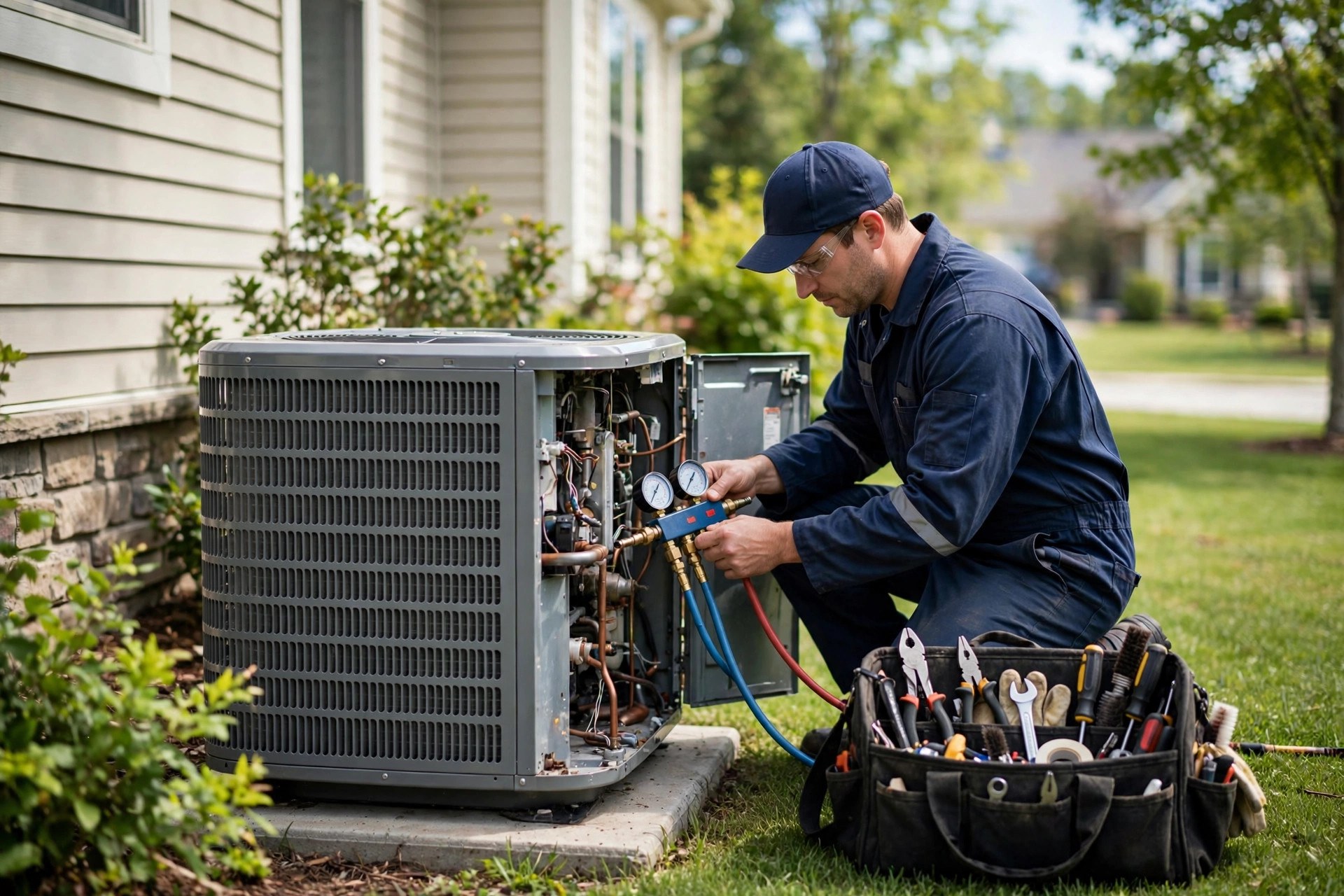
Every HVAC company sits on an asset it barely uses: a customer list built from years of installs, repairs, and tune-ups. Those homeowners already trust you, they already know your name, and they will need your services again, because furnaces and air conditioners never stop aging. Email marketing for HVAC companies turns that quiet list into steady revenue. It sells maintenance plan renewals while you sleep, fills the shoulder seasons with tune-up bookings, and reminds past install customers that you are the first call when the system finally gives out. This guide covers how to build the list, the exact campaigns to run, a full 12-month calendar, real message examples, costs, and the mistakes that sink most HVAC email programs before they start.
The quick answer
- You already own the list: every invoice, work order, and quote is a subscriber waiting to hear from you, and past customers convert far cheaper than cold leads.
- Plan renewals run on autopilot: a simple renewal sequence sent 45, 30, 14, and 7 days before expiry commonly lifts renewal rates by 10 to 20 points.
- Seasonal campaigns fill slow weeks: spring cooling and fall heating tune-up pushes book dozens of visits from a single well-timed email.
- Anniversaries sell replacements: timed emails to install customers at years 5, 10, and 12 catch failing systems and turn them into $8,000-plus quotes.
- Costs stay small: email platforms run $30 to $150 a month for most shops, and a CRM with automation adds serious firepower for $97 to $300.
- Live in about two weeks: import your customer list, write three core sequences, load the campaign calendar, then press send on the first tune-up push.
Why email still wins for HVAC companies
HVAC is a timing business. Nobody buys a new furnace in July for fun, and nobody schedules a tune-up at random. Customers buy when the season turns, when the system breaks, or when a reminder makes them act. Email puts you in front of them at exactly those moments, in the inbox they check every day, without paying per click. Paid ads rent attention; your email list is attention you own. A homeowner who got a furnace from you three years ago will see your tune-up email, remember your techs by name, and book with one tap, while your competitor pays $40 or more for that same click on Google.
The numbers behind email are hard to beat. Industry benchmarks consistently rank home services among the highest-opened email categories, with open rates in the 35 to 45 percent range when the list is made of real customers rather than purchased names. Click rates run lower, typically 1 to 3 percent, but the traffic is warm: these are people who already paid you money. And the return on email spending is famously high, with widely cited studies putting it near $36 to $42 of revenue per dollar spent. For an HVAC shop, most of that return comes from three buckets: maintenance plan renewals, seasonal tune-up bookings, and replacement quotes to past install customers. Each bucket gets its own campaign system below.
There is also a defensive reason to build the habit. When a customer’s AC dies in a heat wave, they call whoever comes to mind first. If your last contact with them was the install receipt years ago, you are not in their mind; the company whose tune-up email landed last month is. Email is how you stay the default choice between service visits. One useful email a month keeps the relationship warm, and the occasional well-timed campaign turns warmth into booked work. If email is new to your shop, start with the campaigns in this guide before spending another dollar on ads, because a warm list converts at rates cold traffic never will.
The list you already own
Before you buy any software, count what you have. Most HVAC companies with five or more years of history can assemble 1,000 to 5,000 real customer emails from records they already keep. The sources: every invoice and work order with an email on file, every quote you ever sent (won or lost), every maintenance plan member, every tune-up visit, every warranty registration, and every contact form or chat conversation on your website. Ask your office manager for a spreadsheet export of customer emails from your billing or dispatch software. That single export is the foundation of the whole program.
Consent matters, so build the list the right way. For existing customers who bought from you, a plain-language line at checkout or on the invoice does the job: “We send seasonal maintenance reminders and tune-up offers by email. Unsubscribe anytime.” You can also add an opt-in checkbox to your intake and quote forms: “Email me maintenance reminders and seasonal offers.” Never buy an email list, and never scrape addresses from the web. Purchased lists bounce, get marked as spam, and can get your domain flagged, which hurts deliverability for every email you send afterward. A smaller list of real customers beats a big list of strangers every time.
Then keep the list growing with every job. Train techs and office staff to confirm or collect the email address on every visit: “What is the best email for the invoice and your tune-up reminders?” Add a quote follow-up sequence for estimates that never closed, because our breakdown of lead follow-up automation for HVAC companies shows most quotes die from slow follow-up, not price. Offer a simple tune-up reminder signup on the website. And pair email with referrals: a customer who refers a friend is worth an email ask of their own, as covered in our guide to referral programs for HVAC companies. Every new customer should land in the email system the week they first pay you.
Finally, split the list into segments, because one message does not fit everyone. The four segments that drive nearly all HVAC email revenue are: maintenance plan members, tune-up customers with no plan, install customers grouped by install year, and open quotes that never closed. Your email platform should tag each contact by segment automatically as jobs close in your dispatch software, or at minimum through a monthly spreadsheet import. Segmentation is what lets you send a plan-renewal email only to plan members and a tune-up offer only to people who actually need one, which is the difference between emails that get opened and emails that get deleted.

A real customer list opens at rates cold traffic never reaches, which is why your own invoices are your best marketing asset.
Maintenance plan emails that sell renewals
Maintenance plans are the backbone of a stable HVAC business: predictable revenue, two scheduled visits a year, priority customers who call you first, and a steady pipeline of replacement leads when techs spot aging equipment. But plans only pay if members renew, and renewal rates sag without reminders. Most shops lose 20 to 40 percent of plan members each year simply because nobody asked them to renew. An automated renewal sequence fixes that, and it runs without anyone in the office remembering to send it.
Build one renewal sequence and reuse it all year. It triggers 45 days before a member’s plan expires and sends four short emails. The 45-day email is the friendly heads-up: it reminds them what the plan includes, names the visits they already received, and links to renew in one click. The 30-day email adds mild urgency: their renewal date is approaching and priority scheduling for the season goes to current members first. The 14-day email is direct: renew now to keep the discount on repairs and the waived diagnostic fee. The 7-day email is the last call: after this date the plan lapses and the next tune-up bills at full price. Every email links straight to a renewal page or a reply-to-renew option. No PDFs, no phone tag.
Here is what the 45-day email can look like in plain words: “Hi Mark, your Comfort Plan with Riverbend Heating and Air renews on March 1. This year you received your spring cooling tune-up and your fall heating check, plus 15 percent off the capacitor we replaced in July. Renew now to keep your priority scheduling, waived diagnostic fees, and member discounts for another year: [Renew my plan]. Questions? Just reply to this email.” Short, specific, and personal. Swap in the customer’s name, their actual visits, and your real plan benefits, and it reads like a note from the office, not a blast.
Add two supporting emails to the plan system. First, a new-member welcome sequence: three emails in the first month that explain how to schedule visits, what the plan covers, and how to reach you for priority service. New members who understand the plan use it, and members who use it renew. Second, a lapsed-member win-back sent 30 and 60 days after expiry: “We noticed your plan lapsed. Your system still needs its spring visit, and we can reinstate your member pricing if you renew this month.” Lapsed members are the warmest prospects you have; many simply forgot, and a nudge brings a meaningful share of them back.
Seasonal tune-up campaigns that fill the calendar
The two money seasons in HVAC are spring and fall: cooling tune-ups before the heat arrives, and heating tune-ups before the first cold snap. These are also the seasons when homeowners are thinking about their systems, which makes them the highest-converting email campaigns you will ever send. Each seasonal push follows the same three-email rhythm. Email one announces the season and opens early booking: “Spring tune-up slots are now open.” Email two, sent a week later, carries the early-bird angle: a modest discount or a free add-on, such as a free filter, for bookings made this week. Email three is the last call: “We have 14 spring slots left before the schedule fills,” sent to everyone who opened but did not book.
Make the offer real and the deadline real. A $20-off tune-up with a two-week booking window works because the constraint is genuine: your techs can only do so many visits a day. Fake urgency (“sale ends never”) trains customers to ignore you. Send the spring campaign to tune-up customers with no plan and to plan members due for their visit, and send the fall campaign to the same groups plus anyone who skipped spring. Exclude recent installs still under full warranty; pitching a tune-up to someone whose system you installed six months ago looks sloppy and erodes trust.
Weather is your best trigger. Watch the forecast and send a same-week email when the first real heat wave or cold snap approaches: “The 90s arrive Thursday. If your AC struggled last summer, this is the week to get it checked.” These reactive emails feel personal because they match what the homeowner is already worrying about. One shop we know books a full week of tune-ups from a single heat-wave email to a 2,000-person list. The math is simple: 2,000 emails at a 35 percent open rate is 700 readers, and if 5 percent of readers book, that is 35 tune-ups at $129 each, or $4,515 in booked revenue from one email. Do the same math for fall and you start to see why seasonal campaigns are the core of HVAC email.
Tune-up emails also do quiet sales work. Every tune-up visit is a system inspection, and inspections surface the failing capacitors, cracked heat exchangers, and 14-year-old condensers that become repair and replacement tickets. Tell the story in the email itself: “Our tune-ups include a 21-point inspection, and last spring our techs caught 60 failing parts before they became breakdowns.” That line does two jobs: it justifies the price of the tune-up, and it plants the idea that your techs find problems early. For broader campaign ideas beyond email, our roundup of HVAC marketing ideas pairs these seasonal pushes with the ads and review plays that fill the same slow weeks.
Install anniversary emails that bring back big tickets
A furnace lasts 15 to 20 years and an air conditioner 12 to 15, which means every install you ever did is a future replacement job with a date on it. Install anniversary emails turn that calendar into revenue. Set up automated messages that fire on the anniversary of each install: year 1, year 3, year 5, year 8, year 10, and year 12. Each one has a different job, matched to where the system is in its life.
The year 1 email is a thank-you with two asks: leave a review, and remember the maintenance plan. “It has been a year since we installed your system. How is it running? If you have a minute, a review helps our small business more than you know.” Reviews from recent install customers are your best social proof, and this is when the customer is happiest. The year 3 and year 5 emails shift to care: filter reminders, the value of the annual tune-up, and a note that regular maintenance protects the warranty. These keep the customer in your orbit during the quiet middle years.
Years 8, 10, and 12 are where the money is. The messaging changes from maintenance to honest planning: “Your system is now 10 years old, which is when we start watching for efficiency loss and major part wear. A free system check will tell you exactly where yours stands, and if replacement is on the horizon, we will give you a straight answer and current pricing.” This is not pressure; it is the advice a good tech would give in person. Homeowners appreciate being told before the breakdown, and when the system does fail, you are the company that warned them, which makes you the company they call. A single replacement job from this sequence, at $8,000 to $15,000, pays for years of email costs.
One practical note: anniversary emails only work if your install records have dates and emails attached. Many shops have one but not the other. When you import your list, add an “install year” field for every customer you can, even if it takes an afternoon with the filing cabinet. That one field powers the highest-ticket automation in the whole program. And keep the tone honest in every message: if the system is fine, say so. The customer who trusts your year-10 email becomes the customer who buys the year-13 replacement without shopping your quote.

Plan members who understand their benefits use their visits, and members who use their visits renew. Email carries that education all year.
Your 12-month campaign calendar
One-off emails work, but a calendar turns email into a system. Below is a full year mapped to the HVAC buying cycle. Adjust the months to your climate: hot regions shift cooling campaigns earlier, cold regions shift heating earlier. The rhythm stays the same. Each month has one primary campaign, one audience, and one goal, so the office always knows what the next email is and nobody has to invent topics from scratch.
| Month | Campaign | Audience | Goal |
|---|---|---|---|
| January | New-year filter and system check reminder | All customers | Stay visible; book winter tune-ups |
| February | Spring tune-up early bird opens | Tune-up customers, no plan | Pre-book March and April slots |
| March | Spring tune-up main push, weather-triggered | All customers except recent installs | Fill the cooling schedule |
| April | Tune-up last call plus plan member visits | Non-bookers, plan members due | Close out spring bookings |
| May | Install anniversary batch, years 1 to 5 | Install customers by year | Reviews, plan signups, tune-ups |
| June | Indoor air quality and duct cleaning add-on | Plan members, allergy season angle | Upsell higher-ticket add-ons |
| July | Mid-summer system check: filters, drain lines | All customers | Prevent breakdowns; service calls |
| August | Fall heating tune-up early bird opens | Tune-up customers, no plan | Pre-book September and October |
| September | Fall tune-up main push, first cold snap trigger | All customers except recent installs | Fill the heating schedule |
| October | Plan renewal batch and lapsed win-back | Plans expiring, lapsed members | Renewals before year end |
| November | Install anniversary batch, years 8 to 12 | Older install customers | Replacement quotes |
| December | Holiday comfort check and gift card offer | All customers | Goodwill, gift revenue, January bookings |
Notice what is missing: there is no generic monthly newsletter in this calendar. Newsletters get opened by almost nobody in the trades because they contain nothing the homeowner needs. Every campaign above exists for a reason the customer can feel: a season is turning, a plan is expiring, a system is aging. If you want a monthly touch on top of the calendar, make it useful: one tip, one reminder, one offer, under 150 words. The same discipline works across the trades; our guide to email marketing for roofers runs a parallel calendar built around storm seasons and re-roof cycles instead of tune-ups.
Subjects and messages that get opened
Subject lines decide everything, because an unopened email sells nothing. The rules are simple: keep it under 50 characters, name the season or the situation, and sound like a person, not a flyer. “Your spring AC tune-up is due” beats “Spring Spectacular Savings Event” every time. Specificity wins: “90s start Thursday, is your AC ready?” will out-open any generic discount line because it matches the weather outside the reader’s window. Other proven subjects for HVAC shops: “Your furnace check is overdue,” “3 spring slots left this week,” “Your plan renews March 1,” “Time for your free filter reminder,” and “Your system turns 10 this year.” Test two subjects on each campaign if your platform allows it; after a few months you will know exactly what your list responds to.
The body of the email should read like it came from the office manager, not the marketing department. Plain text style, 80 to 150 words, one clear ask. Start with the reason for the email, add one detail that proves you know the customer, and end with the booking link. Here is a full example of a fall tune-up email that a two-truck shop could send tomorrow: “Hi Lisa, fall is here and heating season starts in a few weeks. Your furnace has not had its annual check since last October, so now is the time. Our heating tune-up covers a 21-point inspection, and it takes about an hour. Book your visit here: [Book my tune-up]. We have 18 slots left in October. Thanks, Mike at Riverbend Heating and Air.” That is the whole email. No banner images, no coupon borders, no fine print. It works because it is short, specific, and easy to act on.
Three formatting rules keep you out of the spam folder and in the primary inbox. First, send from a real name and a real address, such as “Mike at Riverbend” from mike@riverbendheating.com, not from “noreply@” and not from a generic “info@” that nobody monitors. Second, keep images light: one photo at most, or none at all. Heavy image templates with little text are a classic spam signal, and plain emails get more replies anyway. Third, always include a clear unsubscribe link and your business address. It is required by law in most places, and customers who can leave easily complain less than customers who feel trapped. Replies are gold: tell readers they can reply to the email, and make sure someone in the office actually answers those replies the same day.
Finally, time your sends like a local business. Tuesday through Thursday mornings, between 8 and 10 AM, are the reliable window for service businesses: homeowners check email with their coffee, and your message sits near the top. Avoid Monday mornings (buried under weekend mail) and Friday afternoons (nobody is booking a tune-up at 4 PM on Friday). Weather-triggered emails break the schedule rule on purpose: when the heat wave or cold snap is coming, send it now, because relevance beats perfect timing.
Every completed visit should feed the email list, so the next tune-up, renewal, or anniversary email has one more reader.
What email costs and which tools fit an HVAC shop
Email is one of the cheapest marketing channels a contractor can run. The costs come in three layers: the email platform, the setup work, and optional management. For a shop with a list under 5,000, the platform itself is almost always under $150 a month. The real decision is how much automation you want, because automation is what turns a newsletter tool into a revenue system. The three tiers below cover the realistic options for HVAC companies.
Basic email platform, DIY
A straightforward newsletter tool for sending campaigns to your list. Fine for seasonal tune-up blasts and simple reminders.
- Send campaigns to up to a few thousand contacts
- Basic templates and signup forms
- Open and click tracking
- You write and schedule everything yourself
CRM with email automation
The sweet spot for most HVAC shops. Automations handle renewals, anniversaries, and quote follow-up without staff remembering to send anything.
- Automated sequences: renewals, anniversaries, win-backs
- Contact tagging by segment and install year
- Quote and missed-call follow-up built in
- Booking links and pipeline tracking in one place
Done-for-you email management
An agency builds the list, writes the campaigns, and runs the calendar. Best when the owner wants results without learning a new platform.
- List import, cleanup, and segmentation done for you
- Campaigns written and scheduled monthly
- Renewal and anniversary automations built and tested
- Monthly report on opens, bookings, and revenue
The comparison below puts the trade-offs side by side. The deciding factor is staff time: if someone in the office can own email for two hours a week, the CRM tier usually wins, because the automations keep working between campaigns. If nobody can own it, pay the agency tier; an unmanaged platform that never sends anything is the most expensive option of all, because it costs money and produces nothing.
| Option | Monthly cost | Automation | Best for |
|---|---|---|---|
| Basic email platform | $30 to $80 | Limited: scheduled blasts only | Shops that just need seasonal campaigns |
| CRM with automation | $97 to $300 | Full: renewals, anniversaries, follow-up | Shops with office staff to manage it |
| Done-for-you agency | $300 to $800 after setup | Full, managed by the agency | Owners who want it handled end to end |
Mistakes that kill your open rate
Buying an email list. It is tempting when your own list feels small, but purchased lists are full of dead addresses and people who never heard of you. Spam complaints spike, your domain reputation sinks, and even your real customers stop seeing your emails. Grow the list one job at a time instead.
Sending from noreply@. Homeowners reply to emails with questions: “Can you come Thursday instead?” A noreply address tells them you do not want to hear from them, and it hurts deliverability. Send from a monitored inbox and answer replies the same day.
Emailing only when you need work. Shops that go silent for six months and then blast a desperate discount train customers to ignore them. The calendar above keeps you in touch with useful timing, so campaigns feel like service, not begging.
One message for everyone. Sending plan-renewal emails to people with no plan, or tune-up offers to customers whose system you installed last month, teaches the list that your emails are irrelevant. Segment by plan status and install year before you send anything.
Image-heavy templates with no text. Fancy designed emails look like ads, trigger spam filters, and break on phones. Plain, short emails with one link get more opens, more clicks, and more replies in the trades.
Ignoring the data. Your platform shows opens, clicks, bounces, and unsubscribes for every send. If a subject line flops, change it. If unsubscribes spike after a campaign, the message missed the mark. Ten minutes of review after each send compounds into a sharper program within a quarter.
Your rollout checklist
Work through these in order. Each one builds on the last.
- 1Export your customer list. Pull every customer email from your billing or dispatch software into one spreadsheet, with name, last service date, and install year where you have it.
- 2Clean and dedupe the list. Remove duplicates, fix obvious typos, and drop addresses that have bounced before. A clean list protects your sender reputation from day one.
- 3Pick your platform. Basic email tool for blasts only, or a CRM with automation if you want renewals and anniversaries to run themselves.
- 4Segment into four groups. Plan members, tune-up customers with no plan, install customers by year, and open quotes that never closed.
- 5Build the plan renewal sequence. Four emails at 45, 30, 14, and 7 days before expiry, each with a one-click renewal link.
- 6Build the install anniversary automation. Year 1, 3, 5, 8, 10, and 12 messages, with the later years focused on honest replacement planning.
- 7Load the 12-month campaign calendar. Schedule the seasonal tune-up pushes and monthly campaigns from the table above, adjusted to your climate.
- 8Write the first campaign. One seasonal tune-up email, plain text style, under 150 words, with a booking link and a real deadline.
- 9Train the office on replies. Every email invites a reply, so assign who answers them and set a same-day response rule.
- 10Review after every send. Check opens, clicks, and bookings, fix what flopped, and add new email capture to every job ticket going forward.
Frequently asked questions
How often should an HVAC company email its customers?
One to two emails a month is the sweet spot for most shops: the monthly campaign from your calendar plus an occasional weather-triggered message. Automated sequences like renewals and anniversaries run in the background and do not count toward that total. More than weekly blasts burn out a service list fast.
Is it legal to email past customers without explicit opt-in?
In most cases, yes, when you have an existing business relationship and you include an unsubscribe link and your business address. Rules vary by country and region, and marketing email to people who never bought from you is a different matter. When in doubt, ask your own advisor, and always honor unsubscribe requests promptly.
What is a good open rate for HVAC emails?
Home service lists of real customers typically see 35 to 45 percent open rates on campaigns, with automated sequences like renewal reminders often opening higher. If your opens sit under 25 percent, check your subject lines, your sender name, and whether your list needs cleaning.
Should I use plain text or designed templates?
Plain text style wins for contractors. Short emails that look like they came from a person get more opens, more clicks, and more replies than image-heavy templates. Save the design work for the booking page the email links to.
How do I get techs to collect email addresses?
Make it part of the job closeout: “What is the best email for the invoice and your tune-up reminders?” Add an email field to the work order form so it cannot be skipped. A small monthly bonus tied to email capture rates works well in shops that track it.
Can email really sell maintenance plan renewals?
Yes, and it is one of the highest-ROI automations in the trades. A four-email renewal sequence commonly lifts renewal rates by 10 to 20 points compared with no reminders, because most lapses come from forgetfulness, not dissatisfaction. The money math section above shows what that lift is worth.
What should I do with quotes that never closed?
Put them in their own segment and follow up by email at 3 days, 2 weeks, and 60 days with a useful angle each time: answer a common objection, share a seasonal reason to act, or offer a fresh quote if prices changed. Many lost quotes close months later when the timing is right.
How do install anniversary emails work technically?
Your email platform stores an “install date” field per contact and triggers messages on each anniversary. Most CRMs with automation handle this natively. The hard part is not the software; it is getting install dates into your records in the first place, so start recording them on every new install now.
Will customers mark my emails as spam?
Real customers rarely do when the emails are relevant, infrequent, and easy to leave. Spam complaints come from purchased lists, misleading subjects, and blasting too often. Send to your own customers, keep the content useful, and always include a working unsubscribe link.
Should I hire an agency or do email myself?
If someone in the office can give email two hours a week, do it yourself with a CRM that has automation; the setup takes about two weeks and the skills stay in-house. If nobody can own it, hire it out, because a platform that never sends anything costs money for nothing. Either way, start with the campaigns in this guide.
Turn your customer list into booked work
Digital Hayder builds email and CRM automation systems for HVAC companies: plan renewal sequences, seasonal tune-up campaigns, install anniversary automations, and quote follow-up that runs on your real customer data. Tell us about your shop and we will map the system to your seasons.
Contact Us