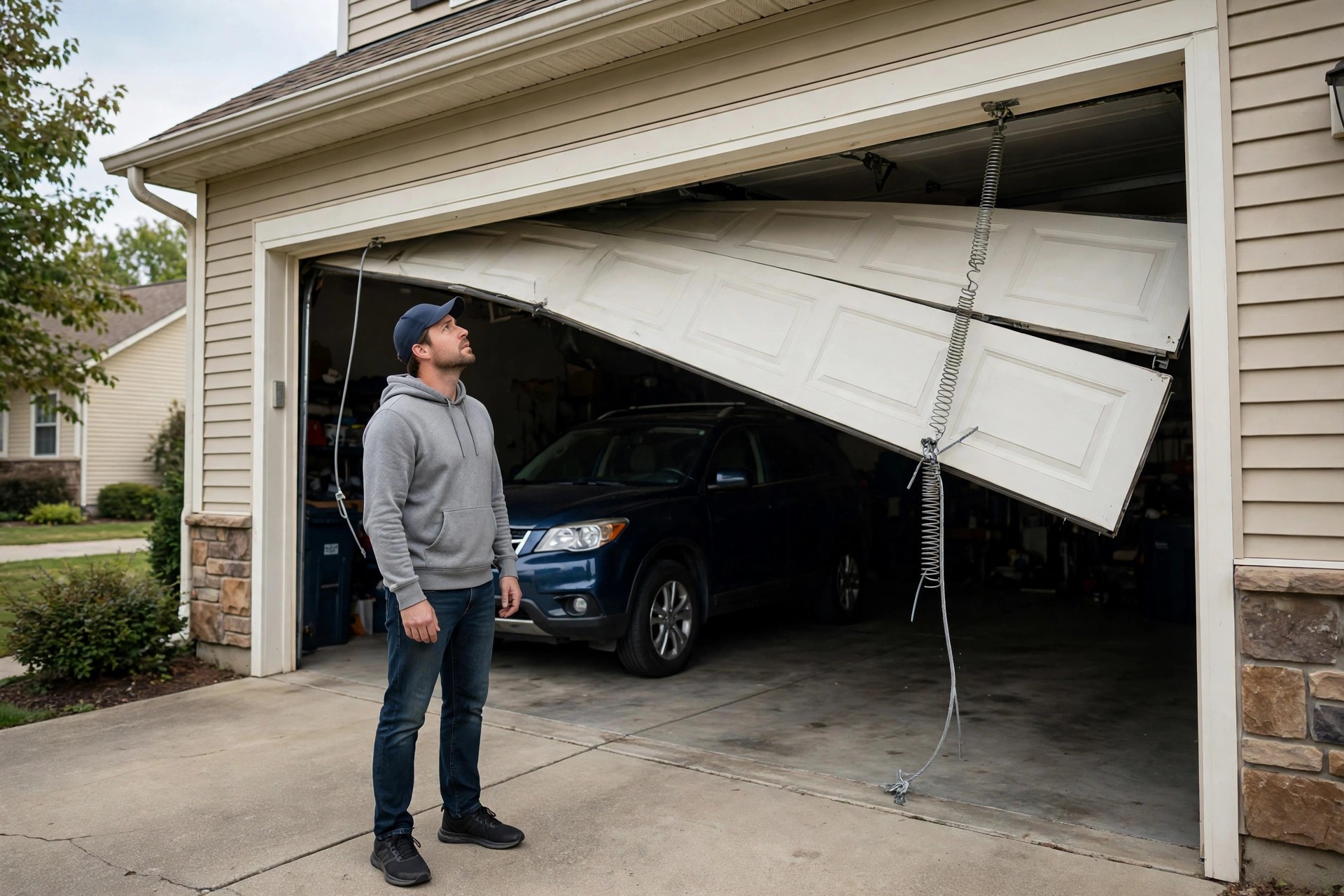
It is 9:40 on a Tuesday night. A homeowner hits the garage door button, the cable snaps, and the door slams down crooked with the car stuck inside. They pull out their phone and call the first garage door company on Google. Nobody answers. They do not leave a voicemail. They call the next company, and that one books them for 8:00 the next morning. That first company did not lose the call because their techs were bad or their prices were high. They lost it because nobody picked up the phone. Garage door work is emergency work, and emergency work goes to whoever answers. This guide is the complete owner playbook for AI receptionists built for garage door companies: what the AI does on every call, how it triages broken springs and stuck doors, what it costs, the exact scripts it should run, how it connects to your dispatch and calendar, and the mistakes that make owners rip it out in month two.
The quick answer
- What it is: an AI voice assistant that answers every garage door call on the first ring, qualifies the caller, books the job, and alerts your on-call tech. It works nights, weekends, and while your techs are on ladders.
- Why garage door fits: broken springs and stuck doors are urgent and security-sensitive. Callers do not leave voicemails; they call the next company. Answering fast wins the job.
- Emergency triage: the AI separates true emergencies (door stuck open overnight, snapped spring with car trapped) from next-day work and prices accordingly in your booking flow.
- Typical cost: $99 to $500 a month depending on call volume and whether setup is done for you. One recovered emergency repair often covers a full month.
- Setup time: two to four weeks to map call types, write scripts, connect your calendar and field software, and test before going live.
- Best use: after-hours coverage first, then full-time answering once the scripts prove themselves on real calls.
Why garage door companies lose jobs on the phone
A garage door call is almost never a casual inquiry. The caller usually has a door that will not open, will not close, or is hanging crooked on one cable. Many of these calls come with real urgency: the car is trapped inside before work, the door is stuck open overnight and the house is exposed, or the opener just died and the homeowner needs to leave. People in this situation behave like emergency callers. They call the top-rated company, and if nobody answers within a few rings, they call the next one. Voicemail is not a safety net here; most callers never leave a message and never call back. Every missed call in this trade is a job handed to a competitor, and the average repair ticket of $150 to $400 means each one stings.
The phone problem gets worse because of when the calls come. Springs break at 6 in the morning and at 10 at night. Openers fail on weekends. Installation inquiries come from people browsing at lunch or late in the evening. A one-truck owner-operator cannot answer while they are winding a torsion spring, and even a three-truck shop goes dark after 5 PM unless someone is paid to sit by the phone. Hiring a full-time receptionist to cover evenings and weekends costs more than most small shops can justify, and a traditional answering service just takes a message and promises a callback. The customer with a broken spring does not want a callback tomorrow. They want a booked time slot tonight. That gap between the message-taker and the booking is exactly where an AI receptionist fits.
What an AI receptionist actually does for a garage door company
An AI receptionist is a voice system that answers your business line like a trained dispatcher. It greets the caller by your company name, asks what is wrong with the door, and works through a short set of triage questions. It collects the name, address, phone number, and door details, checks your real calendar for open slots, offers the caller a time, and books it. The caller gets an instant confirmation text with the appointment details. Your on-call tech or dispatcher gets an alert with the call summary, the urgency level, and the booked slot. The whole call usually takes two to three minutes, and the AI handles it the same way at 2 PM on a Tuesday and at 11 PM on a Saturday.
Booking, not just message-taking
The difference that matters for garage door shops is booking versus messaging. A traditional answering service writes down “John, broken spring, call back” and your office deals with it in the morning. By morning, John has already booked someone else. An AI receptionist books John into a real slot tonight or tomorrow morning, sends him the confirmation, and tells him what to expect: the service-call fee, the arrival window, and the safety note to keep people and pets clear of the broken spring. Booking turns the call into revenue before your competitor even returns their voicemail.
What it should never do
A good setup draws hard lines. The AI should never quote an exact repair price, because the real price depends on the door, the spring type, and what the tech finds on site. It should give the service-call fee and honest price ranges, then explain that the tech confirms the final number before starting work. It should never argue with an angry caller, debate a warranty, or promise same-day service you cannot deliver. Its job in those moments is to de-escalate, take the details, and escalate to you or the owner with a clear summary. Write these guardrails into the system before the first live call, not after the first bad one.
The garage door calls it handles best
Garage door calls fall into a small set of patterns, which is why this trade trains so well. Below is how a properly configured AI sorts them. Every row maps to a different urgency, a different set of questions, and a different booking path.
| Call type | Urgency | What the AI does |
|---|---|---|
| Broken torsion or extension spring | High | Warns the caller not to operate the door, books the earliest emergency slot, alerts the on-call tech immediately |
| Door stuck open or will not close | High | Treats it as a security issue, offers emergency or first-morning slot, gives interim advice to secure the home |
| Car trapped inside the garage | High | Prioritizes same-day dispatch, confirms the address twice, texts the arrival window |
| Opener not working, remote dead | Medium | Runs quick checks first: lock button, batteries, power, sensor alignment, then books a service visit if needed |
| Noisy door or tune-up request | Low | Books the next regular slot, offers the maintenance plan or tune-up special |
| New door installation quote | Medium-high | Takes detailed intake: door size, material interest, timeline, and books a free in-home estimate |
| Price shoppers | Medium | Gives the service-call fee and honest ranges, explains on-site pricing, and pushes to book the visit |
| Warranty or callback on prior work | Medium | Pulls the customer record, books the tech for a return visit, escalates complaints to the owner |
| Vendors, solicitors, wrong numbers | Low | Screens politely, takes a message for real vendors, ends spam calls fast without booking |
The pattern to notice: roughly a third of calls are urgent and need same-day handling, a third are routine service that fills the schedule, and a third are quotes and price questions that need careful intake. The AI handles all three lanes without getting flustered, which is more than most front desks manage during a busy Monday.
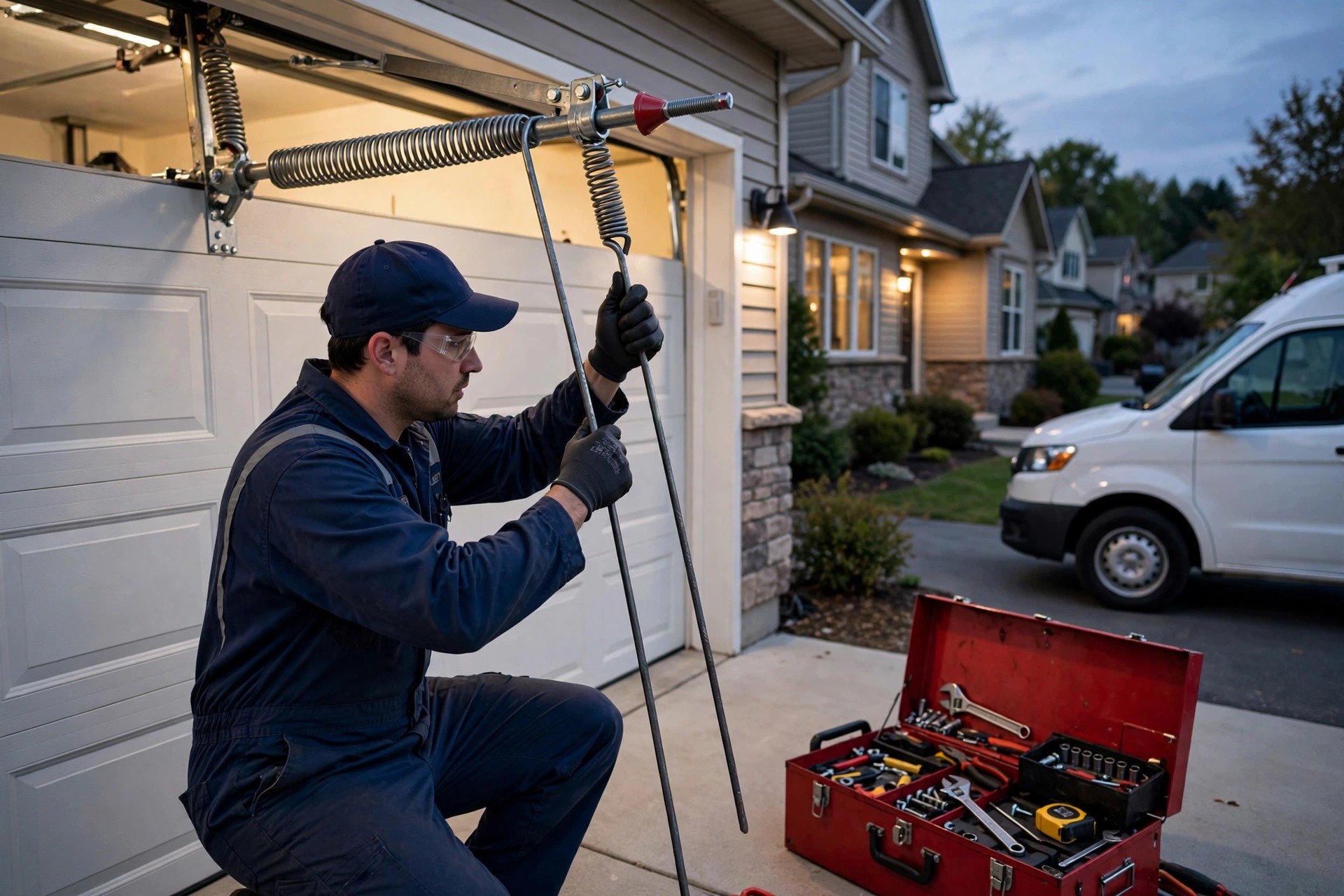
Emergency spring calls are the highest-value calls an AI receptionist captures: the customer is ready to book on the spot.
How the emergency dispatch workflow works
The dispatch flow is the heart of the system. Here is what happens, step by step, when a broken-spring call comes in at 10 PM. First, the AI answers on the first ring and greets the caller with your company name. Second, it asks the triage questions: what happened, is the door open or closed, is anyone hurt, is the car trapped, what is the address. Third, it checks the calendar for emergency slots you defined, offers the caller the options, and books one. Fourth, it sends the caller a confirmation text with the appointment time, the service-call fee, and the safety note. Fifth, it sends the on-call tech an alert with the full summary: name, address, problem, urgency, and the booked time. Sixth, it logs the call recording, transcript, and booking into your CRM or field software. You wake up to a booked job, not a voicemail.
On-call rotation and escalation rules
Define the escalation chain before launch. A common setup: the AI texts the on-call tech first, waits 10 minutes for a confirm, then escalates to the owner. True emergencies (door stuck open, car trapped) can skip the wait and alert immediately. Non-urgent calls get booked into the normal schedule with a summary email to the office in the morning. Review the first two weeks of escalation logs and tighten the rules; most shops find their definition of “emergency” needs one round of adjustment after seeing real call data.
The pricing guardrail
Garage door pricing varies by door size, spring type, opener brand, and local market, so the AI works from ranges you approve. A typical setup: the AI states the diagnostic or service-call fee plainly, gives the common range for the likely repair (“most spring replacements in our area run between $180 and $350 installed, depending on the door”), and always adds that the tech confirms the exact price on site before any work starts. This honesty converts better than a fake exact quote, and it protects you from the AI promising a number you cannot honor.

Every AI-handled call ends with a written summary, so the morning crew starts with booked jobs instead of voicemails.
Costs and pricing, with real US bands
AI receptionist pricing for garage door companies usually lands between $99 and $500 a month. The spread comes from call volume, minutes used, and how much setup work the provider does for you. Self-serve platforms sit at the low end: you write the scripts and connect the calendar yourself. Managed providers sit at the high end: they build the flows, write the scripts, wire the integrations, and tune the system after launch. Most shops land in the $200 to $400 band with a managed setup. Watch for the extras: per-minute overages once you pass your plan’s included minutes, per-call surcharges on some plans, and one-time setup fees from $0 to about $500.
| Option | Typical monthly cost | Coverage | Best for |
|---|---|---|---|
| AI receptionist, self-serve platform | $99-$200 | 24/7 answering and booking; you build the scripts | Tech-comfortable owners with time to configure |
| AI receptionist, managed setup | $250-$500 | 24/7 answering, booking, dispatch alerts; scripts and integrations built for you | Shops that want it working without the homework |
| Traditional answering service | $200-$600 | Human message-takers, usually no live booking | Companies that only need messages taken |
| Full-time in-house receptionist | $2,800-$4,200 | Business hours only; nights and weekends uncovered | Large shops with heavy daytime call flow |
| Part-time VA or call center | $1,000-$2,000 | Set shifts; quality varies by provider | Shops needing human warmth on a budget |
| Voicemail only | $0 | No coverage; callers hang up and call competitors | Nobody, in this trade |
Put the cost next to the ticket value and the math sells itself. If the average repair ticket is $150 to $400 and a new installation runs $1,200 to $3,500, a single recovered emergency call pays for a month or more of the service. For a deeper look at what drives these prices up or down, see our breakdown of how much an AI receptionist costs.
AI receptionist versus the alternatives
Most garage door owners compare the AI against one of three things: a human receptionist, a traditional answering service, or nothing at all. The honest comparison depends on what you value most.
Against a human receptionist: a person costs 8 to 12 times more per month, works limited hours, calls in sick, and varies in quality from day to day. But a person also reads emotion, handles angry callers with real empathy, and knows your techs by name. Many mid-size shops end up with a hybrid: the AI covers nights, weekends, and overflow, while the human handles daytime calls and the hard conversations. That split usually cuts phone-staff cost in half while extending coverage to 24/7.
Against a traditional answering service: message-takers answer and write notes. They do not check your calendar, they do not book jobs, and they cannot tell a broken spring from a noisy roller. The AI books. That one difference is worth more than the similar price tag, because a booked job is revenue and a message is a chore.
Against voicemail: this is not a contest. In an emergency trade, voicemail is a sign on the door that says “closed.” The AI wins every call voicemail loses, which in this business is most of the after-hours ones.
Setup: the 30-day rollout plan
A garage door AI receptionist is not a switch you flip. It is a four-week build, and the build is where the quality comes from. Rushing it is the top reason owners end up disappointed.
Week 1: map your calls
List every call type you get in a normal month, using the table above as a starting point. For each type, write the three to five questions a good dispatcher would ask, the urgency level, and the booking path. Define your service area by zip code or city, your business hours, your emergency hours, and your service-call fee. Decide what counts as an emergency worth waking the on-call tech. Write all of this down in one document. This document becomes the script.
Week 2: connect the systems
Connect your calendar so the AI books real slots, not made-up ones. Connect your field software or CRM so every call lands as a customer record with the summary attached. Decide the phone routing: most shops forward after-hours calls to the AI line first, then expand to all calls once the system proves itself. Set up the confirmation texts and the tech alert messages. If you need help evaluating options first, our guide on how to choose an AI receptionist walks through the questions to ask vendors.
Week 3: test like a customer
Run 20 to 50 test calls covering every call type, including the hard ones: an angry caller, a price shopper who will not give their name, a caller with a vague “the door is making a weird noise.” Listen to the recordings. Fix the triage questions that confuse callers. Tighten the escalation rules. Most setups need two or three rounds of tuning here, and skipping this week is how you get an AI that books warranty callbacks into emergency slots.
Week 4: go live in stages
Start with after-hours and weekend coverage only. Review the first 50 to 100 real calls, check the booking accuracy, and read the escalation log. When the after-hours numbers look right, expand to daytime overflow: calls that ring more than three times, or calls that come in while the office line is busy. Full 24/7 coverage is the goal, but staged rollout keeps the risk low while you build trust in the system. HVAC companies run the same playbook for the same emergency-call problem, which is why our AI answering service guide for HVAC companies makes useful parallel reading.
The scripts: what your AI receptionist should say
Scripts make or break the system. Below are five field-tested script patterns for garage door calls. Adapt the wording to your company voice, but keep the structure: confirm the problem, collect the facts, state the next step, and book it.
Script 1, the greeting: “Thanks for calling [Company]. This is [Name], the virtual receptionist. Are you calling about a garage door repair, a new installation, or something else?” Short, warm, and it routes the call in the first 15 seconds.
Script 2, the broken spring: “A broken spring is one we treat as urgent, so let me get you booked right away. First, please do not try to open the door, and keep everyone clear of the springs. Is the door stuck open or closed, and is your car inside? What is the address? I have tomorrow at 8 AM or an emergency slot tonight between 7 and 9. Which works for you?” Safety warning first, facts second, booking third.
Script 3, the price shopper: “Happy to give you the numbers. Our service call is [fee], which covers the visit and diagnosis. Most spring replacements in our area run between $180 and $350 installed depending on the door, and the tech confirms the exact price on site before any work starts. Want me to get you on the schedule so you have the real number today?” Ranges, honesty, and a booking push.
Script 4, the after-hours booking: “We are closed right now, but I can still get you booked. Our next available slot is [time]. I will text you the confirmation, and our on-call tech gets the details immediately. Is this the best number to reach you on?” This is the script that wins the 10 PM calls.
Script 5, the warranty callback: “I am sorry you are having trouble after our visit. Let me pull up your record and get a tech back out to you. Can you confirm the address we serviced? I will flag this for the owner as a priority callback.” Apology, action, escalation, all in four sentences.
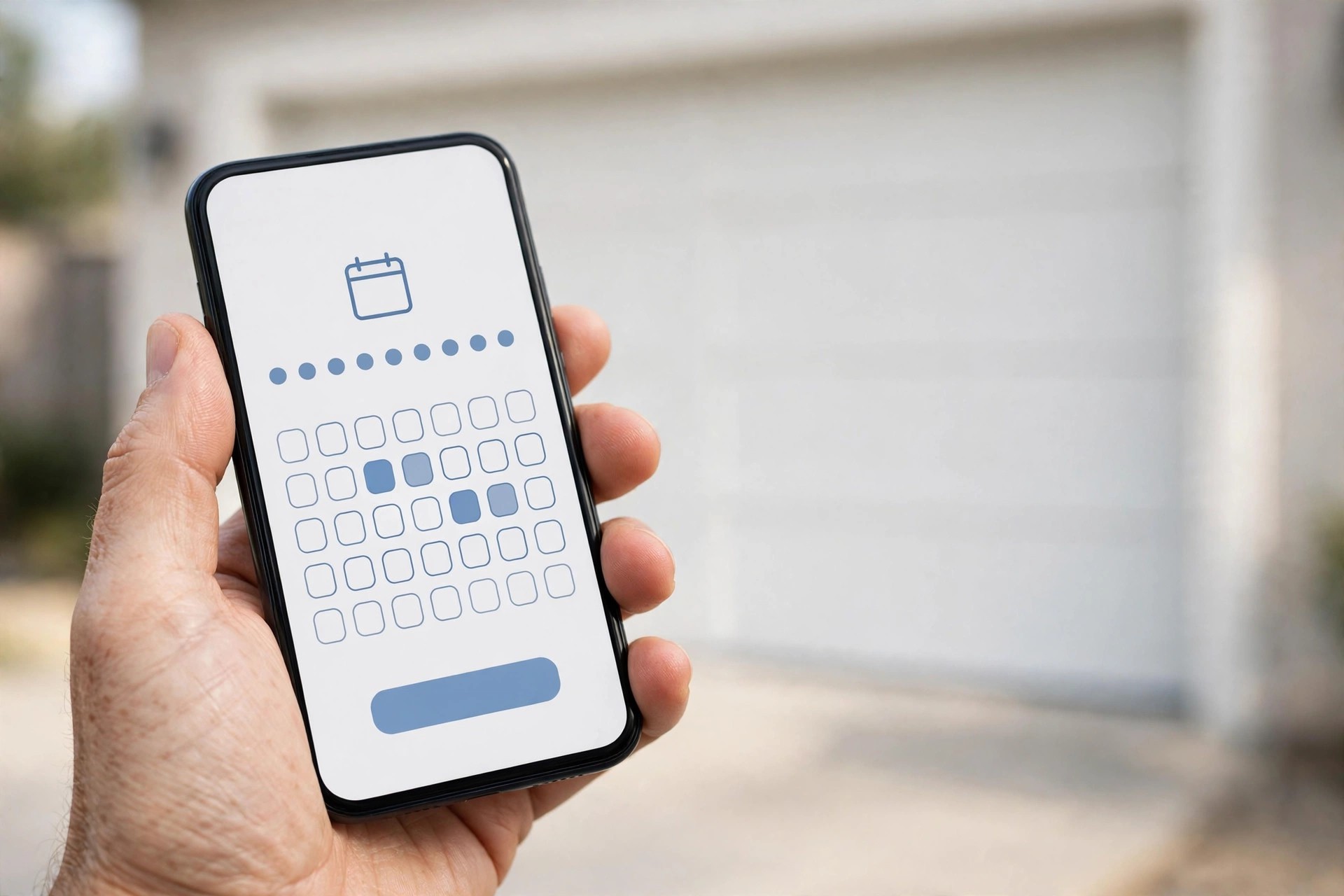
Every booked call ends with an instant confirmation text, so the customer knows the job is locked in.
Integrations that make it actually work
The AI is only as good as what it connects to. The non-negotiable integrations for a garage door shop: your calendar, so bookings land in real slots; your field service software, so jobs and customer records update automatically; your phone system, so calls route correctly; and your SMS, so confirmations and tech alerts fire instantly. Common pairings in this trade include Jobber, Housecall Pro, and ServiceTitan on the field side, plus Google Calendar or Outlook for smaller shops that book from a shared calendar.
What happens to the call data
Every call should produce three artifacts: a recording, a transcript, and a short written summary with the key facts (name, address, problem, urgency, booked slot). The summary goes to the CRM and to the tech’s phone. The recordings are your quality control: listen to a sample weekly, especially in the first two months, and tune the scripts from what you hear. Good providers keep this data searchable, so you can pull up every broken-spring call from last month in seconds.
Common mistakes garage door companies make
Most AI receptionist failures in this trade come from setup mistakes, not from the technology itself. The pattern repeats often enough to list: owners let the AI quote exact prices and then eat the difference when the tech finds a different problem; they never define what counts as an emergency, so the on-call tech gets woken for tune-up requests; they skip the test-call week and discover on live callers that the AI books jobs outside the service area; they connect the calendar but forget holidays, so the AI books Christmas morning; they give the AI no escalation path, so angry callers loop with a machine; they never listen to recordings, so bad scripts run for months; they roll out to all calls on day one instead of after-hours first; and they treat the monthly plan as fire-and-forget instead of reviewing booking rates quarterly. Avoid that list and the system quietly does its job for years.
Your rollout checklist
Work this list in order. Each step builds on the last.
- 1Map your call types. List every call pattern, the triage questions for each, the urgency level, and the booking path. This is your script source document.
- 2Define emergency rules. Write down exactly what wakes the on-call tech, the escalation chain, and the confirm timeouts. Get the techs to sign off on it.
- 3Set pricing guardrails. Approve the service-call fee and the price ranges the AI may quote. Ban exact quotes in writing.
- 4Connect the calendar. Give the AI your real availability, blocked holidays, and emergency slots. Test that a booking appears where you expect.
- 5Connect field software and CRM. Every call should create or update a customer record with the summary attached.
- 6Write and approve the scripts. Greeting, emergency, price shopper, after-hours, and warranty scripts in your company voice.
- 7Set up routing. Decide which calls reach the AI: after-hours first, then overflow, then full coverage. Configure forwarding and test it.
- 8Run 20 to 50 test calls. Cover every call type including angry and vague callers. Listen to recordings and tune twice.
- 9Go live in stages. After-hours first, review 100 real calls, then expand to overflow and full coverage.
- 10Review monthly. Check capture rate, booking rate, escalation accuracy, and cost per booked job. Tune scripts from real call data.
Frequently asked questions
Will callers know they are talking to an AI?
Most modern systems introduce themselves as a virtual assistant, and most callers care far more about getting booked fast than about who answers. The callers who dislike it are a small minority, and they dislike voicemail more. Clear identification plus fast booking beats a human-sounding system that wastes their time.
Can an AI receptionist really handle a broken spring emergency?
Yes, because the emergency workflow is a checklist, not a judgment call: warn the caller about the danger, collect the address and facts, book the earliest emergency slot, and alert the on-call tech. That is exactly what a good human dispatcher does, and the AI does it at 2 AM without being groggy.
How much does an AI receptionist cost a garage door company?
Expect $99 to $200 a month for self-serve platforms and $250 to $500 for managed setups that build your scripts and integrations. Watch for per-minute overages and setup fees. One recovered emergency repair at typical ticket prices usually covers a full month.
Will it quote prices to my customers?
Only the ranges you approve. A proper setup has the AI state your service-call fee, give honest installed-price ranges, and always say the tech confirms the exact price on site before work starts. Never let it quote exact numbers.
What happens when a caller is angry or the AI gets confused?
The AI should de-escalate, take the details, and hand off to you or the owner with a written summary. Build the escalation rule into the script and test it with angry-caller test calls before launch. No caller should ever loop with the machine.
Does it integrate with Jobber, Housecall Pro, or ServiceTitan?
Most serious providers integrate with the major field service platforms, plus Google Calendar, Outlook, and common CRMs. Confirm the exact integration before you buy, and test that a booked call creates a real job record during your test week.
Should I replace my human receptionist with AI?
Most shops get the best result from a hybrid: the human handles daytime calls and hard conversations, the AI covers nights, weekends, and overflow. That usually cuts phone-staff cost roughly in half while extending coverage to 24/7.
How long does setup take?
Plan on two to four weeks: one week mapping calls and scripts, one week connecting systems, one week of test calls and tuning, then a staged go-live. Vendors promising same-day setup are skipping the parts that determine quality.
Can it tell the difference between an emergency and a tune-up?
Yes, through the triage questions you define: what happened, door position, car trapped, security risk. Broken springs, stuck-open doors, and trapped cars route to emergency slots. Noise complaints and tune-ups book into the normal schedule. Review the first weeks of logs to fine-tune the boundaries.
What is the biggest mistake garage door companies make with AI receptionists?
Going live on all calls on day one without test calls. Start with after-hours coverage, listen to the first 100 real calls, tune the scripts, then expand. The staged rollout is the difference between a system owners love and one they cancel in month two.
Stop losing emergency calls to voicemail
Digital Hayder builds AI receptionist systems for garage door companies: 24/7 call answering, emergency triage for broken springs and stuck doors, live booking into your calendar, and dispatch alerts to your on-call tech. Tell us about your call volume and service area, and we will design the setup around your shop.
Contact Us