
Every dental office has the same invisible problem: chairs that sit empty while the schedule looks full. A hygiene patient cancels and nobody backfills the slot. A hundred overdue recall patients sit in the software with no next visit. Someone starts a crown, never schedules, and quietly disappears. The office keeps spending on ads and new-patient specials while revenue leaks out of the patient base it already has. Here is the uncomfortable truth about dental marketing: your phone number list is worth more than your ad budget. Patients read text messages. Almost all of them, usually within minutes. Email open rates hover around a fifth of that, and postcards get glanced at on the way to the recycling bin. This guide is the complete playbook for SMS marketing in a dental office: the campaigns that fill hygiene chairs, the recall and reactivation texts that bring patients back, the confirmation sequences that cut no-shows, the message templates you can use this week, and the compliance rules that keep every text legal. No discounting, no spam, no gimmicks. Just the messages patients actually want from their dentist.
The quick answer
- Texts get read: industry data widely reports SMS open rates near 98 percent, most within minutes. Email and postcards cannot touch that reach.
- Recall texts fill hygiene: automated reminders to overdue patients bring back steady hygiene production without discounting cleanings.
- Reactivation wins without coupons: lapsed patients return to a warm reminder and an easy booking link, not a 20 percent off blast.
- Confirmations cut no-shows: a short text sequence before each visit protects chair time worth hundreds of dollars an hour.
- Compliance is non-negotiable: get express consent for marketing texts, register for A2P 10DLC, keep clinical details out of messages, honor opt-outs instantly.
- Cost is tiny next to the return: most dental texting setups run $50 to $200 a month; one saved hygiene day covers it many times over.
Why texting beats every other channel for a dental office
Dental offices live on the schedule. A full hygiene column is production. An empty one is overhead with nobody in the chair. The problem has never been that patients do not want to come in. It is that life gets in the way: the reminder call goes to voicemail, the postcard sits on the counter, the email lands in promotions. Texts break through because they arrive on the device patients check constantly and they demand almost nothing: one glance, one tap. Wireless industry data widely cited across marketing research puts SMS open rates near 98 percent, with most messages read within a few minutes of arrival. Email, by comparison, typically opens in the 20 to 30 percent range for local businesses, and direct mail gets a glance if it gets anything. For a dental office, that reach gap is everything. A recall campaign that reaches nearly every overdue patient will always beat a recall campaign that reaches a fifth of them, even if the message is identical. The channel is also conversational. Patients reply to texts. They ask to move a Tuesday to a Thursday, they confirm with one letter, they click a booking link. A phone call demands a real-time conversation; a text lets a busy parent handle the dental office while waiting in the school pickup line. That convenience is why texting fills chairs.
What patients actually want from dental texts
Patients do not want dental spam. They want exactly four things: a reminder before their visit, an easy way to confirm or reschedule, a nudge when they are overdue, and a fast answer when they have a question. Every campaign in this guide maps to one of those four. Stay inside them and patients welcome the texts. Drift into promotional blasts about whitening specials and the opt-outs start. The rule is simple: text like a helpful front desk, not like a coupon mailer.
The compliance layer: get this right before sending anything
Dental offices are healthcare businesses, and texting sits at the intersection of marketing law and patient privacy. This section is not legal advice, but it covers the rules every office must follow. Get the setup right once and the rest of the playbook runs safely.
Consent under the TCPA
US federal law, the Telephone Consumer Protection Act, requires prior express consent before you send marketing texts, and written consent for automated marketing messages. In practice, that means your new-patient forms, website booking flow, and check-in paperwork should include a clear opt-in: “I agree to receive appointment reminders and occasional practice updates by text at this number.” Keep the consent record in the patient file. Service messages like appointment confirmations and reminders are treated more leniently when the patient gave you their number in the course of care, but marketing and reactivation messages need the explicit opt-in. Never text numbers from a purchased list, and never assume a phone number on an old record is still the patient’s. When in doubt, call and ask.
A2P 10DLC registration
US carriers now require businesses to register their texting numbers and campaigns under the A2P 10DLC system. Unregistered numbers get filtered, throttled, or blocked. Registration is a small one-time and monthly fee handled through your texting platform, and it marks your messages as legitimate business traffic. If your current texting tool never asked you to register a brand and campaign, ask them about it. Messages that never arrive are worse than messages never sent, because you think the campaign ran.
Keep clinical details out of texts
Texts are not a secure channel, so keep them free of protected health information. An appointment reminder with a name, date, and time is standard practice across dentistry. A text naming a diagnosis, a treatment plan, or a medication is not. Write templates that confirm logistics, never clinical content: “Hi Maria, reminder of your visit tomorrow at 10:00 AM with Dr. Lee. Reply C to confirm.” If a patient replies with a clinical question, move the conversation to a phone call or the secure patient portal. Train the front desk on this line and review message templates twice a year.
Opt-outs and quiet hours
Every marketing text must include a clear opt-out, usually “Reply STOP to end.” Honor opt-outs immediately and automatically; your platform should handle this. Keep texts inside reasonable hours, roughly 8 AM to 9 PM in the patient’s timezone. A recall text at 6 AM feels like spam even when it is welcome at 10 AM. For a deeper look at automated recall systems that pair with texting, see our guide to dental patient recall automation.

Hygiene is the production engine of the practice. Recall texts keep that engine booked solid.
Hygiene recall campaigns that fill the schedule
Recall is the highest-return text campaign a dental office can run. The patients are already yours. They need cleanings every six months. Many are simply overdue because nobody asked them to book. A recall text campaign is a rolling program, not a one-time blast: every month, the system identifies patients overdue by 30, 60, or 90 days and sends a short, personal nudge with a booking link.
The recall message ladder
Do not send one text and give up. Send a ladder. Text one, at 30 days overdue: “Hi James, you are due for your cleaning at Bright Smile Dental. We have openings next Tuesday and Thursday. Book here: [link].” Text two, two weeks later to non-bookers: “Hi James, just a friendly note that your cleaning is still open. Most patients book within a week of their due date to keep their preferred time. [link].” Text three, two weeks after that: “Hi James, we held a few hygiene spots this month for overdue patients. Want me to grab one for you? Reply YES and I will book it.” The third text works because it offers a human action, not just a link. Segment the list so the message fits: patients overdue six months get the standard ladder; patients overdue two years get a warmer reintroduction, which is covered in the reactivation section below.
Fill cancellations the same day
Cancellations are recall in miniature. When a hygiene slot opens, text a short list of patients who asked to be seen sooner or who are overdue: “A hygiene opening just came up tomorrow at 2:00 PM. Want it? Reply YES.” First reply gets the chair. Offices that run a same-day fill list cut the revenue damage of cancellations dramatically, because an empty slot filled at 9 AM is production recovered, not production lost. Keep the fill list short, ten to twenty patients, so it feels exclusive rather than desperate.
Reactivation: winning back patients without discounting
Every practice has dormant patients: people who came for two cleanings and vanished, or started treatment and never finished. Reactivation texts bring them back, and the key insight is that most of them do not need a discount. They need a reminder and an easy path back. Studies of lapsed dental patients consistently find the top reasons for drifting are forgetfulness, a move, a change in insurance, or a single bad experience, not price. A discount answers a question they were not asking. A warm, personal text answers the real one.
The reactivation sequence
Run reactivation quarterly against patients with no visit in 12 to 24 months, excluding anyone who left after a dispute or asked not to be contacted. Text one: “Hi Anna, this is Bright Smile Dental. We noticed it has been a while since your last visit. A lot has changed at the office, and we would love to see you. Is there anything keeping you from booking?” The question format invites a reply, and replies tell you the real objection: insurance, fear, a bad experience, a move. Text two, a week later: a concrete, useful offer tied to care, not a coupon: “We have a new-patient-style welcome-back visit: full exam, cleaning, and x-rays, and we will verify your insurance before you arrive so there are no surprises.” Text three, a week later: the honest close. “This is the last note from us about it. If you ever need us, we are one text away.” Expect single-digit to low double-digit response rates, which sounds small until you multiply it by a list of several hundred dormant patients and a hygiene visit worth $150 to $250 plus whatever treatment gets diagnosed. For a full reactivation playbook, see our guide to dental patient reactivation.
Handle the objections you uncover
The replies to reactivation texts are market research. Insurance confusion gets a benefits-verification offer. Fear gets a comfort-first message about sedation options and gentle visits. A past bad experience gets an honest acknowledgment and a different provider option. A move gets a warm goodbye and a review request instead of a booking push. Write two or three template replies for each objection so the front desk answers fast and consistently.
Appointment confirmations that cut no-shows
A no-show in a dental chair is one of the most expensive empty hours in local business. A hygiene hour produces $150 to $250; a doctor hour with restorative work can produce $500 to $800 or more. Automated confirmation texts are the cheapest insurance against that loss. The sequence is short: a confirmation text immediately at booking, a reminder text two days before, and a final reminder the morning before or morning of, each with a one-tap confirm or reschedule option.
Write confirmations patients actually answer
“Hi Maria, confirming your visit tomorrow, Tuesday at 10:00 AM with Dr. Lee for a cleaning. Reply C to confirm or call us to change it.” Short, specific, actionable. The two-day reminder catches the real conflicts: work meetings, sick kids, forgotten commitments. The morning-of reminder catches the purely forgotten. Offices that run this sequence consistently report no-show rates dropping by a third to a half, because most no-shows are not deliberate. They are busy people who needed one more nudge. Add a line to the confirmation for new patients: parking, paperwork, and arrival time. New patients who arrive flustered start the visit badly; new patients who arrive prepared start it well.
The waitlist as a no-show safety net
Pair confirmations with a waitlist. When a patient reschedules through the text, the system immediately offers the freed slot to waitlisted patients: “A spot opened Thursday at 3:00 PM. Want it? Reply YES.” The combination of confirmations that surface cancellations early and a waitlist that fills them same-day is how offices keep the schedule dense even in months when life gets chaotic for patients.
Review requests and referral texts
Google reviews drive new-patient calls, and the best time to ask is right after a good visit. An automated text an hour or two after the appointment, “How was your visit today? If you have a moment, a Google review helps other patients find us: [link],” captures the patient while the experience is fresh. Keep the ask to one text per visit and skip it for visits that went badly; the front desk should be able to suppress the request with one tap when a patient leaves unhappy. Over a year, a steady review flow compounds into the review count and rating that new patients check before they ever call. Referral texts work the same way: a quarterly text to happy long-term patients, “Know someone looking for a dentist? We would love to meet them. Forward this booking link,” turns advocates into a quiet new-patient channel. No referral cards, no awkward asking at checkout. Just a text at the right moment.
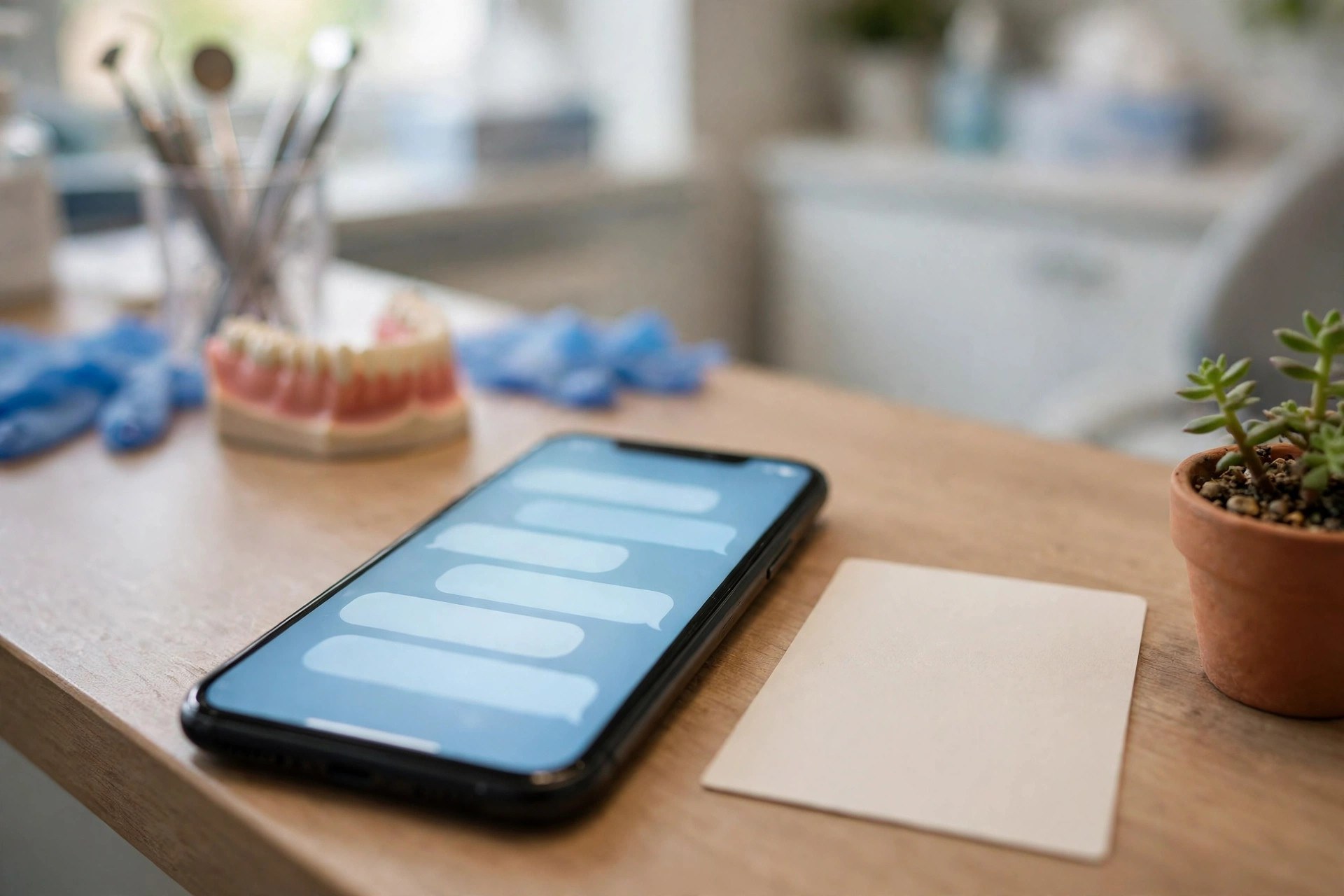
One text after the visit, with a direct link, beats a stack of review cards at checkout.
Treatment plan follow-up texts
The most valuable texts in the practice are not recall texts. They are the follow-ups on unscheduled treatment. A patient leaves with a $1,800 crown plan, says they need to think about it, and never books. That case sits in the software as diagnosed but unscheduled, and most offices never touch it again. A short text sequence over two to three weeks recovers a meaningful share of these cases.
The case-acceptance sequence
Text one, two days after the visit: “Hi Tom, this is Bright Smile Dental. Dr. Lee recommended a crown on your upper molar. Do you have any questions about the plan or the cost? I can also check your insurance coverage.” Text two, a week later: “Hi Tom, just checking in on the crown plan. We have openings next week if you would like to get it scheduled before your benefits reset. Want me to check what your insurance covers?” Text three, a week after that: “Hi Tom, I will keep your treatment plan on file. If anything changes or you want to talk through options, just reply to this text.” The sequence works because it answers the two real reasons cases stall: unanswered questions and insurance uncertainty. Train the front desk to offer benefits verification in the first reply. A patient who learns their out-of-pocket is $300 instead of the feared $1,800 books the appointment.
Prioritize by case value
Not every unscheduled case deserves the same effort. Sort the list by value and recency: high-value cases from the last 90 days get the full sequence plus a personal call; smaller cases get the texts alone. Review the unscheduled-treatment report monthly. Practices are routinely surprised by how much diagnosed production is sitting unscheduled, and a text sequence is the cheapest way to convert it.
Message templates you can use this week
Steal these, swap in your practice name, and keep every message under 160 characters where possible so it sends as a single text.
Recall
“Hi [Name], you are due for your cleaning at [Practice]. We have openings Tue and Thu. Book here: [link]. Reply STOP to end.”
Reactivation
“Hi [Name], it has been a while since your last visit to [Practice]. We would love to see you. Anything keeping you from booking? Just reply.”
Confirmation
“Hi [Name], confirming your visit [Day] at [Time] with Dr. [Name]. Reply C to confirm or call us to change it.”
Same-day fill
“A hygiene opening just came up today at [Time]. Want it? Reply YES and it is yours.”
Review request
“Thanks for visiting [Practice] today. A quick Google review helps other patients find us: [link].”
Treatment follow-up
“Hi [Name], checking in on the treatment plan from your visit. Any questions on cost or coverage? I can check your insurance. Just reply.”
What it costs
Dental texting is one of the cheapest marketing line items in the practice. The cost has two parts: the platform and the per-message fees.
| Setup | Typical monthly cost | What you get | Best for |
|---|---|---|---|
| Texting add-on inside your practice software | $50 to $150 | Reminders and recalls tied to the schedule, basic templates | Offices happy with core reminders |
| Standalone dental texting platform | $100 to $250 | Recall ladders, reactivation, review requests, two-way texting, reporting | Offices running full campaigns |
| Full patient-communication suite | $250 to $500 | Texting plus online scheduling, forms, payments, and analytics in one system | Multi-location or high-volume practices |
| Done-for-you by an agency | $297 to $997 | Campaigns built and managed: recall, reactivation, reviews, reporting | Owners who want it handled |
Per-message fees usually run 1 to 3 cents per text segment on top of the platform fee, plus the monthly number rental and A2P 10DLC registration. A practice sending 3,000 texts a month pays roughly $30 to $90 in message fees. Watch for platforms that charge per contact on the list rather than per message sent; for recall and reactivation, where the list is large and each patient gets a few texts, per-message pricing is usually cheaper. If you are weighing texting against other channels, our guide to email marketing for dental offices covers the email side of the patient-communication mix.
| Channel | Typical reach | Speed | Cost per touch | Best job |
|---|---|---|---|---|
| SMS | Near 98 percent open | Minutes | 1 to 3 cents | Recalls, confirmations, reactivation |
| 20 to 30 percent open | Hours | Fractions of a cent | Newsletters, education, long-form updates | |
| Postcards | Glanced at by most households | Days | 50 cents to $1 | New-patient acquisition in a radius |
| Phone calls | Voicemail most of the time | Minutes if answered | Staff time | High-value case follow-up |
Building the list and setting the frequency
Your list already exists: it is your patient database. The work is consent and hygiene. Add the texting opt-in to new-patient paperwork, the website booking flow, and the check-in update form. Audit the database quarterly: remove disconnected numbers, merge duplicates, and suppress anyone who opted out or asked not to be contacted. A clean list of 2,000 real patients beats a dirty list of 5,000. On frequency, the rule is purpose-driven, not calendar-driven. Confirmations and reminders fire per appointment. Recall texts fire per overdue cycle. Reactivation runs quarterly. Review requests fire per visit. Promotional texts, if you send any, stay at one a month or less. Patients tolerate a lot of useful texts and very few useless ones. Every text should pass the front-desk test: would a good front-desk employee say this to the patient in person? If yes, send it.

Unscheduled treatment is diagnosed production sitting idle. A short text sequence brings a real share of it back.
Common mistakes that sink dental texting
Seven mistakes repeat across practices. One: blasting promotions to patients who only consented to reminders. Consent is specific; keep marketing texts to the marketing opt-in list. Two: discounting to fill chairs. Coupons attract price shoppers and train patients to wait for deals; reminders and easy booking fill chairs without touching your fees. Three: clinical details in texts. Keep messages to logistics and move clinical questions to a call. Four: no booking link. Every recall and reactivation text should end in one tap to the schedule, not a phone number to call during business hours. Five: texting at bad hours. Keep campaigns inside 8 AM to 9 PM patient time. Six: asking for reviews after bad visits. Give the front desk a one-tap suppress for the review text when a visit goes poorly. Seven: never cleaning the list. Disconnected numbers, duplicates, and opted-out patients quietly rot the database and the deliverability. Audit quarterly.
Your rollout checklist
Build the foundation once, then switch the campaigns on one by one.
- 1Confirm consent capture. Add a clear texting opt-in to new-patient forms, the website booking flow, and check-in paperwork. Record it in the patient file.
- 2Complete A2P 10DLC registration. Register the brand and campaigns through your texting platform so messages deliver reliably.
- 3Pick the texting platform. Choose the practice-software add-on or a standalone platform based on whether you need full campaign automation.
- 4Write the template library. Recall ladder, reactivation, confirmations, same-day fill, review request, and treatment follow-up, all under 160 characters.
- 5Launch confirmation texts. Immediate confirmation, two-day reminder, and morning-of reminder for every appointment.
- 6Launch the recall ladder. Monthly texts to patients overdue 30, 60, and 90 days, each with a booking link.
- 7Start the same-day fill list. Keep ten to twenty patients ready to take cancelled hygiene slots by text.
- 8Automate review requests. One text with a direct link an hour or two after each visit, with a front-desk suppress option.
- 9Run the first reactivation campaign. Quarterly texts to 12 to 24 month dormant patients with objection-handling replies ready.
- 10Review monthly. Track recall response rate, no-show rate, review velocity, and unscheduled-treatment conversion. Adjust templates quarterly.
Frequently asked questions
Is SMS marketing legal for dental offices?
Yes, with proper consent. Service messages like appointment reminders are standard practice once the patient has given you their number. Marketing and reactivation texts need express opt-in under the TCPA, and your number must be registered for A2P 10DLC. Collect consent on forms, keep records, and honor opt-outs immediately.
Does SMS marketing violate HIPAA?
Not when messages stay free of protected health information. Appointment reminders with a name, date, and time are standard across dentistry. Never text diagnoses, treatment details, or medication information. Move clinical conversations to a phone call or the secure patient portal.
How often should a dental office text patients?
Let the purpose set the frequency: confirmations per appointment, recall texts per overdue cycle, reactivation quarterly, review requests per visit. Promotional texts should stay at one a month or less. Useful texts are welcome; useless ones earn opt-outs.
What is a good response rate for dental recall texts?
Well-run recall ladders commonly bring back 20 to 35 percent of overdue patients over the full sequence. The third text, the one offering a human to book the slot, often converts the patients the first two missed.
Should dentists offer discounts by text to fill chairs?
No. Discounts attract price shoppers and train patients to wait for deals. Overdue patients return to a warm reminder and an easy booking link. Keep your fees intact and fill chairs with recall, reactivation, and same-day fill texts instead.
How do text reminders reduce dental no-shows?
Most no-shows are forgotten appointments, not deliberate skips. A two-day reminder catches real schedule conflicts early, and a morning-of reminder catches the purely forgotten. Practices commonly see no-show rates drop by a third to a half.
When should we ask for a Google review by text?
An hour or two after the visit, while the experience is fresh. One text with a direct link per visit. Give the front desk a one-tap way to suppress the request when a visit goes badly.
Can texts help with unscheduled treatment plans?
Yes, and this is often the highest-value campaign. A short sequence over two to three weeks, offering to answer questions and check insurance coverage, converts a real share of stalled cases. Sort by case value and recency, and add a personal call for the biggest ones.
What does SMS marketing cost a dental office?
Most setups run $50 to $250 a month for the platform plus 1 to 3 cents per text in message fees. A practice sending 3,000 texts a month typically pays under $100 in message fees. One saved hygiene day covers the cost many times over.
Should we text or email dental patients?
Both, for different jobs. Texting wins for anything time-sensitive: reminders, recalls, confirmations, reactivation, review requests. Email wins for long-form content like newsletters and treatment education. If you can only run one well, run texting.
Fill your chairs without discounting them
Digital Hayder builds SMS systems for dental offices: recall ladders, reactivation campaigns, confirmation sequences, review requests, and treatment-plan follow-up, all compliant and running on your real patient data. Tell us about your practice and we will design the messaging around your schedule.
Contact Us