
Most agents still handle new inquiries the way they did a decade ago: a missed call at nine in the evening, a voicemail box full of maybes, and a CRM full of names nobody ever followed up with. Buyers have moved on. They message the pizza place, the airline, and their friends, and they expect the same from the person selling them a home. A WhatsApp chatbot for real estate agents closes that gap. It answers listing inquiries in seconds, books showings without phone tag, pings saved buyers the moment a matching home hits the market, and checks in with past clients so referrals keep coming, all inside the app buyers already open a dozen times a day. This guide covers what a real estate WhatsApp chatbot does day to day, the exact scripts to use, what it costs, how to set it up in two weeks, and the mistakes that waste the investment.
The quick answer
- Speed-to-lead wins the buyer: most inquiries arrive after hours and on weekends; a chatbot that answers in under a minute converts people that voicemail and next-morning callbacks lose.
- Showing booking without phone tag: the bot offers your real open slots, takes the pick, and sends calendar invites plus reminders automatically.
- New-listing alerts buyers actually read: saved-search alerts inside WhatsApp get opened far more often than email, and keep buyers coming back to you instead of the big portals.
- Past-client check-ins that win referrals: automated anniversary messages and market updates keep you top of mind when friends ask for an agent recommendation.
- Costs are modest: WhatsApp conversation charges run a few cents each, chatbot software costs $30 to $300 a month, and agency setup runs $500 to $3,000 one time.
- Live in about two weeks: connect the number, build the inquiry, booking, and alert flows, train whoever answers handoffs, then launch.
Why home buyers message instead of calling
Almost every buyer starts online now, scrolling listings on a phone at night, on lunch breaks, and on weekends. When something catches their eye, they want an answer right then, not a callback window the next business day. Industry research on buyer behavior keeps landing on the same point: the agent who responds first wins the conversation far more often than the agent with the better listing presentation. One widely cited sales study found that contacting a lead within five minutes makes you roughly one hundred times more likely to connect than waiting thirty minutes, and about three quarters of customers end up buying from whichever company responds to them first. In real estate, where a buyer often messages three agents about the same property, that first reply is frequently the whole contest.
The timing problem makes this worse for agents. A large share of listing inquiries arrives outside business hours: evenings after work, Saturday mornings before open houses, Sunday nights when couples finally sit down to plan the week. If your response system is your personal cell phone and you happen to be at a closing, at dinner, or asleep, the buyer does not wait. They message the next agent on the listing page. Portal inquiry forms make this brutal, because the same question often goes to several agents at once, and the buyer talks to whoever answers. A missed call at 9 PM is not a message you return in the morning; it is a buyer you never meet.
Then there is the demographic shift. Buyers under forty, who now make up the biggest share of first-time purchasers, grew up messaging and actively avoid phone calls with strangers. Asking them to call your office line is asking them to do something uncomfortable. A WhatsApp chat, by contrast, feels like texting a friend. It is low pressure, it leaves a written record of addresses and times, and it lets the buyer reply whenever they have a free minute. Agents who meet buyers in that channel report longer conversations, more qualified questions, and far fewer ghosted threads than the ones still insisting on phone-only contact.
Finally, there is simple convenience. A chat thread holds the listing link, the photos you sent, the showing time you agreed on, and the directions to the property, all in one scrollable place. Phone calls scatter that information across voicemails and memory. When the chatbot lives on the agent’s real business number, every touchpoint of the deal, from first question to closing-day congratulations, sits in one searchable history that both the agent and the assistant can see. That continuity is something a phone system never gave you.
What a real estate WhatsApp chatbot does all day
A WhatsApp chatbot is an automated assistant that holds text conversations with your buyers, sellers, and past clients inside WhatsApp. It is not a website pop-up and not a phone tree. People message your business number the same way they message a friend, and the bot replies instantly with answers, showing times, and listing updates. When the conversation needs a human, it hands off to you or your assistant with the full chat history attached. Think of it as a junior agent who never sleeps, never misses a message, and handles the repetitive work in seconds while you handle closings and negotiations.
Answers listing inquiries in seconds
The core job is instant response. When a buyer taps the WhatsApp button on your listing page, your yard sign, your flyer, or your ad, the bot greets them immediately: which property are you asking about, are you buying or selling, what is your timeline. It answers the questions buyers always ask: the asking price, the square footage, the number of bedrooms, whether the HOA allows pets, when the next open house runs. It can send photos, floor plans, and video tour links right in the chat. Serious buyers get qualified and booked; casual browsers get the information they wanted without taking up your evening. Agents who add instant chat typically see their inquiry-to-conversation rate double within the first month, simply because nobody waits anymore.
Books and confirms showings
Booking is where the bot earns its keep. It pulls your real availability from your calendar, offers two or three open slots, takes the buyer’s pick, and sends a confirmation with the address, parking notes, and your contact details. The day before the showing, it sends a reminder the buyer can confirm, reschedule, or cancel with one tap. Cancelled slots go back into the pool automatically, so a freed Saturday morning can be offered to the next buyer in line within minutes. No more phone tag across three voicemails to agree on a time, and no more driving across town to a showing the buyer forgot.
Sends new-listing alerts to saved buyers
Every agent has buyers who are “waiting for the right one.” The chatbot keeps their search criteria on file: neighborhood, price range, beds and baths, must-haves. When a matching listing goes live, the bot messages them before the portals’ email digest even sends: photos, price, key details, and a one-tap button to book a showing. Because the alert arrives in the app they already open constantly, response times are measured in minutes. Buyers stop drifting back to the portals to search on their own, because your alerts reach them first. Over a few months, this turns your buyer list into a private audience that sees your listings before the crowd.
Checks in with past clients for referrals
The cheapest listing lead is a past client who sends you their neighbor. The bot keeps those relationships warm without you remembering dates: home purchase anniversaries, holiday greetings, local market updates for their neighborhood, and a gentle referral ask a few weeks after closing when satisfaction is highest. It can also send a short review request with a direct link after a smooth closing. These touches take the agent zero minutes once built, and they keep your name as the answer when someone at a dinner party asks, “Do you know a good agent?”
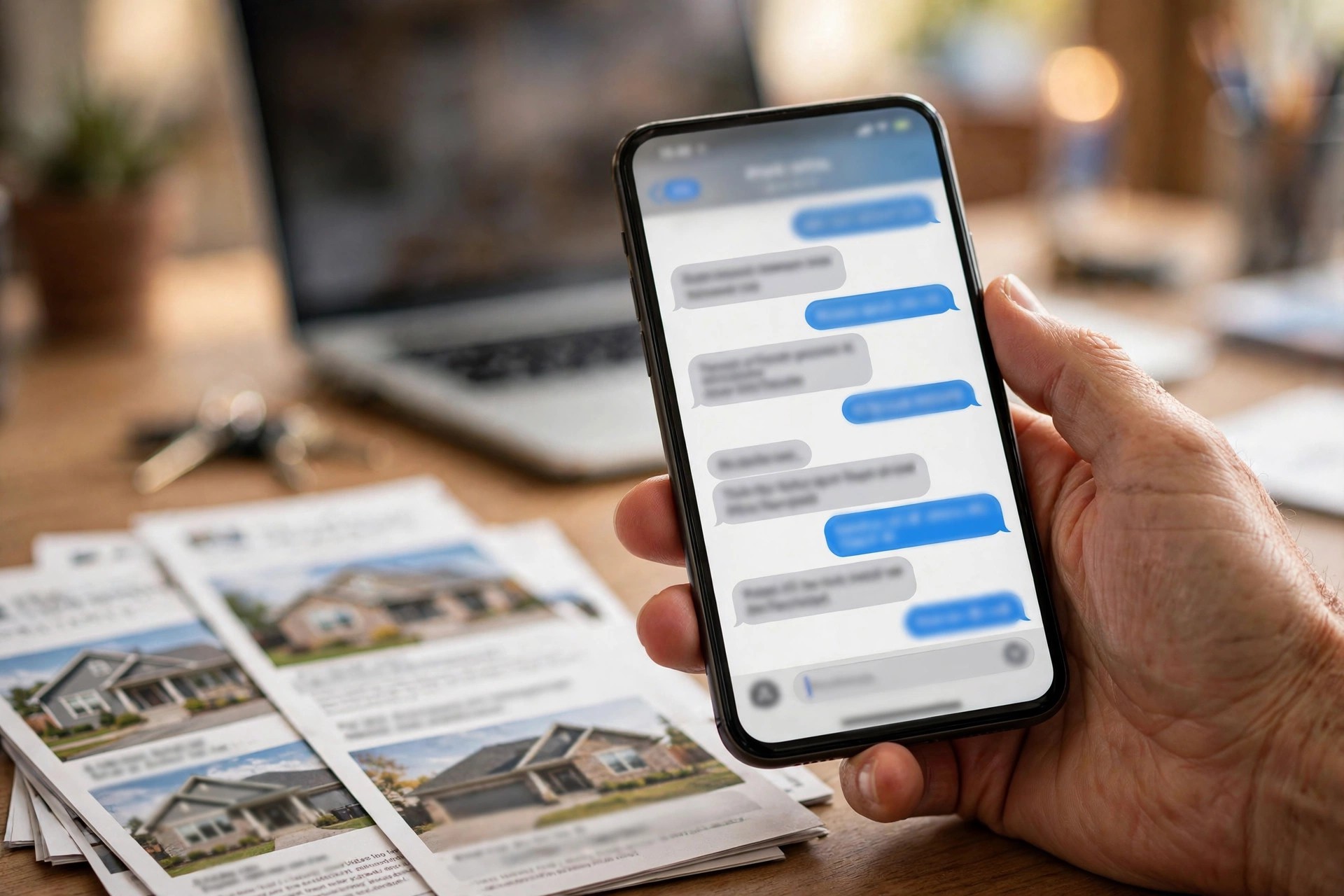
Instant chat answers buyers the moment they ask, so after-hours listing inquiries turn into booked showings instead of lost leads.
The inquiry flow that books showings
The difference between a chatbot that books showings and one that annoys buyers is the flow. Keep it short, give clear choices, and never ask for information the buyer already gave you. Below is a proven inquiry flow for a listing agent. Adapt the wording to your name and your market.
Step 1, the greeting. “Hi, this is Alex Morgan Real Estate. Thanks for your interest. Are you looking to buy, sell, or just browsing? Reply 1, 2, or 3.” Three options, no open-ended essay prompt.
Step 2, the property. If they pick buying: “Great. Which property caught your eye? Send me the address or the listing link, or reply LIST to see our newest listings.” This routes the conversation to a specific home or to the alert list.
Step 3, the qualifier. “Quick questions so I send you the right homes: what is your price range, and are you pre-approved or paying cash? Reply with your range, or tap here for our preferred lender’s 10-minute pre-approval.” Two questions, one message, both essential.
Step 4, the showing offer. “This home is available to tour. I have Saturday 10:00 AM, Saturday 1:30 PM, or Sunday 11:00 AM open. Reply with the number, or say MORE for weekday evenings.” Never show more than three or four slots at once; a wall of times makes people stall.
Step 5, the confirmation. “You are booked for Saturday at 10:00 AM at 24 Maple Drive. I will send a reminder the day before with parking details. Can I get your full name for the sign-in sheet?” Short, warm, done. The bot adds the showing to your calendar and notifies you.
Step 6, the follow-up. Two hours after the showing: “Thanks for touring 24 Maple Drive today. On a scale of 1 to 10, how interested are you? Reply with a number.” A 7 or higher triggers an offer conversation with you; a 4 to 6 triggers similar listings; a 1 to 3 asks what missed the mark and updates the search criteria. The whole exchange takes the buyer under two minutes. Compare that with the old way: a web form that gets a reply tomorrow, then three rounds of phone tag. If your website also takes inquiries, keep both in sync; our breakdown of AI chatbots for real estate websites explains how website chat and WhatsApp should share one calendar and one lead record.
Showings booked without phone tag
Showing coordination is one of the biggest hidden time sinks in an agent’s week. A buyer wants Saturday morning; Saturday morning is taken; you suggest Sunday; they check with their spouse; they reply Tuesday; the slot is gone. Each round trip burns a day, and in a fast market a day can lose the house. The chatbot removes the back-and-forth by working from your live calendar. It only offers slots that are actually free, it holds the chosen slot the moment the buyer picks it, and it tells you immediately. Your showing calendar fills itself while you are at another appointment.
Reminders do the quiet work that protects your time. A buyer who gets a friendly reminder the day before, with the address and parking notes, almost always shows up or reschedules in time. A buyer who gets nothing forgets, double-books, or simply drifts. Agents running automated showing reminders report far fewer wasted trips across town, which matters when each showing costs you an hour of driving plus the appointment itself. The reminder also gives the buyer a one-tap reschedule path, so a cancellation on Friday night becomes a rebooked slot on Sunday instead of a lost buyer.
The bot also handles the questions that surround a showing. “Can I bring my dog?” “Is there parking on the street?” “Will the seller be home?” Answer these once in the bot’s knowledge base and they are answered forever, at midnight, on holidays, while you sleep. For anything the bot cannot answer, it takes a message and promises your reply by a specific time, then alerts you. The buyer feels looked after; you get one tidy message instead of six scattered texts.
There is a team angle too. If you work with a buyer’s agent colleague, an assistant, or a showing service, the bot can loop them in automatically: the assistant gets the booking details, the colleague gets the feedback request after the tour. Everyone works from the same thread instead of a chain of forwarded messages. And because every showing, question, and answer lives in the chat history, you walk into each appointment already knowing what the buyer cares about, which makes the tour itself sharper and more personal.
New-listing alerts that keep buyers loyal
The biggest threat to an agent’s buyer relationships is not another agent; it is the portals. Buyers set up their own alerts, browse on their own, and only call you when they want a door opened. A WhatsApp chatbot flips that dynamic. When your listing alerts reach the buyer first, inside the app they check constantly, you become their search engine. They stop browsing elsewhere because your messages already show them everything worth seeing.
Setting up alerts is simple. When a buyer tells the bot their criteria, it saves the search: areas, price band, property type, minimum beds and baths, deal-breakers like “no HOA” or “must have a garage.” When you add a matching listing to your system, the bot messages every matched buyer with photos, the price, three bullet highlights, and a showing booking button. The first buyer to reply gets the first tour. In competitive markets, that speed is a genuine advantage you can advertise: “My buyers see new listings on WhatsApp before the email alerts go out.”
Cadence matters. Alerts should feel like a concierge service, not a fire hose. Send a message when a genuinely matching home lists, when a price drops on a home they viewed, and when a listing they liked goes under contract so they know the market is moving. Do not send every new listing in the county; buyers mute agents who spam them, and a muted chat is a dead channel. Two to four useful alerts a month per buyer is plenty. Each alert should end with a clear next step: book a tour, ask a question, or update the criteria. For broader ideas on keeping your name in front of buyers between alerts, see our collection of real estate marketing ideas that pair well with chat.
Alerts also rescue stale buyers. Every agent has people who looked for three months, went quiet, and never officially quit. A well-timed alert, “A home matching your search just listed on Elm Street, want a tour Saturday?” often restarts the conversation months later. Because the bot kept the criteria on file, the restart takes one message instead of a whole re-qualification call. Agents who run alert lists consistently say their quietest buyers become their most pleasant closings, because the right home did the selling.
Past clients are your cheapest listing source
Ask top producers where their business comes from and the answer is almost always the same: repeat clients and referrals. Industry surveys of sellers consistently show that a large share choose their agent based on a past relationship or a recommendation from someone they trust. Yet most agents do almost nothing systematic to earn those referrals. They close the deal, send a gift, and disappear until the next transaction, which might be seven years away. A WhatsApp chatbot turns that gap into a relationship that keeps producing.
The anniversary message is the workhorse. One year after closing, the bot sends: “Happy home anniversary, Sarah. One year in the new place. Quick question: is there anything about the house you wish you had known before buying? I ask every client so I can advise the next one better.” It is personal, it invites a reply, and it reopens the relationship naturally. The bot logs the answer, which is also useful intelligence about the home if the client ever sells. Year two brings a market update for their neighborhood; year three, a check-in before the typical move-up window.
The referral ask itself should be timed, not constant. The best moment is two to four weeks after closing, when satisfaction peaks. The bot sends: “Glad the move went smoothly. Most of my business comes from happy clients telling friends. If anyone you know is thinking of buying or selling, would you be comfortable introducing us? Here is a message you can forward.” Giving them forwardable wording removes the awkwardness. After that, the bot asks at most once or twice a year, always attached to something useful like a market update. Nobody feels pestered, because every message carries value first and the ask second.
Review requests belong in the same system. A week after closing, the bot asks for a quick rating and links directly to your review profiles. Happy clients comply when the ask is easy and timely; unhappy ones tell you first, which gives you a chance to fix the problem before it becomes a public review. Over a year, a steady review flow does more for your online presence than any single advertising campaign, and it costs nothing beyond the automation.
| Campaign | When it sends | What the buyer gets |
|---|---|---|
| Home anniversary | One year after closing, then yearly | A personal check-in that restarts the relationship |
| Market update | Quarterly, for their neighborhood | Recent sales and price trends near their home |
| Referral ask | Two to four weeks after closing | Forwardable intro wording, asked once, timed to peak satisfaction |
| Review request | One week after closing | Direct links to review profiles while the experience is fresh |
| Move-up check-in | Years three to five | A nudge timed to the typical next-move window |
Pair these campaigns with a real follow-up discipline and the effect compounds. Our guide to lead follow-up automation for real estate agents covers the full system: how new leads, cold leads, and past clients each get their own sequence, so no opportunity sits untouched for more than a day.

Automated booking and reminders mean you walk into every showing with a confirmed buyer and a full picture of what they want.
WhatsApp vs portal alerts vs phone calls
Most agents already juggle portal alerts, email drips, and phone calls. WhatsApp does not replace all of them; it takes the jobs it does best and leaves the rest. The comparison below shows where each channel wins in a real estate workflow.
| Task | WhatsApp chatbot | Portal alerts and email | Phone call |
|---|---|---|---|
| After-hours inquiries | Answered instantly, qualifies and books directly | Form sits until morning; buyer messages another agent | Voicemail, callback next day |
| Showing booking | Live slots, instant confirmation, auto reminders | Not offered; email threads to agree a time | Staff or agent time per booking, often phone tag |
| New-listing alerts | Personal, instant, with one-tap tour booking | Delayed digest, easy to ignore, no booking action | Too intrusive for alerts |
| Rich content | Photos, video tours, floor plans, PDFs, location pins | Photos and links, but buried in inbox | Verbal only |
| Cost per contact | A few cents per automated conversation | Portal lead fees can run $50 to $200 per lead | Agent time, the most expensive channel |
| Buyer preference under 40 | Highest: the app they already use daily | Medium: useful but easy to ignore | Lowest: most avoid calling strangers |
| Negotiation and complex issues | Hands off to the agent with full history | Poor fit | Best: tone, nuance, and trust |
The practical setup for most agents is all three working together: WhatsApp for inquiries, bookings, alerts, and follow-up; portal presence and email for broad reach and long nurture; and the phone for negotiations, anxious buyers, and anyone who prefers to talk. The chatbot’s handoff feature is what makes the mix work, because a conversation that starts in WhatsApp can move to a call with zero repeated questions.
What a real estate WhatsApp chatbot costs
Pricing has three layers: WhatsApp’s own conversation charges, the chatbot software, and setup. None of them are large compared with one commission check.
| Cost layer | Typical price band | What it covers |
|---|---|---|
| WhatsApp Business app | Free | Basic messaging from one phone; fine for testing, no automation |
| WhatsApp Business Platform conversations | Roughly 1 to 3 cents per marketing conversation; replies inside the 24-hour window are free | Meta’s per-conversation charge for automated outbound messages like alerts and reminders |
| Chatbot software (DIY) | $30 to $150 per month | Flow builder, calendar integration, alert automation; you build and maintain it |
| Chatbot software (managed platform) | $150 to $300 per month | Done-for-you flows, listing integration, analytics, human handoff, ongoing tuning |
| Agency setup | $500 to $3,000 one time | Number setup, flow design, calendar and CRM integration, team training |
| Agency management | $150 to $600 per month | Monitoring, monthly optimization, campaign management, reporting |
A realistic solo-agent budget looks like this: $1,500 one-time setup plus $250 a month for software and management, plus perhaps $20 to $50 a month in Meta conversation charges. That is roughly $300 a month all-in after setup. One extra closed deal a year pays for several years of the system. The expensive option is not the chatbot; it is the status quo of missed inquiries and buyers who chose the faster agent.
For callers who still prefer the phone, the chat system pairs well with voice coverage. Our guide to AI receptionists for real estate agents covers the voice side: an AI that answers your calls, qualifies the caller, and books the showing when you cannot pick up.

One extra closed deal a year pays for several years of the system, which is why instant response is the cheapest marketing an agent can buy.
The two-week setup plan
A real estate WhatsApp chatbot is a two-week project, not a two-month one. The agents who stall are the ones who try to automate every workflow on day one. Start with inquiry response and showing booking, add alerts and past-client campaigns later.
Week 1, days 1 to 2: the number and the account. Decide whether the bot runs on your main business number or a dedicated line. The main number is better because it is the number on your signs, cards, and listings, but moving it to the WhatsApp Business Platform means your personal phone needs a clear process for what rings where. Set up the WhatsApp Business profile with your name, brokerage, service areas, hours, and website.
Week 1, days 3 to 5: the flows. Build the inquiry flow, the showing booking flow, and the FAQ answers for financing, commissions, and your process. Connect your calendar so the bot sees real availability; a bot that offers slots you do not have is worse than no bot. Connect your CRM so every chat lands on the right contact record. Write the reminder and alert templates and submit them for WhatsApp approval, which usually takes a day or two.
Week 2, days 6 to 8: testing. Run every flow with real phones. Inquire about a listing, book a showing, reschedule it, cancel it, ask strange questions, try the handoff. Fix the dead ends. Test the human handoff: when the bot gives up, do you get notified instantly, and do you see the full chat history?
Week 2, days 9 to 10: team briefing. If you have an assistant or a team, show them the handoff inbox, the booking dashboard, and the escalation rules. Agree on response-time targets: handoffs answered within 15 minutes during the day, showing requests confirmed within the hour.
Week 2, days 11 to 14: soft launch. Turn the bot on for new inquiries first, add showing reminders for next week’s tours, then switch on new-listing alerts for your saved buyers. Watch the first 100 conversations closely and tune the wording wherever buyers get confused. Add the past-client campaigns in week three once the core is stable.
Mistakes that kill response rates
Sending from an unknown number. Buyers ignore messages from numbers they do not recognize. Use your main business number or announce the new chat line clearly on your listings, your website, your signs, and your email signature.
Qualifying like an interrogation. Three quick questions are fine; ten questions before any value is not. Give the buyer something first, photos, showing times, a price, then ask the next question. Every question should earn its place by improving the answer you give next.
Blasting listings like a newsletter. WhatsApp is a conversation channel, not an email list. Agents who send daily listing blasts get blocked and reported, which can restrict the number. Keep alerts matched to saved criteria and genuinely useful: a few times a month, not a few times a week.
Flows that trap people. Every automated conversation needs an escape hatch: “Reply 0 to talk to me directly” at every step. A buyer with an urgent question who cannot reach a human will call the next agent, not wait for your bot to finish its script.
No calendar integration. A bot that takes showing requests and promises a callback is just a fancy contact form. Real availability, real confirmation, or do not launch.
Forgetting the follow-up. The bot books the showing, but the fortune is in the follow-up after the tour. If nobody, human or bot, asks the buyer what they thought within a few hours, warm buyers cool off. Wire the post-showing message into the flow from day one.
Setting it and forgetting it. Review the conversation logs monthly. You will find questions the bot fumbled, wording that confused buyers, and new FAQs to add. Fifteen minutes a month keeps the bot sharp, and the logs are also a goldmine of buyer objections you can address in your marketing.
Your rollout checklist
Work through these in order. Each one builds on the last.
- 1Pick the number. Main business line or a dedicated chat line, announced on every listing, sign, card, and email signature.
- 2Set up the WhatsApp Business profile. Your name, brokerage, service areas, hours, website, and a headshot buyers will recognize.
- 3Connect your calendar. Real-time showing availability with buffer rules you trust, so the bot only offers slots you can keep.
- 4Connect your CRM. Every chat lands on the right contact record, and no lead exists only inside WhatsApp.
- 5Build the inquiry and booking flows. Six steps or fewer, three to four slot options at a time, instant confirmation.
- 6Write the FAQ answers. Pricing, financing steps, your commission structure, your buying process, and parking or access notes for showings.
- 7Build the reminder sequence. Day-before and day-of showing reminders, every one of them replyable with one-tap reschedule.
- 8Set handoff rules. Who answers escalations, response-time targets, and where the full chat history lives.
- 9Soft-launch on new inquiries. Watch the first 100 conversations, fix the dead ends, then add reminders and alerts.
- 10Launch alerts and past-client campaigns. Saved-buyer listing alerts first, then anniversary and referral messages for past clients.
Frequently asked questions
Will buyers actually chat with a bot about a home purchase?
Yes, for the early stages. Buyers happily use chat for questions, photos, and booking showings, which is most of the pre-tour work. The bot hands off to you for tours, negotiations, and anything emotional or complex. Think of it as your screener and scheduler, not your replacement.
Is WhatsApp allowed for real estate client communication?
Yes, with the right setup. Use the WhatsApp Business Platform, collect clear consent for alerts and campaigns at first contact, and keep every campaign useful and infrequent. Discuss your specific obligations with your broker or advisor, since rules vary by state and message type, and never send anything a client did not agree to receive.
How much does a real estate WhatsApp chatbot cost per month?
Most agents pay $30 to $300 a month for the chatbot software, plus a few cents per automated conversation to Meta, which usually adds $20 to $50 a month. Agency-managed setups add $150 to $600 a month. All-in, a typical solo agent spends about $300 a month after a one-time setup of $500 to $3,000.
Can the chatbot connect to my calendar and CRM?
Yes, if your calendar and CRM have open integrations or an API. Google Calendar, Outlook, and the major real estate CRMs all connect with the leading chatbot platforms. Real-time calendar sync is what makes instant showing booking work, so confirm it before you sign anything.
What happens when the chatbot cannot answer a question?
It hands the conversation to you with the full chat history attached, so the buyer never repeats themselves. Set a response-time target, 15 minutes during the day is a good standard, and make sure handoffs go to a phone you actually check.
Will buyers get annoyed by automated messages?
Not if you respect the channel. Inquiry replies, booking confirmations, and reminders are welcome because they are useful. Listing alerts matched to saved criteria are welcome because they are personal. Daily listing blasts to everyone are what get numbers blocked. Keep campaigns matched, rare, and useful.
How long does setup take?
About two weeks for inquiry response, showing booking, and FAQs. The calendar integration and the message template approvals are the longest steps. Listing alerts and past-client campaigns can be added in week three. Agents who try to automate everything on day one take far longer; start with the core flows.
Can the bot handle sellers too, not just buyers?
Yes. Build a parallel flow: home valuation requests, “what is my home worth” questions answered with a CMA booking link, and listing appointment scheduling. Many agents run the seller flow as their highest-value automation, because one listing can produce multiple buyer sides.
Do I still need to answer my phone?
Yes, for the conversations that matter most. The chatbot removes the repetitive work, inquiry triage, booking, reminders, so your calls are with qualified buyers, active negotiators, and past clients. Most agents find their phone time drops but the quality of every call goes up.
How do I measure whether it is working?
Track five numbers monthly: after-hours inquiries captured, conversations that became booked showings, showing no-show rate, alert click-through to tours, and referral or review requests completed. Compare against the two months before launch. Most agents see the inquiry capture and showing numbers move first, usually within 60 days.
Turn every listing inquiry into a booked showing
Digital Hayder builds WhatsApp chatbots and AI receptionist systems for real estate agents: instant inquiry response, showing booking, new-listing alerts, and past-client referral campaigns that run on your real listings. Tell us about your market and we will design the chat system around it.
Contact Us