
A woman finishes a long shift, scrolls past your gym’s Instagram ad for a free trial week, and taps through to your website at 11:20 at night. She wants to book the Saturday morning spin class before the spots fill up. Your site shows the class schedule as a PDF and a phone number. She closes the tab and books a trial at the gym across town that let her reserve a bike in thirty seconds. That trial is worth twelve to eighteen months of membership dues, and it was lost to a booking page, not to better equipment. Gyms sell motivation, and motivation has a short shelf life: the moment someone decides to try your gym is the moment they must be able to book. This guide covers everything a gym owner needs about online booking systems: real US pricing, the features that matter for classes, courts, personal training, and trials, a 30-day setup plan, the mistakes that kill bookings, and the honest build-versus-buy math. The vendor roundups ranking for this topic today list software. This guide answers the owner’s questions instead.
The quick answer
- What it costs: gym booking tools run $79 to $349 per month per location. Custom-built booking on your website runs $3,000 to $12,000.
- What it must handle: class reservations with capacity caps, court and turf bookings, personal training sessions, trial passes, and membership gating.
- Where the money is: trial bookings made outside staffed hours, often 30 to 50 percent of online bookings, plus late-cancel and no-show fees collected automatically.
- Biggest risk: overbooked classes and double-booked trainers from tools that do not enforce capacity in real time. Real-time capacity control is non-negotiable.
- Build vs buy: buy a gym-specific platform if you run classes or memberships. Build custom only for unusual booking logic across many locations.
- Timeline: most gyms go from decision to live booking in two to four weeks, including trainer and front-desk training.
Why gyms lose trials to friction
A gym membership is an impulse decision wrapped in a considered purchase. The impulse hits when someone sees your ad, drives past your building, or gets motivated at midnight. The considered part, the tour, the pricing questions, the contract, comes later. Online booking exists to capture the impulse the second it strikes. Every extra step between “I want to try this gym” and a confirmed booking bleeds prospects. A PDF schedule, a “call for class times” note, or a contact form that promises “we will call you back” each add hours or days between intent and action, and intent decays fast.
The numbers behind this are straightforward. Trial-to-member conversion is the most important metric in most gyms, and the trial starts at booking, not at the first workout. Prospects who book a specific class or session show up at far higher rates than prospects who submit a form and wait for a callback, because a booked slot is a commitment and a form fill is a wish. Gyms that move trial booking online commonly see trial volume rise simply because the booking option is available when motivation strikes: late at night, on weekends, and on holidays when nobody is staffing the desk.
There is an operational side too. Front-desk staff at a busy gym spend hours on class sign-ups, waitlist management, and “is there space in the 6 AM class” questions. Every one of those is a task a booking page does better, instantly, and without a line forming at the desk. Freeing the desk team from sign-up duty means they can do the work that keeps members: greeting people by name, selling personal training, and saving at-risk members. For broader ideas on filling classes and keeping members, see our gym marketing ideas guide.
What a gym booking system actually does
A gym booking system has more jobs than a typical appointment tool because a gym sells several different things: classes with fixed capacity, courts and spaces by the hour, one-on-one training, and trial passes. The system has to handle all of them without letting any of them overbook.
Class reservations with capacity control
This is the core. Each class has a fixed number of spots, a booking window (for example, members can book up to seven days ahead), and a cancellation cutoff. The system must hold the count in real time: when the 24th bike in a 24-bike spin class is taken, the 25th person sees a waitlist, not a confirmation. It must also enforce membership rules automatically, so a basic member cannot book premium classes they have not paid for, and a guest pass holder can only book the trial classes. The waitlist is where good systems earn their keep: when someone cancels, the first waitlisted member gets an automatic offer with a short claim window, and the spot fills without staff touching it.
Court, turf, and space bookings
Racquetball courts, basketball courts, turf lanes, and studios are inventory rented by the hour. The booking grid must prevent overlaps, enforce minimum and maximum booking lengths, and handle the pricing differences between peak and off-peak hours. Members should see a simple grid, pick a time, and get a confirmation, while the system blocks staff maintenance windows and league reservations behind the scenes. If your gym rents space to outside groups, the system should support guest bookings with payment at reservation time.
Personal training and trial sessions
Personal training booking is closer to classic appointment scheduling: a member picks a trainer, a session length, and a time, and the system checks the trainer’s real availability. The details that matter are session packages (the system should track how many sessions a client has left and prompt a repurchase), cancellation policies with teeth, and trainer-side controls so coaches can block personal time. Trial sessions and intro workouts need their own flow: a short intake form, a waiver signature, and an automatic assignment to the right trainer or class, followed by a follow-up sequence that converts the trial into a membership. Our email marketing for gyms guide covers the follow-up side of that funnel.

Class spots are perishable inventory. Online booking sells them the moment motivation strikes, not the next morning.
Real pricing: what gym online booking costs in the US
Gym booking pricing follows the same pattern as gym memberships: a base platform fee, add-ons, and per-location charges. The bands below reflect what gym software vendors publish and what owners report paying.
| Option | Typical monthly cost | Setup cost | Best for |
|---|---|---|---|
| Gym management platform with booking built in | $129 to $349 per location | $0 to $1,500 | Gyms running classes, memberships, and billing in one system |
| Standalone class-booking tool | $79 to $199 | $0 to $500 | Studios and boutique gyms that only need class reservations |
| Booking widget on your existing website | $15 to $75 | $0 to $300 | Small gyms with simple schedules and no membership tiers |
| Full suite with marketing automation | $249 to $599 per location | $500 to $2,000 | Gyms that want booking plus lead follow-up, win-back, and review requests |
| Custom-built booking on your website | $50 to $200 hosting and upkeep | $3,000 to $12,000 build | Multi-location groups with booking logic no vendor supports |
What drives the cost up or down
Per-location pricing is the biggest cost driver: a five-location group pays five times the base fee, which is why multi-location owners should negotiate hard or look at enterprise tiers. The second driver is payment processing: most platforms take a cut of every transaction or charge per-transaction fees on top of the monthly price, and a gym running hundreds of class-pack and membership transactions a month should model that cost, not just the subscription. The third driver is texting: reminder and waitlist messages often bill per message beyond an included bundle, and a busy class schedule burns through messages fast. Get the all-in year-one number in writing, including processing and messaging, before you commit.
One pricing trap deserves a callout: the “free” booking tool bundled with a payment processor. The subscription is cheap because the processor makes it back on transaction fees, often at rates well above what you would pay with a negotiated processor. For a gym doing serious volume, the cheap tool with expensive processing usually costs more than the expensive tool with cheap processing. Do the math on your actual transaction volume.
Build vs buy: the honest comparison
The gym software market is mature, which makes buying the right answer for almost everyone. The build case is narrow and this table is honest about both.
| Factor | Buy a gym platform | Build custom booking |
|---|---|---|
| Time to live | 2 to 4 weeks | 10 to 20 weeks |
| Year-one cost | $1,500 to $7,200 per location | $3,000 to $12,000 build plus upkeep |
| Class capacity logic | Built, tested across thousands of gyms | You spec and debug every edge case |
| Membership and billing | Included in most platforms | Separate build, or integrate a billing tool |
| Waitlists and reminders | Standard features | You build every message flow |
| Maintenance | Vendor handles it | Budget 15 to 20 percent of build cost yearly |
| Best fit | Nearly every gym and studio | Large groups with unusual multi-location booking rules |
Buy when you run classes, memberships, or personal training and want proven capacity logic, billing, and reminders without a development project. The mature gym platforms have already solved the hard problems: waitlist cascades, membership-tier gating, and trainer payroll reporting. Build when your booking logic genuinely does not fit any vendor, for example a large multi-brand group that needs one booking experience across different concepts with shared credits. If you build, the maintenance burden is real: every platform update, payment rule change, and phone OS update can break something, and you pay a developer each time. For single gyms and small groups, buying wins on cost, speed, and sanity.
Features that actually matter for a gym
Gym booking fails in specific ways: overbooked classes, trainers double-booked, members in classes they did not pay for, and no-shows leaving bikes empty. The features below prevent exactly those failures.
Real-time capacity and waitlist automation
Capacity must be enforced at the moment of booking, not reconciled later. When the last spot is taken, the next person joins a waitlist with a clear position number. When a cancellation happens, the system offers the spot to the first waitlisted member automatically, with a short claim window (15 to 30 minutes is standard), then moves down the list. The best systems also overbook intelligently: if your data shows a class typically has two no-shows, the system can sell two extra spots and manage the waitlist to fill them. Without automated waitlists, cancelled spots sit empty and your most popular classes look full while bikes go unused.
Membership gating and guest passes
The booking system must know what each person paid for. A basic member books basic classes; premium classes require the upgrade; guest passes allow a set number of trial bookings before expiring. This gating has to be automatic, because front-desk enforcement at a busy class check-in does not work. Trial and guest flows need special care: the trial booker should sign the waiver during booking, get clear arrival instructions, and land in a follow-up sequence that converts them. A trial pass that requires a phone call to activate is a trial pass that goes unused.
Late-cancel and no-show policies with teeth
Empty spots in a full class are lost revenue you can never recover, which is why the cancellation policy must be built into the booking flow. Standard practice is a cutoff window (often 8 to 12 hours before class) after which cancelling costs a fee, typically $10 to $25, or forfeits a class credit. The system should state the policy at booking, remind the member in the confirmation, and charge the fee automatically. Members accept automated fees far more readily than front-desk confrontations, because the rule was clear when they booked. Start strict and you can always loosen up; starting loose and tightening later causes complaints.
Trainer calendars and session packs
Personal training needs per-trainer availability, session lengths, and package tracking. The system should show each trainer’s real calendar, deduct from the client’s session pack on booking, warn when packs run low, and prompt repurchase before the client trains on empty. Trainers need a mobile view of their day, the ability to block personal time, and automatic notifications for bookings, cancellations, and reschedules. If trainers get paid per session, the system should feed session counts into payroll or at least export them cleanly. Disconnected training schedules are where double bookings and unpaid sessions hide.
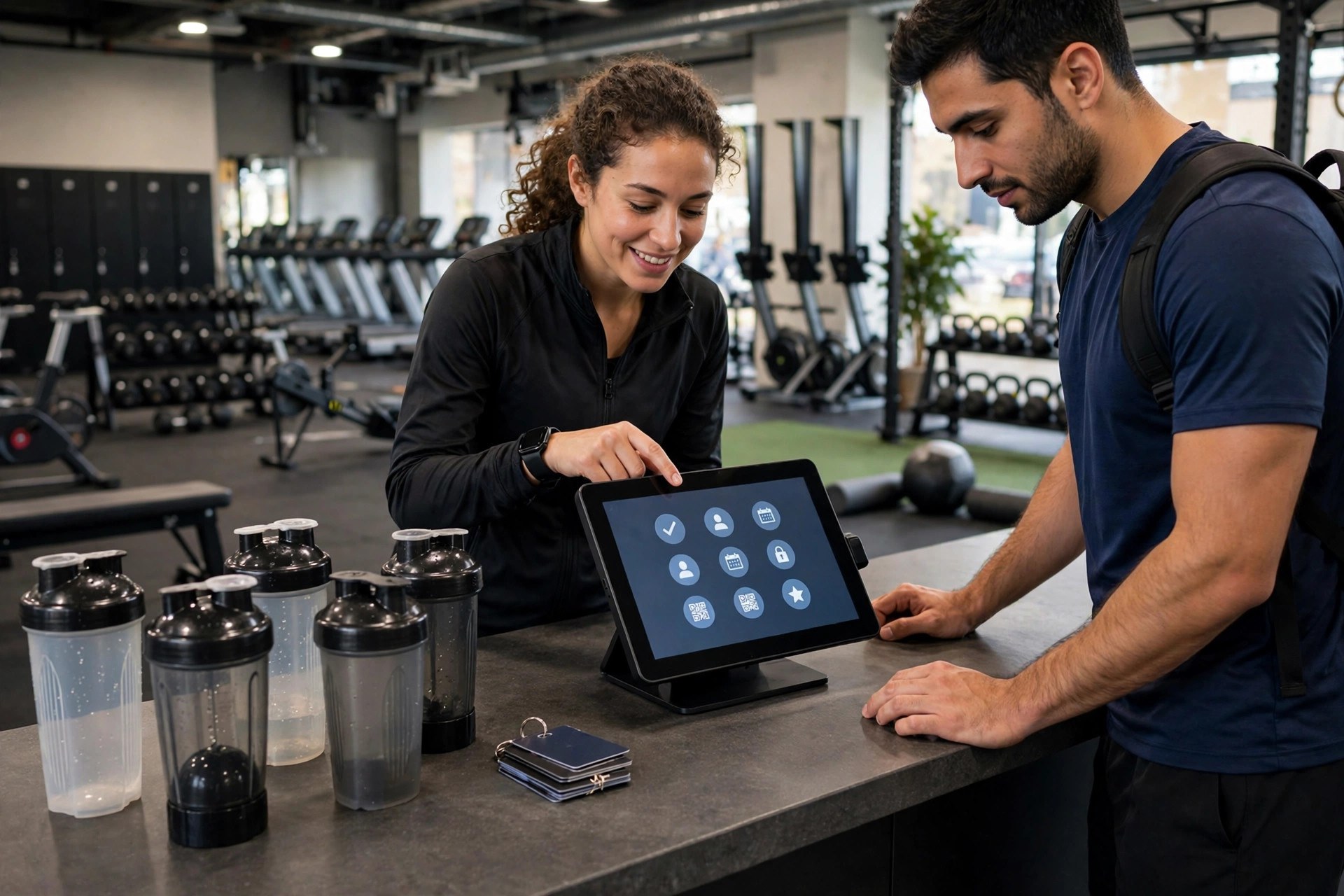
Online booking moves sign-ups off the front desk so staff can greet members by name and sell training.
Setup plan: from zero to live in 30 days
Gym booking touches classes, trainers, the front desk, and billing, so the rollout needs a sequence. Rushed launches produce overbooked classes and angry members. Follow the weeks.
Week 1: map the inventory and pick the tool
List every bookable thing: each class type with its capacity, room, and equipment limit; each court or space with its bookable hours; each trainer with session types and lengths; and every membership tier with its booking rights. This inventory is the configuration spec, and most setup pain comes from skipping it. Then demo two or three tools with your real inventory. Bring a head trainer and your front-desk lead to the demo; they will ask about the daily workflows you will forget. Choose the tool that handles your hardest case (usually waitlists or multi-tier gating), not the one with the prettiest dashboard.
Week 2: configure, connect, and test with staff
Build the class schedule, capacities, booking windows, cancellation rules, and membership tiers in the system. Connect billing so memberships, class packs, and fees flow correctly, and test with real transactions in a sandbox: buy a pack, book a class, cancel late, and confirm the fee logic fires. Run a full week of your class schedule as staff-only bookings, with trainers and desk staff booking, cancelling, and waitlisting like members would. Fix everything they find. Write the member-facing messages (confirmations, reminders, waitlist offers) in plain language with your real policies.
Week 3: soft launch to members
Open booking to existing members before you advertise trials. Announce it in the gym, by email, and in your member app or group: “Book your classes online starting Monday.” Expect a learning curve: run the desk with extra staffing for the first week, post simple how-to signs, and have trainers mention it in class. Watch the data daily: booking volume, waitlist movement, no-show rates, and any capacity errors. Adjust booking windows and cancellation cutoffs based on what you see. Members adapt fast when the system works; they complain loudly when it does not, so this is the week to be responsive.
Week 4: open the trial floodgates
Once members are booking smoothly, turn on public trial booking. Put the trial booking button on your homepage, your Google Business Profile, and every ad landing page. Connect the trial flow to your follow-up: every trial booking should trigger a confirmation, a reminder, and a post-visit conversion sequence automatically. If you run paid ads for trials, this is when the booking page starts paying for itself, because ad clicks convert to booked trials instead of form fills waiting for callbacks. For the follow-up math on missed trial calls, see our missed-call text-back for gyms guide.
Common mistakes that kill bookings
Gym booking fails in predictable ways. Each of these comes from real rollouts, and each is preventable.
Making members download an app to book
Forcing an app download before someone can see the class schedule kills trial bookings. Prospects will not install your app to check one class time. The booking page must work in a mobile browser with no login required to see availability. Offer the app as an upgrade after booking, not a gate before it. Members who book weekly will adopt the app on their own; prospects need zero friction.
Booking windows that are too short or too long
A booking window that opens only 24 hours ahead means popular classes fill before most members can plan, and the waitlist becomes a lottery. A window that opens 30 days ahead means members book speculatively and no-show, because the commitment felt free when it was weeks away. The sweet spot for most gyms is 5 to 7 days for classes, longer for personal training and court reservations. Watch your no-show rate by booking lead time and tune the window; the data will tell you where speculative booking starts.
No late-cancel policy, or one nobody enforces
A cancellation policy that exists on paper but never fires trains members to no-show. If the system does not charge the fee automatically, the front desk will not do it consistently, and members learn the rule is decorative. Turn on automatic enforcement from day one, state the policy at every booking, and handle the rare legitimate exception manually. The first month will bring complaints from serial late-cancellers; those complaints are the policy working.
Treating the schedule as set-and-forget
Class demand shifts with seasons, trainer changes, and time of day. A schedule that worked in January may have empty 6 AM classes and overflowing 6 PM classes by March. Review booking data monthly: occupancy by class, waitlist depth, no-show rates, and cancellation patterns. Add capacity where waitlists are deep, cut or move classes that run half empty, and adjust trainer schedules to match. The booking system gives you this data for free; gyms that ignore it leave money on the table every week.

Full classes with managed waitlists beat half-empty classes. Booking data shows you where demand really sits.
Measuring ROI: the numbers that matter
Gym booking ROI shows up in four places. First, trial volume and conversion: count trial bookings per month, what share booked outside staffed hours, and how many convert to memberships. A booking page that adds even a handful of trials a month pays for itself, because each converted trial is worth a year or more of dues. Second, class occupancy: compare average fill rates before and after online booking with waitlists. Moving a class from 70 to 90 percent full is pure margin. Third, recovered revenue from late-cancel and no-show fees: track fees collected monthly; many gyms find this line item alone covers the software cost. Fourth, front-desk hours: estimate the weekly time the desk spent on sign-ups and schedule questions before launch versus after, and redirect those hours to member retention and training sales.
Review these numbers monthly for the first quarter, then quarterly. The tuning never fully stops: booking windows, cancellation cutoffs, and class times all deserve a fresh look as seasons change. One metric deserves special attention: the share of bookings made outside staffed hours. If that number is high, your booking page is doing the job the phone never could, and it is the clearest proof the system earns its keep. If it is low, the button is probably buried or the flow has too much friction, and the fix is marketing and simplification, not new software.
Also track the member-experience side: complaints about booking, check-in line length at peak classes, and trainer schedule accuracy. A booking system that fills classes but creates daily chaos at the desk is not a win. The goal is bookings that flow into a calm, predictable operation, where the desk team knows exactly who is coming and trainers see accurate rosters. When members trust the booking, they book more, show up more, and stay longer.
Your rollout checklist
Work this list in order. Each step builds on the one before it.
- 1Map every bookable item. Each class with capacity and room, each court with hours, each trainer with session types, and every membership tier with its booking rights.
- 2Choose capacity-first. Shortlist only tools with real-time capacity control and automated waitlists, and demo them with your hardest class scenario.
- 3Connect billing before launch. Test memberships, class packs, late-cancel fees, and guest-pass purchases end to end in a sandbox with real transactions.
- 4Set booking windows and cutoffs. Five to seven days ahead for classes is the usual sweet spot; set late-cancel cutoffs at 8 to 12 hours with automatic fees.
- 5Build the trial flow. Online trial booking with waiver signature, arrival instructions, and an automatic post-visit conversion sequence.
- 6Write member-facing messages. Confirmations, reminders, and waitlist offers in plain language with your real policies, tested on phones.
- 7Soft launch to members first. Open booking to existing members for a week, staff the desk heavily, and fix every issue they find.
- 8Put the button everywhere. Homepage header, Google Business Profile, ad landing pages, social profiles, and in-gym signage.
- 9Train trainers and desk staff. Cover rosters, waitlist handling, trainer calendar blocks, and what to say when a member struggles with booking.
- 10Review booking data monthly. Track occupancy, waitlist depth, no-show rates, after-hours share, and trial conversion, and tune the schedule quarterly.
Frequently asked questions
How much does an online booking system cost for a gym?
Gym-specific platforms run $129 to $349 per month per location, with setup from $0 to $1,500. Standalone class-booking tools cost $79 to $199 a month. A custom-built booking page on your website runs $3,000 to $12,000 to build. Always price the full first year including per-location fees, payment processing, and texting overages.
Can online booking handle class capacity limits?
Yes, and this is the core job of a gym booking system. Each class has a fixed capacity enforced in real time; when the last spot is taken, extra members join an automated waitlist. When someone cancels, the system offers the spot down the waitlist automatically. Never buy a tool that reconciles capacity after the fact.
Do members actually book classes online?
Yes. Members prefer booking from their phones over calling or signing up at the desk, and a large share of bookings happens outside staffed hours. Trial prospects especially expect online booking; a trial that requires a phone call loses a big portion of interested prospects before they ever visit.
How do I stop no-shows for popular classes?
Combine three things: a late-cancel cutoff (8 to 12 hours is standard) with an automatic fee of $10 to $25, reminders before class, and an automated waitlist that refills cancelled spots. Automatic fee enforcement matters more than the policy wording; a rule the system does not enforce is a rule members ignore.
Should prospects be able to book a trial without calling?
Yes. The trial booking should work in a mobile browser with no app download and no account required to see availability. Collect the waiver signature and contact details during booking, send clear arrival instructions, and trigger a post-visit follow-up sequence automatically. Every call required before booking costs you trials.
How long does it take to set up gym booking software?
Two to four weeks for a typical gym: one week to map classes, trainers, and membership tiers and choose the tool, one week to configure and test with staff, one week of member soft launch, and one week of public trial launch. Multi-location groups add time per location.
Will online booking replace my front desk?
No. It moves sign-ups, waitlists, and schedule questions off the desk so staff can do higher-value work: greeting members, selling personal training, and saving at-risk members. Gyms that launch booking well report calmer desks and better member interactions, not smaller teams.
What is the difference between a booking widget and a gym management platform?
A generic widget takes reservations. A gym platform enforces class capacity, gates bookings by membership tier, manages waitlists, tracks personal training packs, handles late-cancel fees, and connects to billing. If you run classes or memberships, you need the platform.
How do booking windows affect no-shows?
Windows that are too long encourage speculative booking and no-shows; windows that are too short lock out members who plan ahead. Five to seven days ahead works for most class schedules. Watch your no-show rate by booking lead time and adjust; the data shows exactly where speculative booking begins.
Should I build custom booking for my gym website?
Almost certainly not. Gym platforms have already solved capacity logic, waitlists, membership gating, and trainer payroll reporting, at $129 to $349 a month. Build only if you run a large multi-location group with booking rules no vendor supports, and budget 15 to 20 percent of the build cost yearly for maintenance.
Fill every class without lifting the phone
Digital Hayder builds online booking systems for gyms: class reservations with real-time capacity, trial booking that converts, personal training scheduling, and the automated follow-up that turns trials into members. We also handle the website, ads, and review engine around it. Tell us about your gym and we will map the fastest path to live booking.
Contact Us