How to Create a Daycare Website That Converts Parents
Is your daycare website attracting visitors but failing to convert them into enrolled families? You're not alone. In today's digital-first world, parents spend an average of 6-8 hours researching childcare options online before making a decision [3]. A well-designed daycare website doesn't just look good,it is your digital storefront, building trust and guiding parents toward enrollment. In this comprehensive guide, we'll show you how to create a daycare website that converts visitors into committed parents.
Why Your Daycare Website Needs to Convert
Your website is often the first impression potential families have of your childcare center. According to recent research, 78% of parents say a daycare's website design is their first criterion for judging quality [2]. That means your site needs to do more than just list hours and contact information,it needs to build trust, showcase your unique value, and make parents feel confident choosing your center.
A conversion-focused daycare website addresses parents' key concerns: safety, quality of care, educational philosophy, and convenience. When you design with these priorities in mind, you're not just attracting traffic,you're attracting the right families who align with your center's values and mission.
Essential Elements of a High-Converting Daycare Website
Clear Value Proposition
Your homepage must immediately communicate what makes your daycare special. Within three seconds of landing on your site, parents should understand your unique approach to childcare and education. This isn't just about listing features,it's about connecting those features to parent concerns.
For example, instead of saying "we offer nutritious meals," say "we serve farm-to-table meals that fuel growing minds and bodies." Instead of "we have qualified staff," say "our teachers hold early childhood education degrees and average 7+ years of experience." Specific, benefit-driven language builds trust and addresses what parents care about most.
Professional Visuals
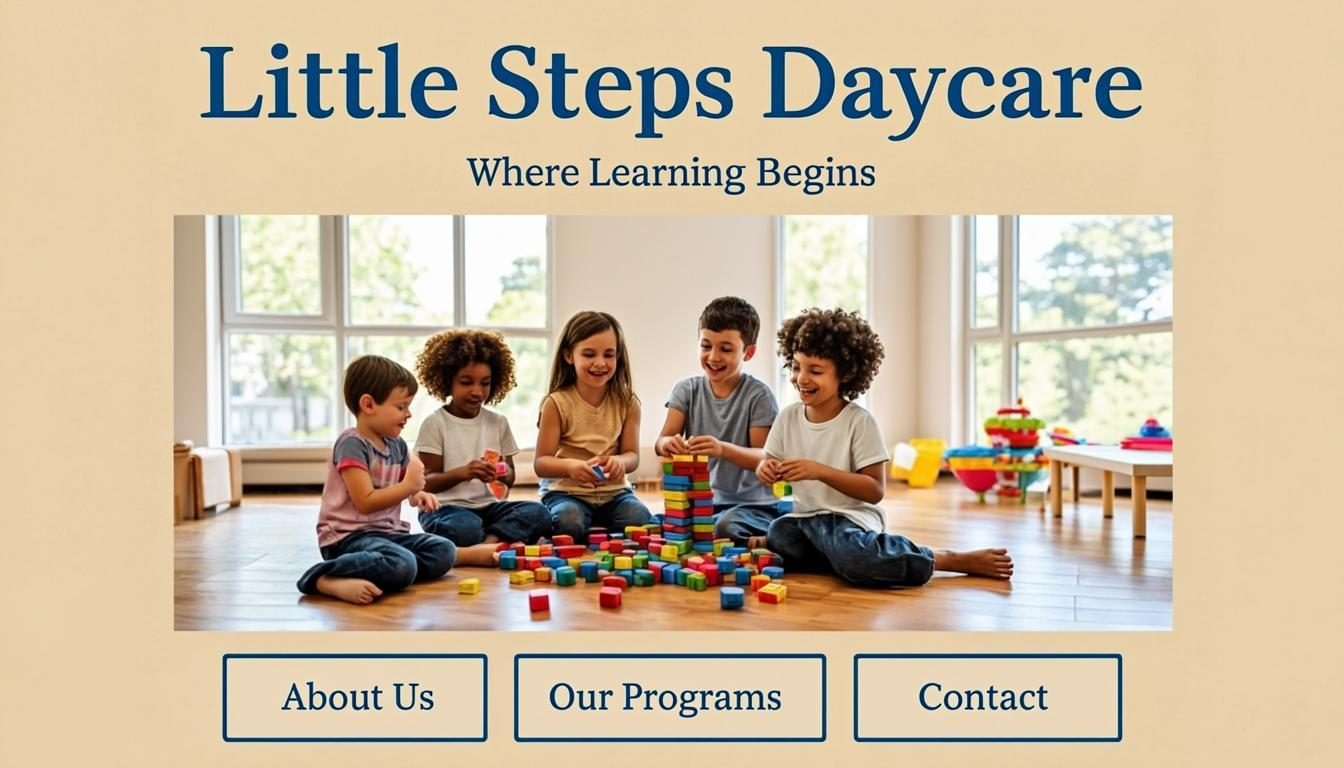
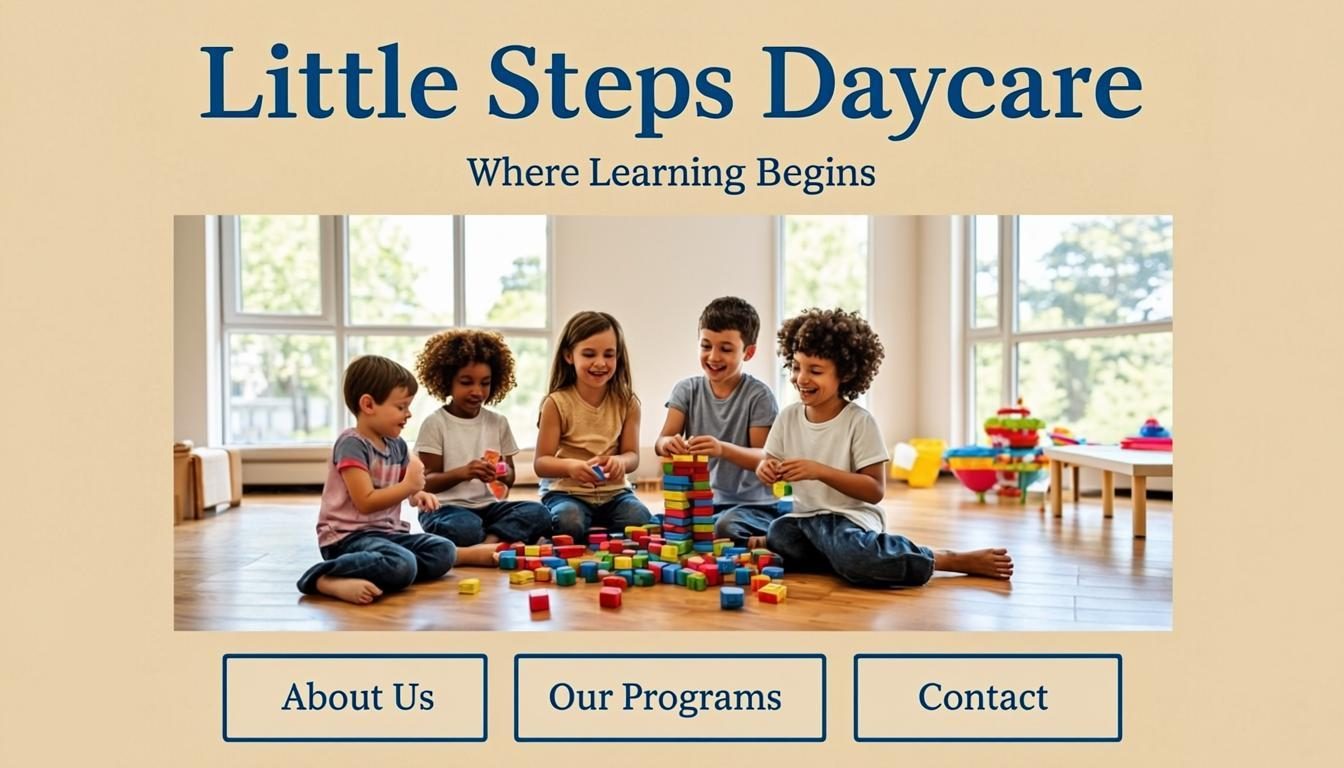
Parents want to see the environment where their children will spend their days. High-quality photos and videos of your facility, classrooms, playground, and activities are essential. According to childcare marketing experts, websites with engaging video content see 30% higher conversion rates than those without [1].
- Actionable tip: Create a virtual tour video that walks parents through your facility, highlighting safety features, learning spaces, and outdoor areas. Include short clips of happy children engaged in activities with teachers.
- Professional photography: Invest in professional photos that show bright, clean classrooms, caring interactions between staff and children, and your outdoor play areas.
- Before and after transformations: If you've recently renovated or improved your facility, showcase these changes to demonstrate your commitment to excellence.
Design Principles That Build Trust
Mobile-First Design
Over 60% of parents research childcare options on their smartphones [3]. If your website doesn't load quickly and display properly on mobile devices, you're losing potential families before they even get to know you.
A mobile-first approach means designing for small screens first, then scaling up to larger screens. This ensures your most important information,contact details, hours, location, and enrollment forms,are easily accessible on any device. Google's mobile-friendly algorithm prioritizes responsive websites, meaning a mobile-friendly design not only improves user experience but also boosts your search rankings.
Clear Navigation
Parents visiting your website are often in information-gathering mode. They want to quickly find answers to their questions without frustration. Your navigation should be intuitive, with logical categories that match what parents are looking for.
- About Us: Your mission, values, staff bios, and educational philosophy
- Programs: Age-specific programs, curriculum details, daily schedules
- Facilities: Photos and descriptions of classrooms, playground, and amenities
- Enrollment: Tuition rates, schedules, enrollment process, and forms
- Parent Resources: Policies, handbook, communication methods
- Contact: Location, hours, phone number, email, and contact form
Content That Converts Parents
Parent Testimonials and Reviews
Social proof is incredibly powerful in the childcare industry. According to industry research, 85% of parents trust online reviews as much as personal recommendations [3]. Featuring testimonials from current and past parents builds credibility and addresses the concerns of prospective families.
When collecting testimonials, ask specific questions that highlight different aspects of your program:
- "How has our curriculum supported your child's development?"
- "What do you appreciate most about our teaching staff?"
- "How do we communicate effectively with parents about their child's day?"
- "What makes our center stand out from other options you considered?"
Include photos of the families with their children whenever possible, as this creates an authentic connection with potential families.
Comprehensive Program Information
Parents need detailed information to make informed decisions about their child's care. Your website should provide comprehensive details about each program you offer, including:
- Age groups and classroom sizes: Specific age ranges and maximum student-to-teacher ratios
- Daily schedule: Sample daily routines showing balance of learning, play, meals, and rest
- Curriculum approach: Detailed explanation of your educational philosophy and methods
- Special programs: Any enrichment programs, extracurricular activities, or specialized care
- Meals and nutrition: Information about food sources, menu examples, and allergy accommodations
- Health and safety: Policies regarding illness, medication administration, and emergency procedures
Local SEO for Maximum Visibility
Optimizing for Local Searches
Most parents search for daycare options near their home or workplace. Local SEO ensures your center appears when parents search for "daycare near me" or "childcare in [your city]." According to childcare marketing experts, local SEO helps nearby parents find you fast [1].
To optimize for local searches:
- Claim your Google Business Profile: Complete all sections, add high-quality photos, and encourage reviews
- Use location-specific keywords: Include your city, neighborhood, and landmarks throughout your website
- Create location pages: If you serve multiple neighborhoods or have multiple locations, create dedicated pages for each
- Build local citations: Ensure your business name, address, and phone number are consistent across online directories
Online Reputation Management
Your online reputation directly impacts your enrollment numbers. According to recent statistics, 92% of parents say online reviews influence their decision when choosing a daycare [3]. Actively managing your online reputation is essential for attracting new families.
- Monitor review sites: Set up alerts for mentions on Google, Yelp, and local parenting forums
- Respond to all reviews: Thank positive reviewers and address concerns raised in negative reviews professionally
- Encourage reviews: Create a simple process for happy parents to leave reviews on multiple platforms
- Showcase your ratings: Display your average rating prominently on your website
Conversion Optimization Strategies
Streamlined Enrollment Process
The easier you make it for parents to enroll, the more likely they are to complete the process. A complicated enrollment form can be a major barrier to conversion. According to industry research, forms with more than 10 fields see a 40% drop-off rate [2].
Here's how to create a streamlined enrollment process:
- Break it into steps: Divide your enrollment form into logical sections with progress indicators
- Offer guest checkout: Allow parents to start the process without creating an account
- Save progress: Enable users to save their progress and return later if needed
- Mobile optimization: Ensure the form works perfectly on all devices
- Clear next steps: After submission, provide immediate confirmation and next steps
Effective Calls-to-Action
Every page of your website should guide parents toward the next step in their enrollment journey. Effective calls-to-action (CTAs) tell parents exactly what to do next and make it easy to take that action.
- Schedule a Tour: The most important CTA for most daycare websites
- Download Tuition Information: For parents still comparing options
- Meet Our Teachers: To build connections with your staff
- View Parent Handbook: To show transparency and professionalism
- Contact Us: For parents with specific questions
Place CTAs prominently on your homepage, in your footer, and at the end of relevant pages. Use action-oriented language like "Schedule Your Tour Today" rather than passive phrases like "Contact Us."
Key Takeaways
- Your daycare website is your digital storefront and builds trust with potential families
- Mobile-first design is essential, as over 60% of parents research childcare options on smartphones
- High-quality photos and videos of your facility significantly increase conversion rates
- Comprehensive program information addresses parents' key concerns about safety, quality, and educational value
- Local SEO optimization ensures parents in your area can easily find your center when searching online
- A streamlined enrollment process with clear calls-to-action removes barriers to conversion
Frequently Asked Questions
How much should I budget for a professional daycare website?
A professional daycare website typically costs between $2,500-$7,000, depending on features, custom design, and ongoing maintenance. Many centers find that a quality website pays for itself through increased enrollment within the first year [2].
What information should parents find on my daycare website?
Parents need to easily find your programs, curriculum, staff qualifications, tuition rates, enrollment process, health and safety policies, and contact information. Visuals of your facility and testimonials from current parents are also essential for building trust.
How often should I update my daycare website?
Plan to update your website at least quarterly with new photos, testimonials, and program information. Your blog should be updated monthly with parenting tips and center news to maintain search visibility and provide value to parents.
What's the most important page on a daycare website?
Your homepage is most critical as it creates the first impression. However, your program pages and enrollment process are where conversions happen. Ensure these pages are comprehensive, easy to navigate, and optimized for mobile devices.
How can I measure if my daycare website is converting visitors?
Track key metrics like form submissions, tour requests, phone calls from your website, and time spent on enrollment pages. Set up conversion tracking in Google Analytics to monitor these actions and identify areas for improvement.
Putting It All Together
Creating a daycare website that converts parents requires strategic planning, thoughtful design, and valuable content. By focusing on building trust, addressing parent concerns, and making enrollment easy, you'll create a powerful digital tool that supports your center's growth and fills your classrooms with the right families.
Start implementing these strategies today, and watch your website transform from a simple online brochure into a powerful enrollment machine. Remember, your website isn't just about attracting visitors,it's about converting them into loyal members of your childcare community.
Ready to get started? Schedule a website audit to identify your biggest opportunities for improvement, or begin by updating your homepage with a stronger value proposition and more compelling visuals. Your future families are searching online right now,make sure they find you and choose you.